

TL;DR
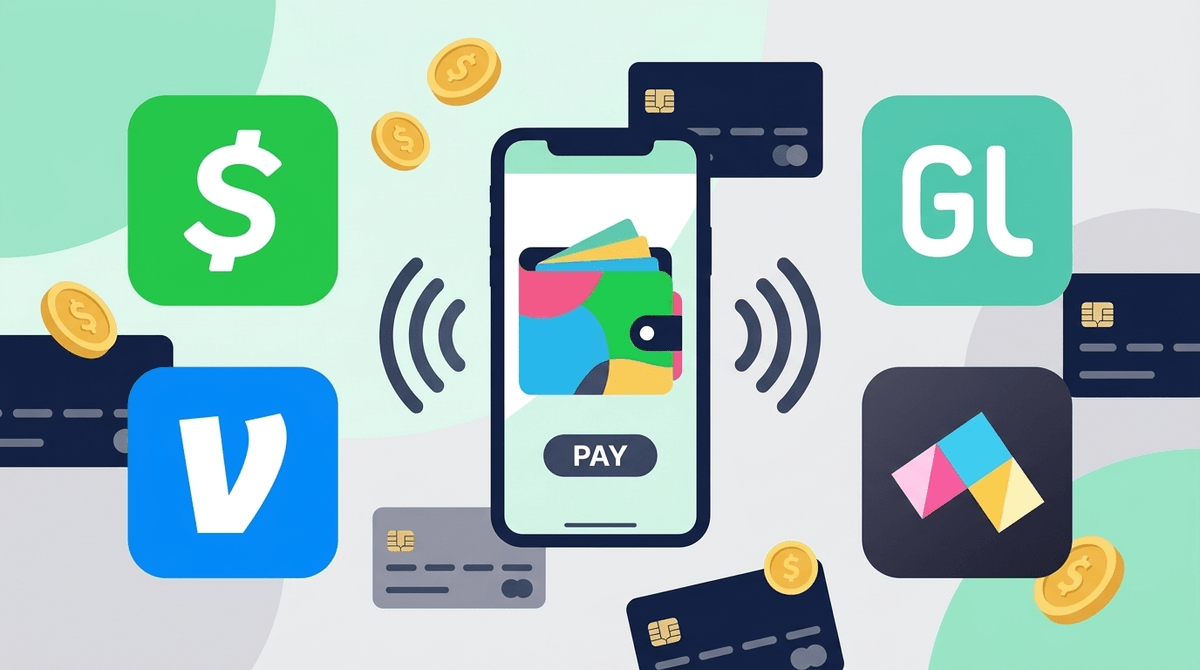
The days of crumpled $5 bills for the movies are over. If your teen is asking to "Cash App" a friend for pizza or needs Venmo to pay back their older cousin, they’re entering the world of digital wallets.
Quick Recommendations:
- For the "Training Wheels" Phase: Greenlight or Step are built specifically for teens with heavy parental oversight.
- For Social Convenience: Venmo (Teen Accounts) is the gold standard for social spending but requires privacy tweaking.
- For the "Cool Factor": Cash App is incredibly popular with Gen Z and Alpha, though it feels a bit more "Wild West."
- For In-Person Ease: Apple Pay or Google Pay are the actual "wallets" that hold these cards for tap-to-pay.
See the best first debit card for a 13-year-old
At their core, these are Peer-to-Peer (P2P) payment platforms that allow users to send and receive money instantly from a smartphone. While they used to be 18+, the "Big Three" (Venmo, Cash App, and PayPal) have all launched teen-specific versions that require a "sponsor" (you, the parent) to oversee the account.
This isn't just about moving money; it’s about digital autonomy. For a teen, having their own "card" in their Apple Wallet is a major rite of passage. It’s the digital equivalent of getting your first set of house keys.
Money has become a social language. On TikTok and Instagram, you'll see creators doing giveaways via Cash App tags. In the school cafeteria, "Cash App me" is the new "I’ll pay you back tomorrow."
There’s also a subtle social status to it. Using a physical "kiddie" card from a local bank feels "Ohio" (weird/cringe) to some teens, whereas a sleek black Cash App card or a customized Step card feels like being an actual adult. Plus, it integrates directly with the games they’re already playing. If they want to buy a new skin in Fortnite or some Robux in Roblox, having a digital card makes that friction-less—which is exactly what we need to keep an eye on.
Venmo is basically a social network for your bank account. The Teen Account allows 13-17 year olds to have their own debit card and app access.
- The Pro: It’s what most adults use, so it’s easy to send them money for gas or groceries.
- The Con: The social feed. By default, Venmo likes to show the world that "Caleb paid Maya for 🍕." For teens, this can lead to "Digital FOMO"—seeing that all their friends are out at dinner without them.
- Parental Control: You can see their transactions and friends list from your own app.
Cash App is the "cool" younger brother of the payment world. It’s fast, the interface is flashy, and it’s deeply embedded in internet culture.
- The Pro: It’s incredibly easy to set up. Teens (13+) can start the process, and you just "sponsor" them from your account.
- The Con: It’s a magnet for scams. Because the transactions are instant and hard to reverse, "Cash App flipping" scams are rampant on Discord and Snapchat.
- The "Vibe": It feels less like a bank and more like a game.
If you aren't ready to set them loose on P2P apps, Greenlight is the gold standard for intentional parenting.
- The Pro: Granular control. You can literally block specific stores (no, you cannot spend $50 at Steam this month) and set up automated chores/allowance.
- The Con: It costs a monthly subscription fee, whereas the others are mostly free.
- Best for: Ages 10-14 who are just learning the ropes.
Step is a hybrid. It’s a "secured" credit card for teens that helps them build a credit score before they even turn 18, but it functions like a debit card.
- The Pro: No fees and it actually helps their long-term financial health.
- The Con: It doesn’t have the same "everyone has it" network effect as Venmo.
Compare Greenlight vs Step for your family
We used to worry about our kids losing a $20 bill. Now, the risks are a bit more sophisticated.
- The "Accidental Public" Setting: On Venmo, make sure their privacy is set to Private. There is zero reason for the world to see their spending habits.
- Money Mules and Scams: There’s a common scam where a "stranger" sends a teen $100 "by accident" and asks them to send it back. The original $100 was from a stolen account and will eventually be reversed, but the money your teen sent back is gone forever.
- The "Bank Account Drain": If your teen links their Cash App to their Roblox account, they might not realize how fast $5.00 "here and there" adds up.
Read our guide on avoiding digital payment scams
Digital wallets change the "physics" of money. When you hold a physical bill, you feel the loss when it leaves your hand. With Apple Pay, it’s just a "beep" and a haptic buzz.
The Peer Pressure Factor: Teens often feel pressured to "request" or "send" money to fit in. If a group goes to Starbucks and one kid doesn't have money on their app, another might say, "I'll just request you on Venmo." This creates a "digital debt" that can be stressful for kids to manage. It’s worth asking your teen: “Do you ever feel like you have to spend money because your friends are tagging you in requests?”
Instead of a lecture on compound interest (which will result in immediate eye-rolling), try these conversation starters:
- The "Paper Trail" Talk: "Hey, just so you know, I can see what you’re spending on Venmo. I’m not checking to be a spy, but to make sure no one is scamming you. If you see something weird, tell me."
- The "In-App Purchase" Audit: "I noticed you spent $30 on Brawl Stars last week. Was that a 'worth it' spend, or did the app just trick you into it?"
- The Privacy Check: "Let’s look at your privacy settings together. Do you really want your English teacher to see that you bought 'emergency tacos' at 10 PM?"
Check out our guide on talking to teens about digital spending
Digital payment apps aren't "bad"—they are inevitable. We are moving toward a cashless society, and giving your teen a Cash App or Step account is a great way to let them make "low-stakes mistakes" now while you’re still there to catch them.
If your kid is responsible but social, Venmo is great. If they are younger or struggle with impulse control, stick with Greenlight. Either way, the goal is to move them from "brain rot" spending to intentional, deliberate financial habits.
- Choose your platform: Decide if you want "training wheels" (Greenlight) or "mainstream" (Venmo).
- Set the Privacy: Sit down and make sure every setting is "Private" or "Friends Only."
- The "Sponsor" Sync: Ensure your own account is linked so you can bail them out (or lock the card) if needed.
- Audit Monthly: Once a month, just glance at the history together. It’s the best financial literacy class they’ll ever get.