

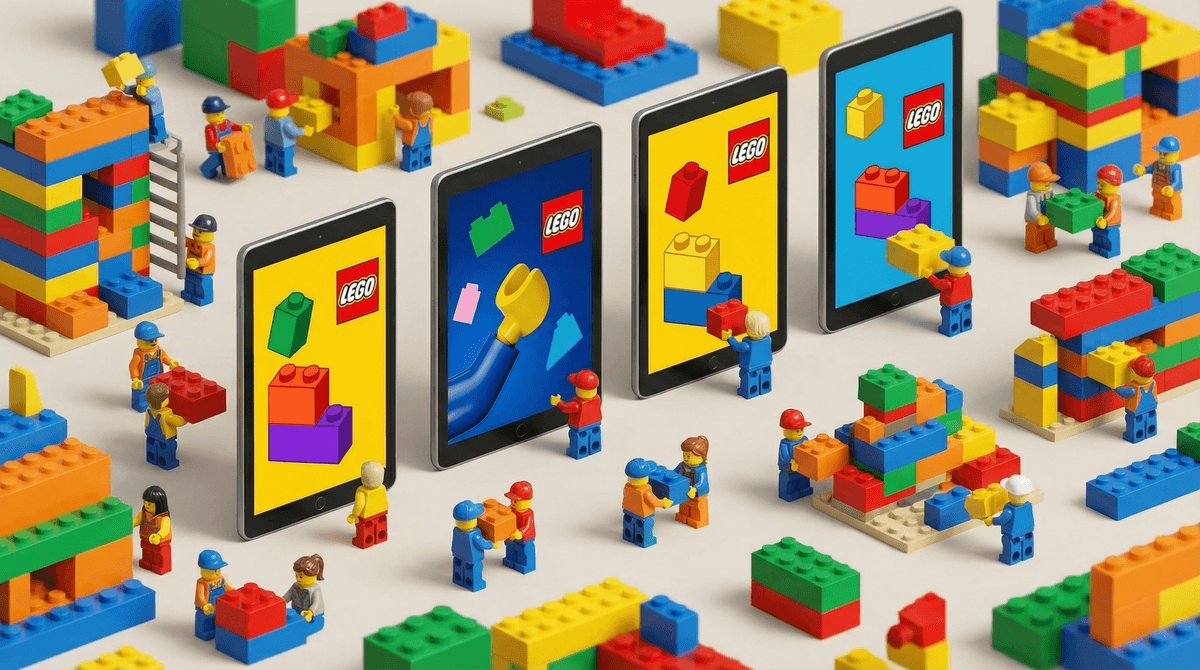
The Ultimate Guide to LEGO Apps: Building Safely in the Digital World
LEGO has done something pretty smart in the digital space—they've created a whole ecosystem of apps that extend the brick-building experience without completely abandoning what makes LEGO special in the first place. We're talking about apps like LEGO Life, LEGO Builder, LEGO Tower, and various game tie-ins for franchises like Star Wars, Harry Potter, and Ninjago.
Unlike a lot of branded apps that are basically just glorified advertisements or cash grabs, LEGO's apps actually serve different purposes: some are creative building tools, some are social networks designed specifically for kids, and others are full games that happen to feature those little yellow minifigures we all know and love.
The flagship app for most families is LEGO Life, which is essentially a kid-safe social network where children can share their LEGO creations, participate in building challenges, and interact with other LEGO fans. Think Instagram meets Pinterest, but with training wheels and actual moderation.
Here's the thing: kids who are into LEGO are really into LEGO. And these apps tap into that obsession in ways that feel like natural extensions of what they're already doing with physical bricks.
LEGO Life gives kids something they desperately want at a certain age—a social media presence of their own. They can post photos of their builds, get likes (well, emojis), follow other builders, and feel like they're part of a community. For kids who aren't old enough for Instagram or TikTok (which should be most kids under 13, but that's a whole other conversation), this scratches that itch in a much safer environment.
The building and gaming apps offer that instant gratification that physical LEGO sometimes lacks. You can build a massive LEGO city in LEGO Tower without spending $300 or needing three square feet of floor space that nobody's allowed to step on for six months.
Plus, let's be real—LEGO has nailed the aesthetic. These apps are colorful, satisfying to interact with, and have that LEGO humor that works for both kids and adults.
This is where LEGO deserves some genuine credit. LEGO Life has some of the most robust kid-safety features of any social app out there:
- No direct messaging. Kids can't DM each other, which eliminates a huge vector for predatory behavior.
- Heavy moderation. All posts and comments are reviewed before they go live. Yes, this means there's a delay, but it also means your kid isn't going to stumble across something inappropriate.
- Limited personal information. Kids can't share their real names, ages, or locations. They create usernames and avatars instead.
- Emoji-only reactions. Instead of typing comments, kids mostly communicate through pre-set emoji reactions and approved comment options.
That said, no system is perfect. The moderation is good but not infallible—occasionally something slips through. And while kids can't share personal info in their profiles, they can include it in photos of their builds (like a school project with their name on it, or a background that shows identifiable information).
The gaming apps are generally fine from a safety standpoint—most don't have social features at all. The main concern there is the usual stuff: in-app purchases and screen time management.
Ages 5-7: The building instruction apps like LEGO Builder work great here. They're basically digital instruction manuals that can guide kids through builds step-by-step. No social features, no purchases, just building. The simpler game apps like LEGO DUPLO World are also solid for this age range.
Ages 8-12: This is the sweet spot for LEGO Life. Kids are old enough to want social interaction but (hopefully) still young enough to be satisfied with a moderated environment. This is also when kids start getting into the more complex LEGO game apps based on their favorite franchises.
Ages 13+: Honestly, most teens age out of LEGO apps pretty quickly. They want the real social media experience (for better or worse), and LEGO Life starts to feel restrictive. Some stay engaged with the gaming apps if they're into LEGO video games in general, but the social aspect loses its appeal.
The in-app purchase situation: This varies wildly by app. LEGO Life is completely free with no purchases. LEGO Tower and similar games use the freemium model—free to play but with optional purchases that speed up progress or unlock content. Set up parental controls on your device to require approval for purchases, because those $4.99 gem packs add up fast.
Screen time considerations: Here's where it gets nuanced. Is time spent on LEGO Builder (following instructions to build a digital set) the same as time spent on Roblox? Probably not. Is time spent on LEGO Life (posting builds and scrolling through other people's creations) the same as reading a book? Also no.
Think about what your kid is doing in the app, not just that they're on the app. Creating and building? Pretty good use of screen time. Mindlessly grinding in LEGO Tower to unlock the next floor? Maybe less so.
The physical-digital balance: One thing to watch for is whether these apps are replacing physical building or supplementing it. If your kid used to spend hours building with actual bricks but now only wants to play LEGO games, that's worth addressing. The tactile, spatial, and creative benefits of physical LEGO are real and valuable. But if the apps are inspiring new builds or giving them ideas to try with real bricks? That's actually pretty cool.
Account management: For LEGO Life specifically, you'll set up an account with your email, then create a kid profile. You can manage settings and monitor activity through the parent dashboard. Actually use it. Check in on what your kid is posting and who they're following. The moderation is good, but you're still the primary line of defense.
LEGO apps offer some genuinely good opportunities for conversations about digital citizenship:
Digital footprint: Even in a kid-safe environment like LEGO Life, what your child posts is still out there for others to see. This is a great low-stakes place to talk about thinking before you post and understanding that online content isn't truly private.
Comparison culture: Kids will see other builders creating elaborate, impressive builds. Some are from kids their age, but many are from adults or semi-professional LEGO builders. Talk about how social media (even kid-friendly versions) can make you feel like everyone else is better/more creative/more skilled than you are.
Monetization and game design: The freemium games are actually perfect teaching tools for understanding how apps make money and how games are designed to encourage spending. When your kid wants to buy gems in LEGO Tower, have a conversation about why the game makes you wait unless you pay. It's digital literacy in action.
LEGO apps are about as good as branded kids' apps get. They're well-designed, reasonably safe, and actually connected to creative play rather than just being digital babysitters. LEGO Life in particular is one of the better "first social media" experiences for kids who are ready for that kind of thing.
But they're not magic. They still require parental involvement, boundary-setting, and ongoing conversations. And they work best when they're part of a balanced media diet that includes physical building, outdoor play, reading, and all the other stuff that makes childhood actually, you know, childhood.
If your kid is into LEGO and asking for these apps, they're worth trying—just go in with your eyes open and your parental controls configured.
- Download LEGO Life and set it up together, walking through the safety features with your kid
- Establish clear expectations about screen time limits for LEGO apps (separate from other screen time if it makes sense)
- Require purchase approval for any freemium LEGO games before your kid downloads them
- Schedule a weekly check-in to look at what they've been posting and creating together
- Learn more about setting healthy boundaries around creative apps
 if you're struggling with the "but it's educational!" argument