

Twitch Chat Safety for Preteens: What Parents Need to Know
TL;DR: Twitch chat moves fast, uses its own language, and can expose kids to everything from harmless spam to genuinely concerning content. The good news? There are actual tools to make it safer, and understanding how chat culture works helps you know what to watch for. Start with Follower-Only mode, teach your kid about timeouts and bans, and consider whether they really need to chat at all—or if lurking is enough for now.
If your kid watches Twitch, they're probably watching someone play Minecraft, Fortnite, or Roblox while a live chat scrolls by on the right side of the screen. That chat is where viewers talk to each other and the streamer in real time—and it's basically organized chaos.
Unlike YouTube comments that sit there forever, Twitch chat is ephemeral. Messages fly by, get buried, and disappear into the void. In a big stream with thousands of viewers, your message might be visible for literally two seconds before it's pushed off screen by fifty people spamming emotes.
The chat experience varies wildly depending on the size of the stream:
- Small streams (under 100 viewers): Actual conversations happen. The streamer might read your kid's message out loud and respond. It feels personal and community-oriented.
- Medium streams (100-1,000 viewers): Still possible to have your message seen, but it's getting chaotic. Inside jokes and emote spam start dominating.
- Large streams (thousands of viewers): Total mayhem. Chat moves so fast it's basically unreadable. People spam emotes, copypastas (repeated text blocks), and react to what's happening on stream in real time.
The appeal is real: your kid can "talk" to their favorite streamer, be part of an inside joke, and feel like they're hanging out with thousands of other people who get it. When a streamer shouts out your username or responds to your comment, it's a genuine dopamine hit.
Emote culture is huge here. Twitch has its own language of emotes—little images that convey emotion, jokes, or reactions. There's Kappa (sarcasm), PogChamp (excitement), LUL (laughing), and thousands more. Kids love learning this language and using it to fit in. It's like knowing the secret handshake.
The problem? All of this happens in real time with minimal barriers to entry. Anyone can create a Twitch account and start chatting. And while many communities are genuinely wholesome, others are... not.
Let's not sugarcoat it: Twitch chat can get ugly fast, especially in larger streams where moderation struggles to keep up.
Inappropriate content: Depending on the stream, chat can include sexual references, graphic language, political rants, and hate speech. Even in "family-friendly" streams, you'll see people testing boundaries or trying to get a reaction.
Predatory behavior: Like any platform where adults and kids mix, there's risk of grooming. Someone might DM your kid after seeing them in chat, try to move the conversation off-platform, or ask for personal information. Learn more about online grooming tactics .
.
Toxic culture: Gaming culture can be brutally mean. Depending on the streamer and their community, chat might normalize bullying, pile onto people who make mistakes, or create an environment where being cruel is considered funny.
Spam and scams: Fake giveaway links, phishing attempts, and bots posting sketchy URLs are common. Kids who don't recognize these tactics might click something they shouldn't.
Parasocial relationships: Kids can develop intense one-sided relationships with streamers, feeling like they're actual friends. This can lead to oversharing personal info, spending money on subscriptions and donations to get noticed, or feeling genuinely hurt when the streamer doesn't remember them.
The good news: Twitch gives streamers (and parents) real tools to control the chat experience.
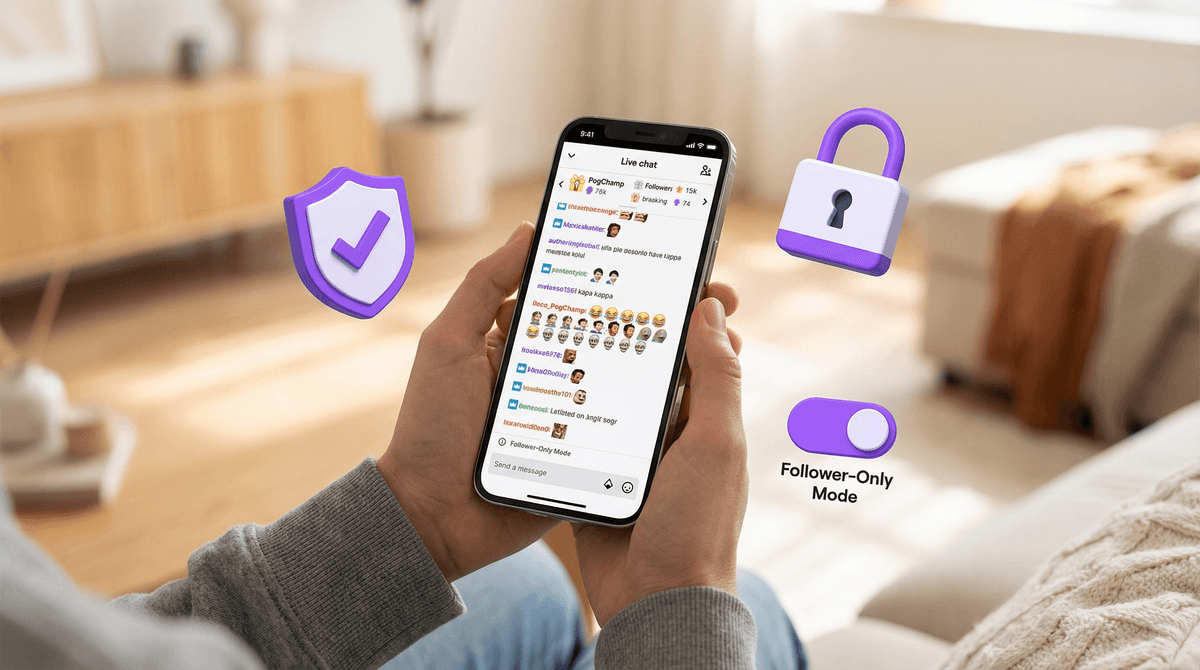
Follower-Only Mode: Streamers can require people to follow the channel for a certain amount of time (10 minutes, 1 day, 1 week, etc.) before they can chat. This stops drive-by trolls and new bot accounts. If your kid is streaming themselves, turn this on immediately.
Subscriber-Only Mode: Only people who pay to subscribe can chat. This dramatically reduces toxicity since people are less likely to risk losing paid access. But it also means your kid can't participate unless you're paying a monthly subscription.
Slow Mode: Limits how often someone can send messages (every 3 seconds, 10 seconds, etc.). This helps mods keep up and reduces spam. It won't stop all bad behavior, but it slows the chaos.
AutoMod: Twitch's built-in filter that blocks messages containing certain words or phrases. Streamers can adjust sensitivity levels. It's not perfect—people find creative ways around filters—but it catches a lot.
Moderators: Good streamers have human moderators who can timeout or ban problematic users in real time. A well-moderated chat is night and day different from an unmoderated one.
Whispers (DMs) settings: You can disable whispers entirely or restrict them to friends only. Do this. There's almost no reason a stranger needs to DM your kid on Twitch.
If your preteen is going to use Twitch chat, here's what to do:
-
Create the account together and set a strong password you both know.
-
Turn off whispers: Settings → Security and Privacy → Block Whispers from strangers. Just do it.
-
Enable email verification: This adds a layer of security and is required for some safety features.
-
Review privacy settings: Make sure their email address isn't public and their profile doesn't include real names, locations, or other identifying info.
-
Teach them about the block and report buttons: They're easy to use. If someone makes them uncomfortable, block immediately, ask questions later.
-
Consider lurking instead of chatting: Your kid can watch streams without ever sending a message. They can still enjoy the content and see what others are saying without exposing themselves to risk. For many preteens, this is genuinely the better option.
Ages 8-10: Honestly? They probably shouldn't be chatting on Twitch at all. Watching curated, family-friendly streamers in lurk mode is fine, but the chat environment is too unpredictable for this age. If they're desperate to participate, consider streams with under 50 viewers where you can actively monitor every message.
Ages 11-12: This is where it gets tricky. Some 11-12 year olds are mature enough to handle Twitch chat with guardrails. Others aren't. Start with small, heavily moderated streams. Watch together initially. Talk about what they're seeing. If they encounter something inappropriate, use it as a teaching moment rather than immediately banning the platform (unless it's really bad, in which case, yeah, ban away).
Ages 13+: Twitch's official age requirement is 13, which is when most kids have developed enough digital literacy to navigate chat with guidance. They should understand: don't share personal info, don't click suspicious links, block liberally, and come to you if something feels off.
This is critical: the streamer's personality and moderation style matter way more than what game they're playing.
A wholesome streamer playing Call of Duty with strict chat rules can be safer than a toxic streamer playing Animal Crossing with no moderation.
Before your kid becomes a regular in someone's chat, watch a stream yourself. Read the chat. See how the streamer responds to inappropriate comments. Check if they have active moderators. Look at their "About" section for chat rules.
Some genuinely family-friendly streamers to consider: look into family-friendly Twitch streamers. The Minecraft and Roblox communities have quite a few creators who actively cultivate positive chat environments.
Your kid needs to understand how Twitch chat actually works:
Emote spam is normal: When something exciting happens, chat explodes with the same emote over and over. This is just how Twitch works. It's not bullying or chaos—it's the culture.
Copypastas are usually harmless: These are repeated text blocks that become inside jokes. Most are silly. Some are inappropriate. Teach your kid not to repeat something just because everyone else is.
Not every message deserves a response: In fact, most don't. The streamer can't possibly respond to everything. Don't take it personally.
Timeouts and bans are part of the system: If a mod times someone out (temporarily blocks them from chatting), it's usually deserved. If your kid gets timed out, don't immediately assume the mod is being unfair—ask what they said and use it as a learning opportunity.
Raiding is a thing: When a stream ends, the streamer might "raid" another channel, sending all their viewers there at once. This is generally positive and community-building, but it can be chaotic.
If your preteen wants to stream themselves, that's a whole different conversation with additional risks. They'll need to moderate their own chat, which means dealing with trolls directly. They might attract unwanted attention. Their voice and potentially their face will be public.
If you're going this route: use Follower-Only mode, enable AutoMod at high sensitivity, recruit trusted friends or family as moderators, never show identifiable information on camera (school logos, street signs, etc.), and seriously consider starting with just streaming to friends through Discord instead of publicly on Twitch.
Instead of: "Twitch chat is full of creeps and you're not allowed."
Try: "I know you love watching [streamer name]. I want you to be able to enjoy that safely. Let's talk about what you're seeing in chat and set up some safety features together. Can you show me how the block button works?"
Ask questions:
- "What's the funniest thing you've seen in chat this week?"
- "Has anyone ever said something that made you uncomfortable?"
- "Do you feel pressure to donate or subscribe to get the streamer's attention?"
- "What would you do if someone asked you to move the conversation to Discord or Instagram?"
Make it clear they won't get in trouble for telling you about something sketchy they encountered. You want them to come to you, not hide it.
Twitch chat is not inherently evil, but it's also not designed with preteens in mind. It's a space where internet culture moves fast, moderation is inconsistent, and the line between harmless chaos and genuinely harmful content can be thin.
Your job isn't to eliminate all risk—that's impossible—but to give your kid the tools and judgment to navigate it. Start conservative (lurking only, heavily moderated streams), teach them the safety features, and gradually increase freedom as they demonstrate good judgment.
And remember: it's completely reasonable to decide your preteen isn't ready for Twitch chat at all. Watching streams without participating is still engaging and way safer. There's no trophy for being the most permissive parent.
- Watch a Twitch stream together and read the chat. Talk about what you see.
- Review your kid's Twitch privacy settings if they already have an account.
- Disable whispers from strangers immediately.
- Identify 2-3 well-moderated streamers in games your kid enjoys and make those the default.
- Check in regularly about what they're seeing and experiencing in chat.
Want to explore safer alternatives? Check out YouTube Gaming vs Twitch for kids or consider whether Discord watch parties with friends might be a better fit for your family.