

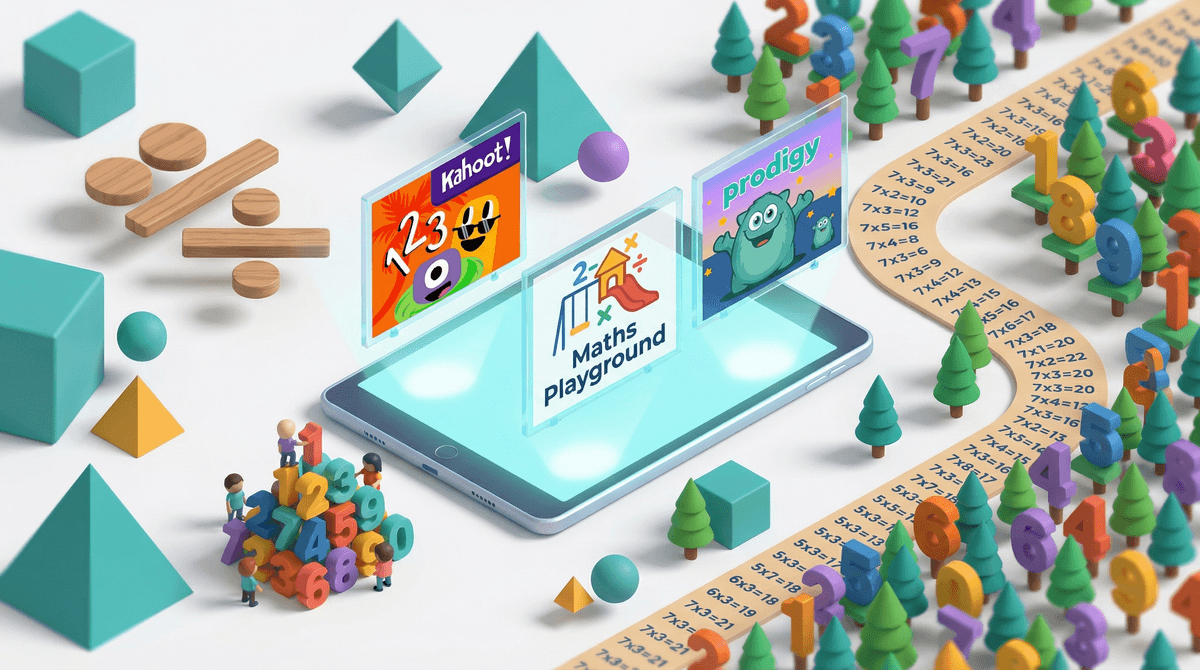
Look, we all know the guilt spiral: your kid asks for "just 20 more minutes" on their tablet, and you're standing there wondering if you're raising a screen zombie or if this counts as educational. When it comes to math games specifically, the answer is genuinely more complicated than the guilt-industrial complex wants you to believe.
Fourth grade math games are apps and websites designed to reinforce the specific skills kids are learning in class: multi-digit multiplication, division with remainders, fractions (the year fractions become real), decimals, and early geometry concepts. Some are glorified flashcard drills with cartoon characters. Others are actual games where math is woven into gameplay. The difference matters.
The best ones? They make kids want to practice math without realizing they're practicing math. The worst ones are essentially digital worksheets with sound effects—which, fine, still better than actual worksheets, but let's not pretend that's revolutionary.
Here's the thing about 4th graders and math: this is the year when the gap starts showing. Some kids are still coasting on addition facts, while others are ready to understand why you can't just add the tops and bottoms of fractions together (looking at you, 2/3 + 1/4 ≠ 3/7).
Good math games work because they:
- Give instant feedback without judgment (no red pen, no disappointed teacher face)
- Let kids progress at their own pace without the social anxiety of being "the slow one"
- Disguise repetition as progression (unlocking levels feels different than completing worksheet rows)
- Actually make pattern recognition and number sense feel like solving puzzles, not doing homework
Kids also love them because: they're on a screen, full stop. Let's not overthink it. If your kid would rather do Prodigy than read, that's not because Prodigy is pedagogically superior to books—it's because it's a video game.
The 800-pound gorilla of elementary math games. It's basically Pokémon but you battle with math problems. Your 4th grader is probably already asking about it because "everyone plays it."
The good: Genuinely engaging gameplay, adaptive difficulty, aligns with curriculum standards, tracks progress for parents.
The catch: The free version is fine, but the game aggressively pushes the paid membership. Kids without premium memberships get slower progression and see what they're missing constantly. It's the freemium model at its finest, and it works because 9-year-olds have zero resistance to FOMO. Learn more about Prodigy's monetization tactics .
.
Bottom line: If your kid is actually doing math practice voluntarily, the $10/month might be worth your sanity. If they're spending more time shopping for virtual pets than solving equations, skip it.
The anti-Prodigy. Free, no ads, no subscriptions, no cartoon characters begging you to buy things. Just... math games. Lots of them.
The good: Logic puzzles, word problems, and games that actually require thinking, not just speed. The Thinking Blocks section is legitimately excellent for visual learners struggling with word problems.
The catch: It looks like a website from 2010 because it basically is. Your kid might not be dazzled. That's okay.
Bottom line: This is the vegetables of math games—not exciting, but genuinely good for them. Great for short, focused practice sessions.
For the kid who's still shaky on number sense and needs to understand why math works, not just memorize procedures.
The good: Uses manipulatives and visual models to build genuine understanding. No time pressure, no competition, just exploration. The entire DragonBox series is designed by actual educators who understand learning theory.
The catch: Costs money upfront ($8-10 per app). Also, it's not flashy—if your kid wants Prodigy's battle system, this will feel slow.
Bottom line: This is an investment in actual mathematical thinking. If your kid is struggling with foundational concepts, this is worth it.
Popular in schools, so your kid might already have a login. It's like Prodigy's less flashy cousin—more focused on practice, less on the game wrapper.
The good: Adaptive, covers all four operations plus fractions and decimals, has a competitive element without being toxic about it.
The catch: The school version is better than the home version. If your kid's school doesn't use it, the home subscription ($8/month) is a harder sell.
This is specifically for math fact fluency—the "I need you to just know that 7×8=56 without counting on your fingers" problem.
The good: It works. Like, genuinely works for building automaticity with math facts. Progress tracking is excellent.
The catch: It's drill-and-practice dressed up with a green light/red light system. Some kids find it stressful. Also usually school-provided; the home version is pricey.
Bottom line: If your kid is still counting on fingers for basic facts in 4th grade, this is worth investigating—but watch for math anxiety.
Screen time for math games hits different than YouTube or Roblox. Your kid is genuinely practicing academic skills, even if it feels like "just gaming." That said, 45 minutes of Prodigy isn't the same as 45 minutes of focused homework—the game mechanics are designed to keep them playing, not necessarily to maximize learning efficiency.
The subscription trap is real. These apps know that parents will pay to avoid homework battles. Before subscribing to anything, try the free version for two weeks and see if your kid actually uses it consistently. If they play it twice and forget about it, you just saved $100/year.
Math games don't replace math instruction. They're practice tools, not teaching tools. If your kid doesn't understand fractions, Prodigy won't teach them—it'll just give them problems they can't solve, which builds frustration, not skills.
The "everyone has it" argument is coming. Prodigy memberships are the new Fortnite skins—social currency at school. You can handle this however fits your family, but know that the free version is genuinely functional. Your kid will survive without the premium pets.
4th graders specifically need:
- Fact fluency practice (multiplication/division facts should be automatic by end of year)
- Fraction concepts (not just procedures—actual understanding of what 3/4 means)
- Multi-digit operations (they should be moving beyond single-digit problems)
- Word problem strategies (this is where math gets "hard" for a lot of kids)
Match the game to the need. If your kid is struggling with word problems, Math Playground's Thinking Blocks beats Prodigy's random problem generator. If they just need more practice with facts, Reflex or even simple flashcard apps work fine.
Time limits that actually make sense:
- 15-20 minutes of focused math game time is plenty for skill building
- 30+ minutes and you're getting diminishing returns (they're playing the game, not learning the math)
- Daily practice beats weekend marathons—math skills need consistent reinforcement
Math games can be legitimately useful, but they're not magic. They work best when:
- Your kid is already getting good instruction at school (games reinforce, they don't teach)
- You're matching the game to the actual skill gap (not just "more math practice")
- You're setting reasonable time limits (this is still screen time)
- You're not falling for the premium membership trap unless you're actually getting value
The honest truth? If your 4th grader will voluntarily practice multiplication facts on Prodigy instead of fighting you about homework, that's a win. If they're spending 20 minutes on Math Playground's logic puzzles and actually thinking through problems, that's building real skills. If they're just clicking through Prodigy battles as fast as possible to unlock virtual pets... well, at least they're seeing math problems?
Perfect is not the goal. "Better than a homework meltdown" is a completely reasonable bar.
If you're just starting: Try Math Playground first—it's free, it's solid, and it'll tell you if your kid will actually use these tools.
If your kid is already asking for Prodigy: Read this guide to Prodigy's free vs. paid features before committing to anything.
If your kid is struggling with specific concepts: Check what they're actually working on in class and Find targeted practice tools rather than general "math games."
If you want to track what's actually working: Most of these apps have parent dashboards. Actually log in once a week and see if your kid is progressing or just playing. Data is your friend here.
And if all else fails, remember: your parents probably let you watch hours of TV, and you turned out fine enough to be reading parenting guides on the internet. Math games are probably fine too.