

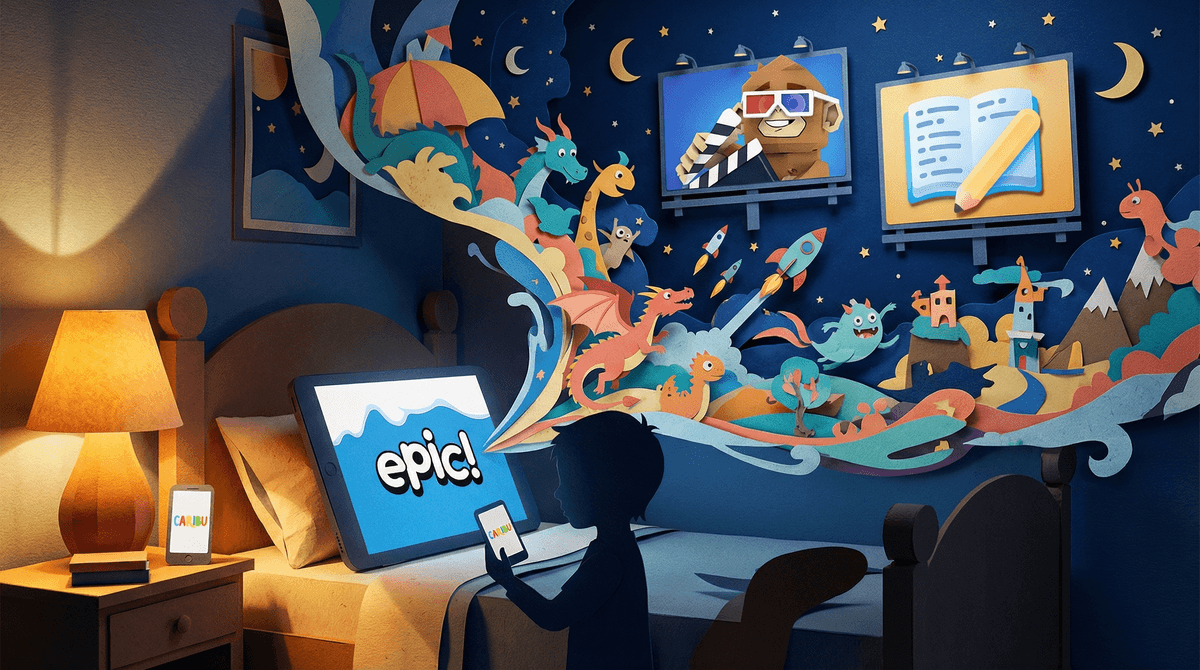
Storytelling apps are digital platforms that help kids create, listen to, or interact with stories. Some are basically audiobook libraries with a twist (think: choose-your-own-adventure narration). Others are creative tools where kids build their own stories using animation, voice recording, or simple drag-and-drop interfaces. And some are hybrid experiences that blend reading, games, and narrative in ways that honestly didn't exist when we were kids.
The landscape is huge right now. You've got apps like Epic! that are essentially Netflix for children's books. There's Caribu, which lets grandparents video call and read stories together (genuinely sweet). Then you have creative tools like Toontastic where kids animate their own stories, or Story Pirates which turns kids' written stories into hilarious podcast episodes.
The best ones aren't just passive screen time—they're actually building literacy skills, sparking imagination, and sometimes creating genuinely meaningful family moments.
For kids, these apps hit different than traditional books because they add layers of interactivity and instant gratification. A 6-year-old who's not quite ready to sit with a chapter book might absolutely crush a story where they make choices that change the plot. The gamification elements (collecting characters, unlocking new stories, earning badges) tap into the same reward systems that make Roblox so addictive—but here it's tied to reading and creativity instead of Robux.
For parents, storytelling apps can be a lifeline. They're perfect for:
- Long car rides when you need something more enriching than YouTube
- Bedtime routines when you're too exhausted to perform voices for the 47th reading of The Pigeon Wants a Puppy
- Quiet time that doesn't feel like you're just parking them in front of Cocomelon
- Rainy days when they need a creative outlet but you can't handle another craft project that requires glitter
The apps that work best are the ones that feel like a middle ground between "educational" (read: boring) and pure entertainment.
Ages 3-5: Interactive Read-Alouds
At this age, look for apps with high-quality narration, simple interactivity, and lots of visual engagement. Farfaria and Epic! both have excellent libraries for this age range. The key is finding apps where the interaction enhances the story rather than distracting from it—you want them tapping to hear a word pronounced, not just randomly poking at animations.
Pro tip: Use these alongside physical books, not as a replacement. The tactile experience of turning pages and the face-to-face interaction of lap reading are still irreplaceable for early literacy.
Ages 6-8: Emerging Readers + Early Creators
This is the sweet spot for storytelling apps. Kids are developing reading skills but still love being read to. Apps like Storyline Online (free, by the way) feature celebrities reading picture books—my personal favorite is Chris Pine reading The True Story of the Three Little Pigs.
For creation, Book Creator is fantastic. Kids can combine photos, drawings, text, and voice recordings to make their own books. It's simple enough that a first-grader can use it, but sophisticated enough that they won't outgrow it immediately.
Ages 9-12: Choose-Your-Own-Adventure + Serious Creation
Older elementary kids want more agency and complexity. Choice of Games offers text-based adventures that are genuinely well-written (some are even better than the cheesy choose-your-own-adventure books from the '90s).
For creative kids, Wattpad can be amazing—it's where millions of young writers share stories and build audiences. But (and this is important): Wattpad is essentially social media for stories, which means it needs monitoring. The content isn't curated for kids, and there's definitely mature stuff in there. If your tween is using it, have regular conversations about what they're reading and writing.
The Good Stuff:
Research consistently shows that storytelling—whether traditional or digital—builds vocabulary, comprehension, and emotional intelligence. Apps that let kids create their own stories are especially valuable because they're practicing narrative structure, sequencing, and creative problem-solving. When a kid has to figure out how their character gets out of a jam, that's executive function practice disguised as play.
The audio-heavy apps are also great for kids with dyslexia or other reading challenges. Being able to follow along with text while hearing it read aloud is a proven literacy strategy.
The Watch-Outs:
Not all storytelling apps are created equal. Some are basically just vehicles for ads or in-app purchases. Before committing, check:
- Subscription model: Many require monthly payments after a free trial
- Ads: Free versions often have intrusive advertising
- Content curation: Who's deciding what stories are available? Are they age-appropriate?
- Data collection: What information is the app collecting about your child?
Also, be realistic about screen time. Even if an app is "educational," it's still screen time. A kid who spends two hours creating a digital story is still spending two hours on a device. That might be fine for your family! But it's worth being intentional about the balance.
The AI Elephant in the Room:
Some newer storytelling apps are incorporating AI to generate personalized stories. [Your child's name] goes on an adventure! The AI creates custom illustrations! It sounds magical, and honestly, sometimes it is. But there are legitimate questions about how AI-generated content affects creativity and imagination .
.
The concern is that if kids only consume stories that are perfectly tailored to their existing interests, they miss out on the surprise and challenge of encountering something unexpected. Plus, AI-generated stories can be... weird. Not in a good way. More in a "why does this princess have seven fingers" way.
Start with free options. Before paying for subscriptions, try Storyline Online (completely free), your local library's digital collection (many offer Libby or Hoopla with kids' content), or YouTube channels like Storyline Online's channel.
Use them together when possible. The magic really happens when you're co-viewing or co-creating. Ask questions about the story, talk about the choices characters make, or collaborate on creating something together. This transforms passive consumption into active learning.
Set up a creation routine. If your kid loves making stories, designate specific times for creation (weekend mornings, after homework) so it doesn't become all-consuming. Treat it like any other hobby—with boundaries and balance.
Share the creations. When kids make something, let them share it with grandparents, friends, or teachers. The audience makes the effort feel meaningful. Just be mindful about public sharing on platforms—family-only is often the safer bet.
Storytelling apps can be genuinely great. They're not replacing bedtime stories or trips to the library, but they're adding new dimensions to how kids experience narrative and creativity. The best ones spark imagination, build literacy skills, and create moments of connection rather than isolation.
The key is being choosy. Not every app deserves space on your device or your kid's attention. Look for ones with strong content curation, minimal ads, and genuine educational value. And remember: the app itself isn't magic. What matters is how it's used—with intention, with boundaries, and ideally with you somewhere nearby, ready to talk about the stories your kid is discovering or creating.
Want to explore specific apps for your child's age and interests? Check out our guide to the best storytelling apps by age or learn more about balancing creative screen time with other activities.