

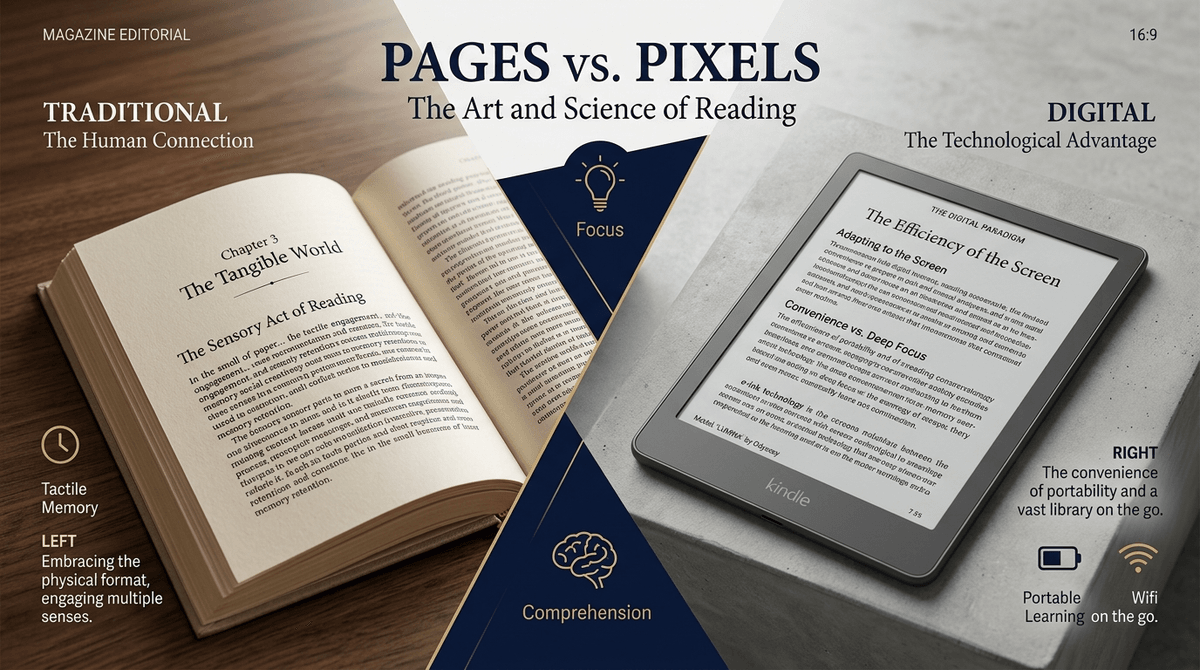
TL;DR: Reading on a screen isn’t a "sin," but it’s not identical to reading on paper. To avoid the screen inferiority effect (where kids skim instead of absorbing), we need to distinguish between "distraction-free" devices like the Kindle and "everything-apps" like Epic!. If they’re reading The Wild Robot on an E-ink screen, count it as reading time. If they’re "reading" a graphic novel on an iPad while YouTube notifications pop up, that’s just screen time in a trench coat.
Quick Links for Digital Reading:
- Best for school-aged kids: Epic!
- Best for library lovers: Libby
- Best for focused reading: Kindle Paperwhite
- Best for audio-assisted reading: Audible
We’ve all had that moment of "Parental Guilt™." You’ve set a strict one-hour limit on Roblox, the timer dings, and your kid swaps the iPad for... a Kindle. Or worse, they stay on the iPad but switch over to the Kindle app.
Technically, they’re still staring at pixels. Your brain screams Screen Time!, but your heart says But they’re reading!
So, does it count? Or are we just kidding ourselves while their attention spans turn into Skibidi Toilet memes? Let’s break down the "Pages vs. Pixels" debate with some actual data and a healthy dose of reality.
There is a real thing in cognitive science called the screen inferiority effect. Research consistently shows that when people read digital text, they tend to comprehend less than when they read the same text on paper.
Why? Because when we’re on a screen, our brains are conditioned to skim, scan, and scroll. We’re looking for the "point," the "like" button, or the next link. We aren’t "deep reading."
For a kid, this is amplified. If they are reading Wings of Fire on a device that also houses Minecraft, their brain is constantly in a state of "partial continuous attention." They are reading, but they’re also waiting for the next hit of dopamine.
If you want to win the screen-time-vs-reading-time war, you have to understand the hardware.
Devices like the Kindle (the actual Paperwhite/Kids devices, not the app) use E-ink. It looks like paper, it doesn't emit blue light directly into their retinas, and—most importantly—it does nothing else.
An E-ink Kindle is basically a book that happens to be made of plastic. There is no TikTok here. There are no "Ohio" memes. There is just the text. In my book, E-ink reading is 1:1 with paper reading. If they want to read for four hours on a Kindle Paperwhite, let them cook.
Reading on an iPad or a Fire Tablet is a different beast. These are "high-friction" reading environments. Even if you use Guided Access to lock them into the Libby app, the backlit screen is still flickering at a rate that causes more eye strain than paper.
More importantly, the temptation is there. Reading Percy Jackson on an iPad is like trying to meditate in the middle of a carnival. It’s possible, but it’s exhausting for a kid’s developing executive function.
If you’re going digital, here is how to navigate the library of apps and platforms.
Ages 5-12 Epic! is basically the Netflix of kids' books. It’s great because it’s accessible, but be warned: kids often gravitate toward the "Read-to-Me" books or the graphic novels. The Verdict: It’s a fantastic tool for reluctant readers, but it can feel a bit "game-y." If your kid is just clicking through pages to earn "badges," they aren't reading; they're playing a reading-themed game.
Ages 8+ If you have a library card, you need Libby. It’s the gold standard for getting free E-books and audiobooks. The Verdict: This is "Real Reading." It’s not flashy, it doesn't have "rewards," and it connects them to their local community library. It's the best way to see if your kid actually likes digital reading before dropping $100 on a device.
Ages 6-12 Whether it’s Dog Man or Smile by Raina Telgemeier, graphic novels are the gateway drug to literacy. The Verdict: Reading these on a screen is... fine, but honestly, graphic novels are the one category where paper wins every time. The art is cramped on a small screen, and the "panel-to-panel" zoom features on most apps are clunky and ruin the flow.
Ages 4-18 Does an audiobook count as reading? Science says yes. The same parts of the brain are activated when processing narrative, whether it's through the eyes or the ears. The Verdict: Audiobooks are a "Screen Time" loophole. They can listen to The Hobbit while building LEGO or drawing. It’s a great way to kill the "I'm bored" whines without handing over a video game.
Check out our guide on the best audiobooks for long car rides
Not everything with words is a book. We need to be honest about "interactive stories."
There’s a whole genre of apps that claim to be "educational books" but are actually just low-quality mini-games with a few sentences of text. If the "book" requires the kid to tap a dancing monkey every three seconds to advance the plot, that’s not reading. That’s just a dopamine slot machine.
If you’re looking at a new app, ask yourself: If I took away the animations and the sounds, would my kid still want to engage with this? If the answer is no, it’s a game, not a book. Treat it as such in your screen time budget.
- Preschool (Ages 3-5): Stick to paper. Kids this age need the tactile experience of turning pages and the spatial awareness of how a story moves from front to back. Digital "books" at this age are almost always just distractions.
- Early Elementary (Ages 6-8): Use Epic! for variety, but keep the "Deep Reading" (the books they really care about) on paper or a dedicated E-reader.
- Middle Grade (Ages 9-12): This is the sweet spot for the Kindle. They’re reading longer books (think Harry Potter or Warrior Cats), and carrying a library in their backpack is a huge win.
- Teens (Ages 13+): They’re probably reading on their phones. It’s not ideal, but it’s reality. Encourage the use of "Dark Mode" and "Do Not Disturb" to help them get into a flow state.
Learn more about setting up 'Reading Mode' on your child's phone
Don't make it a "Screen = Bad, Book = Good" lecture. That’s a one-way ticket to them hiding their phone under the covers.
Try this instead: "Hey, I noticed when you read on your iPad, you’re constantly checking your Discord notifications. It’s hard for anyone’s brain to really get into a story like that. Let’s try the Kindle or the paperback for this book so you can actually enjoy the story without being interrupted."
Or, if they’re obsessed with a certain game, find the tie-in: "I saw you really liked the lore in Genshin Impact. I found this book that has a similar vibe. Do you want the physical copy or should I put it on your E-reader?"
Digital reading isn't "lesser," but it is different.
If your kid is using a dedicated E-ink device, stop counting the minutes. That’s a win. You’ve successfully navigated the digital landscape and found a way for technology to serve literacy rather than replace it.
If they’re reading on a multi-purpose tablet, just be mindful. It’s "Reading Light." It’s better than mindless scrolling on YouTube Shorts, but it’s not the same as the deep, focused immersion that comes from a physical book or a distraction-free screen.
- Audit the hardware: If your kid is a big reader, consider moving them from an iPad app to a dedicated Kindle Paperwhite.
- Get the Libby app: It’s free. There’s no excuse not to have it.
- Set the "Device-Free" Hour: Pick an hour where everyone (including you) puts the glowing rectangles away and picks up paper. Modeling the behavior is 90% of the battle.