

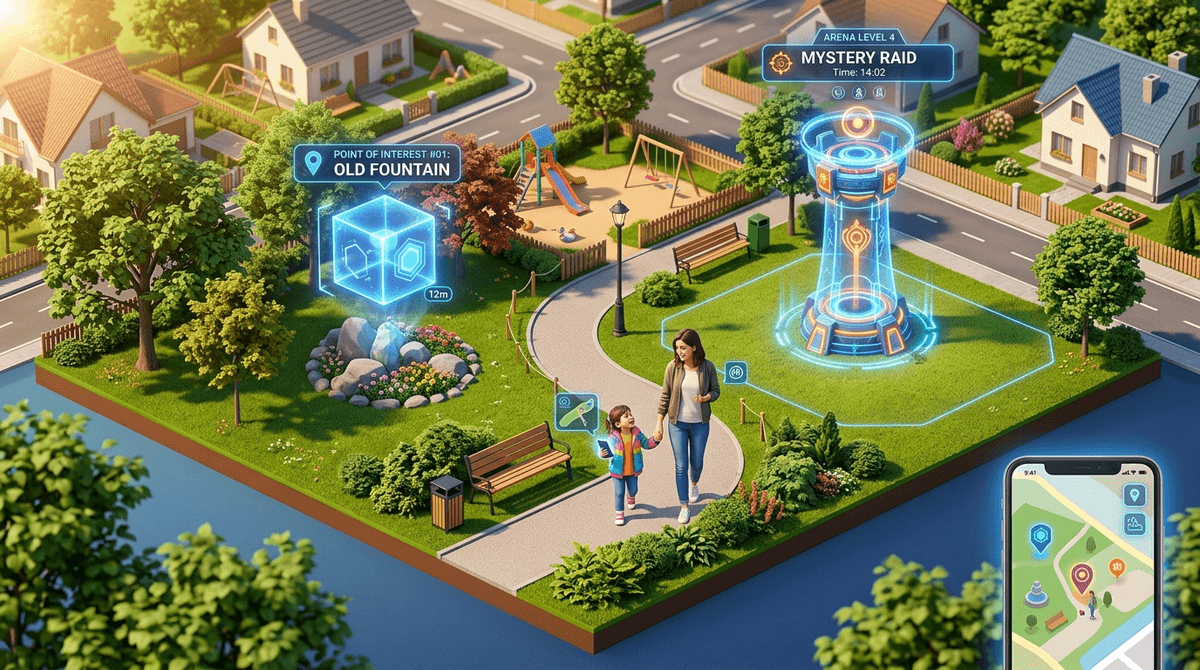
TL;DR: Pokémon GO is the rare game that actually gets kids outside, but it requires a "real world" safety talk that Minecraft doesn't. To keep it safe, you need to master the Niantic Kids Parent Portal, disable "Sponsored Gifts," and set firm boundaries on where they can wander.
Get a Pokémon GO safety checklist for your neighborhood
If you missed the 2016 craze (lucky you), Pokémon GO is an Augmented Reality (AR) mobile game. It uses your phone’s GPS to map digital monsters onto the real world. Your living room might have a Rattata; the local park probably has a "Gym" where players battle.
It’s owned by Niantic, a company that spun out of Google, which explains why the map data is so incredibly accurate. Unlike Roblox, where the risks are mostly "stranger danger" in a chat room, the risks here are a mix of digital privacy and literally walking into a lamppost or a busy intersection.
It’s the ultimate "collection" game. There’s a dopamine hit every time a ball shakes and a new creature is caught. For kids, it feels like a secret layer of the world only they can see. Plus, it’s one of the few games where "gaming" and "exercise" aren't mutually exclusive.
According to Screenwise community data, about 22% of kids aged 8-12 play Pokémon GO regularly, with usage often spiking during "Community Days" or summer break. It’s a social currency at school pickup—trading a shiny Pikachu is a high-status move.
When your kid first opens the app, they’ll be asked to sign in. This is the most important decision you'll make.
- Niantic Kids: This is the gold standard for parental controls. It’s powered by a service called SuperAwesome (which is COPPA-certified). You get a separate parent portal where you can toggle social features on and off.
- Google/Facebook/Apple Sign-in: If they use your account or a standard Google account, you lose the ability to granularly control the game’s social features through Niantic.
Pro-tip: If your kid is under 13, insist on the Niantic Kids login. It gives you a "kill switch" for friend requests, trading, and sponsored content.
Once you've set this up, you can log into the portal on your own device to:
- Enable/Disable Friends and Trading.
- Control Sponsored Gifts (ads from companies like Starbucks or McDonald's that appear as in-game locations).
- Review what data Niantic is collecting.
1. The "Stranger Danger" 2.0
Pokémon GO doesn't have a traditional "chat" feature (thank god), but it does have "Lures." A player can drop a Lure at a PokéStop to attract Pokémon—and other players.
- The Risk: A person with bad intentions could drop a Lure at a secluded park to attract kids.
- The Fix: The "No Pokémoning alone" rule. If they are under 12, they should be with you or a trusted group.
2. Location Privacy and "Adventure Sync"
The game wants to track your kid's location 24/7 via a feature called Adventure Sync. This allows them to "hatch eggs" (earn rewards) based on steps taken even when the app is closed.
- The No-BS Take: Niantic is a data company. They are building a 3D map of the world. Adventure Sync is great for the game, but it means Niantic knows exactly where your kid lives, goes to school, and plays. If that creeps you out, turn it off in the app settings.
3. The Financial Trap
The game is "Free to Play," which we all know is a lie. Between Raid Passes, Incubators, and PokéBalls, it’s easy to rack up a $50 bill in a weekend.
- The Fix: Use Apple Screen Time or Google Family Link to password-protect all in-app purchases. Don't rely on the game's settings for this; lock it down at the OS level.
Ages 5-8: The "Ride-Along" Phase
At this age, the kid shouldn't have their own device with a data plan. They use your phone while you're at the park.
- Focus: Learning the mechanics and catching.
- Controls: Keep all social features off. They don't need "Friends" in the game yet.
Ages 9-12: The Neighborhood Explorer
This is when they want to go for "Pokémon walks" with friends.
- Focus: Digital citizenship and physical safety.
- Controls: Enable "Friends" only for kids you actually know in real life. Discuss the "Sponsored Gifts"—explain that Starbucks is paying for them to walk into the store.
Ages 13+: The Competitive Trainer
Teens will want to participate in "Raids" (group battles). This often involves meeting up with strangers at a specific location.
- Focus: Verification. If they are going to a Raid, who are they going with?
- Controls: At 13, Niantic allows them to "graduate" to a standard account. This is a good time to review their privacy settings together.
Is Pokémon GO "brain rot"? Honestly, compared to the mindless scrolling of TikTok or the chaotic sensory overload of Skibidi Toilet memes, it’s actually pretty wholesome. It requires strategy, resource management, and physical movement.
However, it is designed to be addictive. The "Daily Streak" and "Limited Time Events" are classic FOMO (Fear Of Missing Out) tactics. If your kid is having a meltdown because they missed a "Shiny Research Day," it’s time to take a break and maybe pivot to a physical Pokémon TCG session instead.
If you love the AR/walking concept but want something a little different:
- Also by Niantic, but much "cozier." You plant flowers as you walk. It’s less about battling and more about making the map pretty.
- For older kids (13+). It’s more combat-focused and a bit more intense.
- The original "real world hunt." No monsters, just real hidden containers left by other people. It’s the ultimate screen-to-nature bridge.
Instead of "Get off your phone," try:
- "Which Pokémon are you trying to evolve right now?"
- "Let's look at the map—is that 'Gym' in a safe place for us to walk to?"
- "I noticed you're spending a lot of PokéCoins. Let's look at the budget for this month."
Check out our guide on talking to kids about in-game spending
Pokémon GO is a "Yes" for most families, provided you don't just hand over the phone and hope for the best. Set up the Niantic Kids account, keep the "Friends" list limited to real-life buddies, and use the game as an excuse to go for a family walk. Just keep an eye on the traffic—and your credit card statement.
- Check the Login: Open the app on your kid's phone. If it's a Google login, consider restarting with a Niantic Kids account.
- Audit the Friends List: If there are people on there you don't recognize, delete them. There is zero benefit to having "stranger friends" in this game for a child.
- Set a "Zone": Define the physical boundaries of where they can play. "You can go to the fountain and back, but don't cross Main Street."