

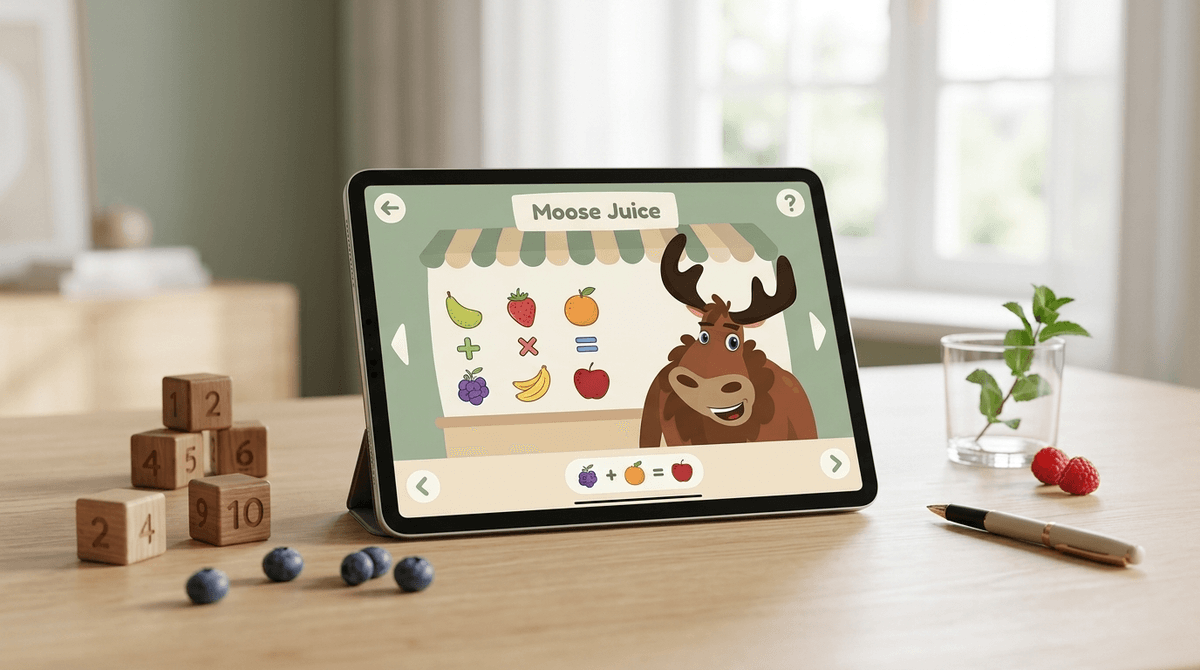
TL;DR: If you are tired of "free" apps that are actually just fancy delivery systems for ads and $9.99 "gem packs," Moose Math is your new best friend. It’s a completely free, high-quality math tool for the 3-7 age bracket that focuses on actual learning instead of dopamine loops.
Quick Links for the Intentional Parent:
- Best for Early Math: Moose Math
- The Full Curriculum Version: Khan Academy Kids
- Best for Phonics: Starfall
- Best for Number Sense: Endless Numbers
Moose Math is part of the Duck Duck Moose family of apps, which was acquired by Khan Academy a few years back. Because of that powerhouse backing, the app is entirely free—no ads, no subscriptions, and no "accidental" in-app purchases that show up on your credit card statement three days later.
It’s designed for the Pre-K through 1st Grade crowd. The "vibe" is whimsical and low-stress. Your child helps a cast of quirky animals (like a moose, obviously) complete math-based missions in a little virtual town. It covers the basics: counting, addition, subtraction, geometry, and measurement.
While some modern apps feel like a digital fever dream (I’m looking at you, Skibidi Toilet clones and high-stimulation YouTube "brain rot"), Moose Math feels like a calm, intentional activity. It’s the digital equivalent of those high-end wooden Montessori toys, but on your iPad.
We all know the "Ohio" memes and the general chaos of current internet culture, but the academic side of digital parenting is where things get tricky. Most parents download a "math game" only to find their kid is spending 90% of the time customizing an avatar and 10% of the time actually doing math.
Moose Math flips that ratio. It’s built around five specific activities that map directly to Common Core standards (if you’re into that) or just general "not falling behind in Kindergarten" standards (if you’re like the rest of us).
This is essentially a smoothie shop where kids practice addition and subtraction by following recipes. "Add two blades of grass and three berries." It’s a simple way to teach that math isn't just abstract numbers on a page; it’s about combining things in the real world.
A classic. Kids solve math problems to get BINGO and earn rewards. The "rewards" in this app are just cute pets and stickers—not "coins" you have to buy with real money.
This focuses on geometry and sorting. In a world where we’re worried about kids losing their attention spans to 15-second TikToks, these sorting games require a level of visual discrimination and focus that is actually quite soothing.
If you search the App Store for "Math for Kids," you’ll find Prodigy or SplashLearn. Those are fine, but they are "freemium." They want your email address, they want a monthly sub, and they often use "battle" mechanics to keep kids engaged.
Moose Math is different because it doesn't care about "retention metrics." It’s not trying to keep your kid glued to the screen for three hours. It’s a tool. You use it, you learn something, you put it away.
Comparison at a Glance:
- Moose Math: 100% Free. Best for ages 3-6. Focuses on the basics.
- Khan Academy Kids: 100% Free. Covers everything (reading, math, social-emotional). If you want a "full school" app, go here.
- Endless Numbers: Paid (after a few free numbers). Incredible animations. Better for kids who are just learning to recognize digits.
- PBS Kids Games: Free. Great variety, but the math isn't as structured as Moose Math.
Ages 3-4: They will need you to sit with them. The "Moose Juice" recipes might be a bit fast for a three-year-old who is still figuring out how to drag-and-drop on a touchscreen. Use this as a "co-playing" opportunity.
Ages 5-6: This is the sweet spot. They can navigate the town, earn their rewards, and handle the addition/subtraction problems independently. It’s a great "I need to cook dinner for 20 minutes" solution that won't result in them accidentally watching a weird Elsa-gate video on YouTube.
Ages 7+: They might find it a bit "babyish." If your kid is already crushing 1st-grade math, they’ll finish this app in a weekend. At that point, you might want to look into DragonBox Algebra 5+ for a more significant challenge.
Check out our guide on when to move from Moose Math to harder apps
From a digital wellness perspective, Moose Math is about as safe as it gets.
- No Data Mining: Since it's owned by Khan Academy (a non-profit), they aren't selling your kid's "math patterns" to advertisers.
- No Social Features: There is no chat, no "friends list," and no way for a stranger to contact your child.
- No Microtransactions: You literally cannot spend money in this app. This is huge for preventing the "accidental $100 purchase" horror stories we all hear at school pickup.
The only real "downside" to Moose Math is that it hasn't had a major UI overhaul in a while. It looks a little "2015" compared to the high-gloss production of Toca Boca. But honestly? That’s a feature, not a bug. The lower stimulation levels are better for a child’s developing brain. It doesn't need to be a 4K cinematic experience to teach a five-year-old that 2 + 2 = 4.
Also, parents can access a "Report Card" section. It shows exactly which skills your kid is struggling with. If the app shows they are failing at "Number Sets," you know to pull out the physical Cheerios at breakfast the next morning and do some tactile counting.
If you’re looking for a way to use screen time that feels productive rather than just "babysitting," Moose Math is a no-brainer. It’s the "organic kale" of the App Store—nutritious, clean, and surprisingly palatable for the kids.
Next Steps:
- Download Moose Math and Khan Academy Kids.
- Spend 10 minutes playing "Moose Juice" with your kid to show them the ropes.
- Check the "Report Card" after a week to see where they stand for Kindergarten.
Learn more about building a healthy digital diet for preschoolers