

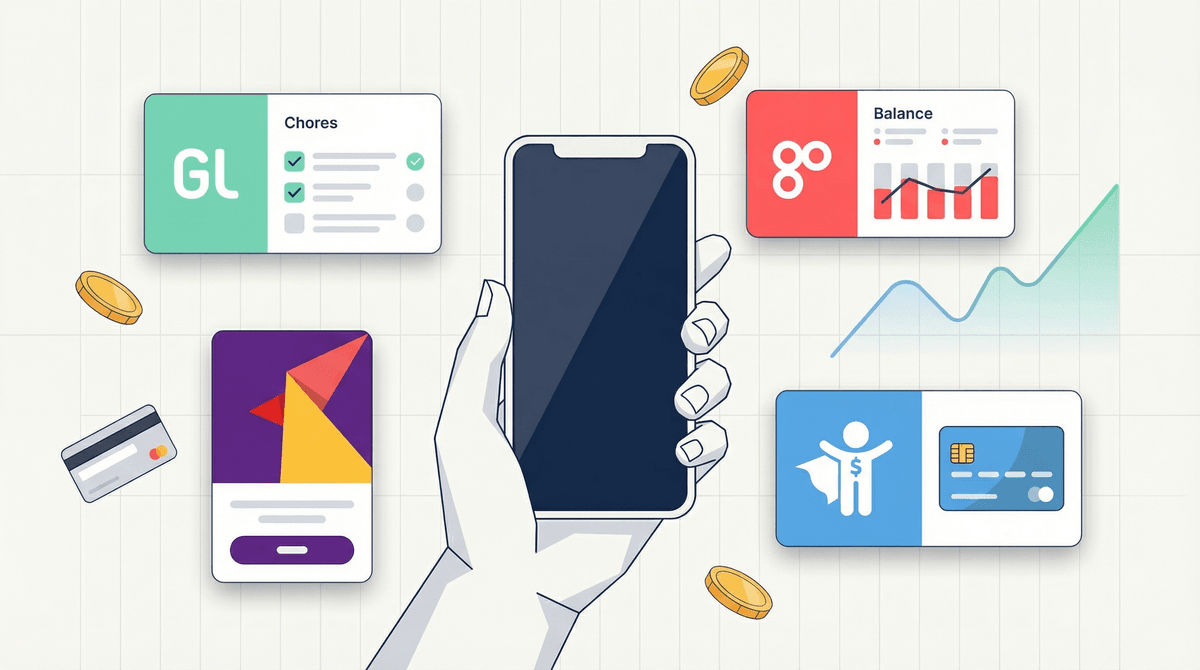
Money Apps for Kids: Teaching Financial Literacy One Swipe at a Time
Look, I get it. The irony of teaching kids about money management through an app that requires... money... is not lost on any of us. But here we are in 2026, where most of us barely carry cash anymore, and our kids watch us tap our phones to pay for literally everything. So how are they supposed to learn that money is real and finite when it's just... invisible?
Enter money apps for kids. They're basically digital allowance systems with training wheels, and honestly? Some of them are pretty brilliant. Others are just banks trying to get your family hooked early. Let's break down what you actually need to know.
Money apps for kids typically fall into a few categories:
Digital allowance trackers that help you manage chores and payments (like BusyKid or RoosterMoney) — basically a fancy chore chart that actually pays out.
Debit cards for kids with parent controls (like Greenlight, GoHenry, or Step) — real cards, real money, real purchases, but you're watching everything.
Investment apps for minors (like Fidelity Youth or Stockpile) — because apparently some families are teaching their 10-year-olds about compound interest while the rest of us are just trying to get them to stop buying Robux.
Savings goal apps that gamify saving money — turning financial responsibility into something that feels like leveling up in a game.
Most of these apps charge monthly fees (yes, you pay to teach your kid about money, capitalism is wild), but they offer varying levels of parental oversight, spending controls, and educational content.
Here's the thing: kids who never handle money don't understand money. When everything is invisible transactions and in-app purchases, the connection between "I want this" and "this costs actual resources" gets really fuzzy really fast.
A 2023 survey found that 61% of teens don't know how to create a budget, and 45% have never had a conversation with their parents about family finances. That's... not great! Meanwhile, the average kid is seeing 3,000+ ads per day telling them to buy, subscribe, and consume.
Money apps can bridge this gap by making digital money feel more tangible. When your 11-year-old sees their balance drop from $50 to $35 after buying that Minecraft realm subscription, that's a real consequence they can see and feel. It's not perfect, but it's something.
The best apps also teach concepts like:
- Delayed gratification (saving for bigger purchases)
- Opportunity cost (if you buy this, you can't buy that)
- Earning vs. receiving (chores = money, not just money appearing magically)
- Basic investing (compound interest, stocks, long-term thinking)
Greenlight is probably the most well-known — it's like the iPhone of kids' debit cards. Slick interface, good parental controls, kids get a real debit card they can use anywhere. Monthly fee starts around $5-10/month depending on the plan. The app lets you instantly approve/decline purchases, set spending limits by category, and even has investing features.
GoHenry is similar vibes, popular in the UK but available in the US. Around $4-5/month per child. Kids can set savings goals, parents can create chore lists, everyone can see where money is going.
BusyKid is more focused on the chores-to-money pipeline. Kids do chores, you approve them, money gets added to their account. They can save, spend, donate, or invest. About $4/month for the whole family. The "force them to donate 10%" feature is either genius or preachy depending on your family values.
Step targets teens (13+) and has no monthly fees, which is refreshing. It's banking for teens with a debit card, direct deposit capability (for those teens with actual jobs), and no overdraft fees. Less hand-holding for younger kids, but solid for high schoolers.
FamZoo is the DIY option — more customizable but less polished. You can create virtual or real card accounts, set up automatic allowances, even charge your kids interest on loans (which feels very "teaching moment" or very "creating a future therapist's goldmine" depending on your perspective).
Ages 6-9: Start with simple allowance tracking apps or even just a shared Google Sheet if you want free. Focus on basic concepts: earn, save, spend. Physical piggy banks still work great here too — don't overthink it.
Ages 10-12: This is prime time for starter debit cards with heavy parental controls. They're old enough to understand "this card has $20 on it" but not old enough to be trusted with unlimited Roblox purchases. Apps like Greenlight or GoHenry work well. Set up specific spending categories and limits.
Ages 13-15: More independence, but still with training wheels. They can start learning about saving for bigger goals, maybe basic investing concepts. This is when apps that show spending analytics become useful — "you spent HOW MUCH at Starbucks this month?!" is a powerful learning moment.
Ages 16+: Time to graduate to teen banking apps like Step or Fidelity Youth. Real-world practice before they're 18 and can rack up actual debt. Direct deposit from part-time jobs, saving for cars, understanding paychecks and taxes.
The fees add up. If you're paying $10/month for a money app, that's $120/year to teach your kid about money. Is it worth it? Maybe! But also maybe just... give them cash and make them track it in a notebook? I'm not judging either way, but be aware of what you're paying for.
These apps want your data. Like all apps, they're collecting information about your family's spending habits, your kids' purchasing patterns, all of it. Read the privacy policies. Some are better than others.
Not all kids need this. If your 8-year-old is perfectly happy with a physical piggy bank and doesn't have much opportunity to spend money independently, you might not need a whole app ecosystem yet. This is more useful when kids are actually making purchasing decisions regularly.
Set clear expectations upfront. The app is just a tool. You still need to have actual conversations about money, values, wants vs. needs, and family financial priorities. The app doesn't replace parenting, it just makes some parts easier.
Watch for lifestyle creep. Some of these apps make it SO easy to instantly transfer money to your kid that you might find yourself doing it more often than you planned. "Oh, you're at the mall and want $20? Sure, I'll just send it now..." can become a habit that defeats the whole purpose.
Money apps for kids can be genuinely useful tools for teaching financial literacy in a world where cash is increasingly irrelevant. They make invisible money slightly more visible, create natural opportunities for conversations about spending and saving, and give kids real-world practice with real consequences (but with parental safety nets).
That said, they're not magic. A kid with a Greenlight card and no financial conversations is just a kid with a debit card. The app is the vehicle, not the destination.
Start with the free or cheap options (BusyKid, FamZoo, or even just a spreadsheet) and see if your kid actually engages with it. If they're checking their balance, making spending decisions based on what they have available, and starting to think about saving for goals, then maybe upgrade to something with more features.
And hey, at least they're learning about money management before they're 22 and drowning in credit card debt, right? Small wins.
- Have a family meeting about money, allowances, and expectations before downloading anything
- Start simple — pick one app to try rather than overwhelming everyone with options
- Check out how to talk to kids about money
 for age-appropriate conversation starters
 - Set a review date — try it for 3 months and then evaluate if it's actually helping or just adding complexity
Remember: the goal isn't to create mini-financial analysts. It's to help them understand that money is finite, choices have tradeoffs, and that weird feeling when you really want something but can't afford it? That's called being human, and learning to sit with it is actually a valuable life skill.