

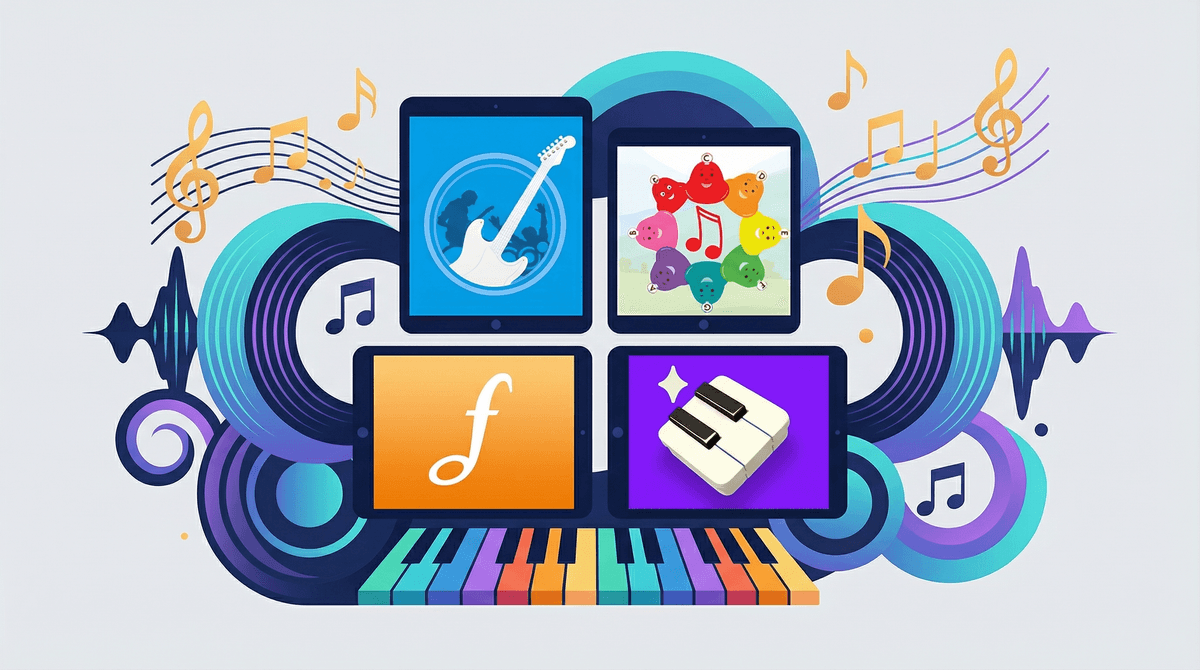
Best Music Learning Apps for Kids: A Parent's Guide
Look, I get it. You want your kid to learn music, but the thought of driving to lessons twice a week, wrangling practice time, and spending $80/month on a teacher who may or may not vibe with your child feels... like a lot. And maybe you're wondering if there's a way to dip their toes in first before committing to the full piano-lessons-plus-recital experience.
Good news: there are actually some legitimately great music learning apps out there. Bad news: there are also approximately 47,000 apps claiming they'll turn your kid into Mozart, and most of them are just glorified games with a xylophone sound effect.
Let me break down the ones actually worth your time (and money).
Before we dive in, here's what separates the real deal from the cash grabs:
Real music theory - Not just "tap the colorful buttons when they light up" but actual understanding of notes, rhythm, pitch, and how music works
Progressive learning - Builds skills systematically rather than just throwing random songs at kids
Multiple instruments or concepts - Because your kid might hate piano but love drums, or vice versa
Engagement without manipulation - Fun because learning is satisfying, not because there are 47 popup rewards every 3 seconds
Works offline - Because you're not always going to have wifi, and also screen time limits exist
Simply Piano & Simply Guitar (Ages 6+)
What it is: These apps from JoyTunes use your device's microphone to listen as your kid plays a real instrument and give instant feedback. It's like having a patient teacher who never gets frustrated.
The deal: Simply Piano works with any keyboard or piano (even a cheap $100 one). Simply Guitar needs an actual guitar. Both teach reading music, not just playing by ear or following lights.
Cost reality: Free trial, then around $150/year. Yes, that's real money. But compared to $80/month for lessons? Still cheaper.
What parents should know: This actually works. Kids who stick with it for 6+ months genuinely learn to play. The catch is "stick with it" - the app can't force practice time any more than you can. Also, you need the physical instrument, which is an upfront cost if you don't have one.
Best for: Kids who are genuinely interested in piano or guitar and need structured learning. Not great for "let's see if they like music" exploration.
Yousician (Ages 7+)
What it is: Like Simply Piano's cooler older sibling. Covers piano, guitar, bass, ukulele, and singing. Uses the same "listen and give feedback" technology.
Why kids like it: The gamification is actually well done - you earn points and level up, but it's tied to real skill progression. Plus the song library is solid (actual popular music, not just "Twinkle Twinkle").
Cost reality: Free version is limited to 10 minutes of practice per day (honestly not terrible for beginners). Premium is about $180/year for one instrument, $240/year for all instruments.
The catch: The free version's 10-minute limit can feel punishing right when a kid gets into flow. And the app definitely wants you to upgrade - the nudges are persistent.
Best for: Kids 8+ who want to learn an actual instrument and respond well to game-like progression systems. Check out Yousician for more details.
Prodigy Music (Ages 4-8)
What it is: Early music education focused on rhythm, pitch matching, and basic theory concepts through games and activities. No instrument required.
Why it works: Legitimately teaches foundational skills - recognizing high vs. low notes, keeping a beat, identifying instruments. The activities are varied enough that it doesn't feel repetitive.
Cost reality: Around $8/month or $60/year. Much more reasonable than the instrument-specific apps.
The honest truth: This is "music class" not "learn to play an instrument." It's building musical literacy and ear training. That's valuable! But don't expect your kid to emerge playing Beethoven.
Best for: Younger kids (4-7) exploring whether they even like music, or as a supplement to actual lessons for building theory knowledge.
GarageBand (Ages 8+, iOS only)
What it is: Apple's free music creation app. Not technically a "learning" app, but hear me out.
Why it's secretly great: Kids can experiment with composition, layering tracks, and understanding how music is built. The Smart Instruments feature lets them make music that actually sounds good even without training.
Cost reality: Free if you have an iOS device. That's it.
The case for it: Some kids learn better by creating than by following lessons. GarageBand lets them mess around, discover patterns, and develop an intuitive sense of music structure. Plus they're making something they can share.
The case against it: Zero structured learning. If your kid needs guidance and progression, this ain't it. Also easy to just make noise and call it music (though honestly, that's how a lot of musicians started).
Best for: Creative kids who like to experiment, or as a supplement to more structured learning. Not a standalone music education tool.
Flowkey (Ages 8+)
What it is: Piano learning app similar to Simply Piano, but with a bigger emphasis on playing songs you actually know rather than exercises.
The difference: More flexible than Simply Piano - you can jump around to songs you want to learn rather than following a strict curriculum. Uses the same microphone feedback technology.
Cost reality: Free trial, then about $120/year. Slightly cheaper than Simply Piano.
Best for: Kids who are motivated by learning specific songs and get frustrated by too much structure. The "I just want to learn this one song from Encanto" crowd.
Real talk: there are phenomenal free piano tutorials, guitar lessons, and music theory explainers on YouTube. Channels like [Music Lab](https://screenwiseapp.com/media/music-lab-app and others offer quality content.
The problem? YouTube is YouTube. The algorithm doesn't care about your kid's music education - it cares about watch time. One minute they're learning C major scales, the next they're watching someone play Megalovania for the 47th time, and then somehow they're in a rabbit hole of Minecraft music videos.
If you go the YouTube route, use it intentionally - specific videos, watched together or with YouTube Kids restrictions. Not as a "learn music" solution on its own.
Ages 4-6: Prodigy Music or similar early music games. At this age, you're building interest and basic concepts, not training the next concert pianist. Keep sessions short (10-15 minutes), make it playful.
Ages 7-9: This is the sweet spot for apps like Simply Piano or Yousician IF your kid is interested. They have the attention span and fine motor skills, but still respond well to gamification. Also a great age for GarageBand experimentation if they're creative types.
Ages 10+: Any of these work, but at this age, consider whether apps are still the right tool or if actual lessons make more sense. Apps are great for self-motivated kids who want to learn on their own schedule. But if your kid needs external accountability, a real teacher might be worth it.
Here's the uncomfortable truth: most of these apps cost $100-200/year. That's not nothing. And unlike a physical instrument that holds resale value, you're paying for access that disappears when you stop subscribing.
Before you commit:
- Try the free versions first - Most offer trials or limited free tiers
- Set a 3-month trial period - If your kid hasn't opened the app in 2 weeks by month 3, they're not going to suddenly become consistent
- Consider the instrument cost - Simply Piano requires a keyboard, Simply Guitar requires a guitar. Factor that in.
- Compare to lesson costs - $150/year is still way less than $80/month for lessons, but only if your kid actually uses it
One strategy: start with something free or cheap (Prodigy Music, GarageBand) to gauge interest, then upgrade to the pricier instrument-specific apps if they stick with it.
Apps can't replace practice discipline - The app can be amazing, but if you're fighting your kid to open it every day, it's not going to work. These work best for kids who are at least somewhat self-motivated.
Progress is real but slow - Your kid won't be concert-ready in 3 months. Expect 6-12 months of consistent use before they're playing recognizable songs competently.
The instrument matters - A terrible keyboard with unweighted keys and latency issues will make Simply Piano frustrating. You don't need a $2000 piano, but invest in something decent ($200-300 range).
Screen time considerations - Yes, this is screen time. But it's also actively learning a skill with a physical component (if using an instrument). Most families find this sits in a different category than passive watching or mindless gaming. Still worth thinking about how it fits into your family's overall screen habits.
Social learning matters - Apps are solo experiences. If your kid thrives on social interaction, group lessons or school band might be better fits. Apps work great for introverted kids who prefer learning alone.
The best music learning app is the one your kid will actually use consistently. That's it. That's the whole game.
If you've got a self-motivated 8-year-old who wants to learn piano, Simply Piano or Flowkey are genuinely excellent tools. If you've got a 5-year-old who might like music, Prodigy Music is a low-stakes way to explore. If you've got a creative 10-year-old who hates structure, GarageBand might unlock something special.
But here's what won't work: downloading an app, paying for a year upfront, and hoping your kid magically becomes disciplined about practice. These apps are tools, not magic wands.
Start here:
- Gauge actual interest - Have a real conversation with your kid about whether they want to learn music or if this is your dream you're projecting onto them (no judgment, we all do it)
- Try free versions - Download 2-3 apps and let your kid explore for a week before paying for anything
- Set up the instrument - If you're going the piano/guitar route, get the physical instrument set up in an accessible spot (not in the basement they never go to)
- Build the routine - Figure out when practice happens. After school? Before dinner? Make it part of the day, not an afterthought.
And if it doesn't stick? That's okay. You learned something about your kid's interests, and you're only out the cost of a free trial or one month's subscription. Way better than buying a $500 violin that collects dust.
Want to explore more about specific apps? Check out our music learning apps guide for deeper dives into each option.