

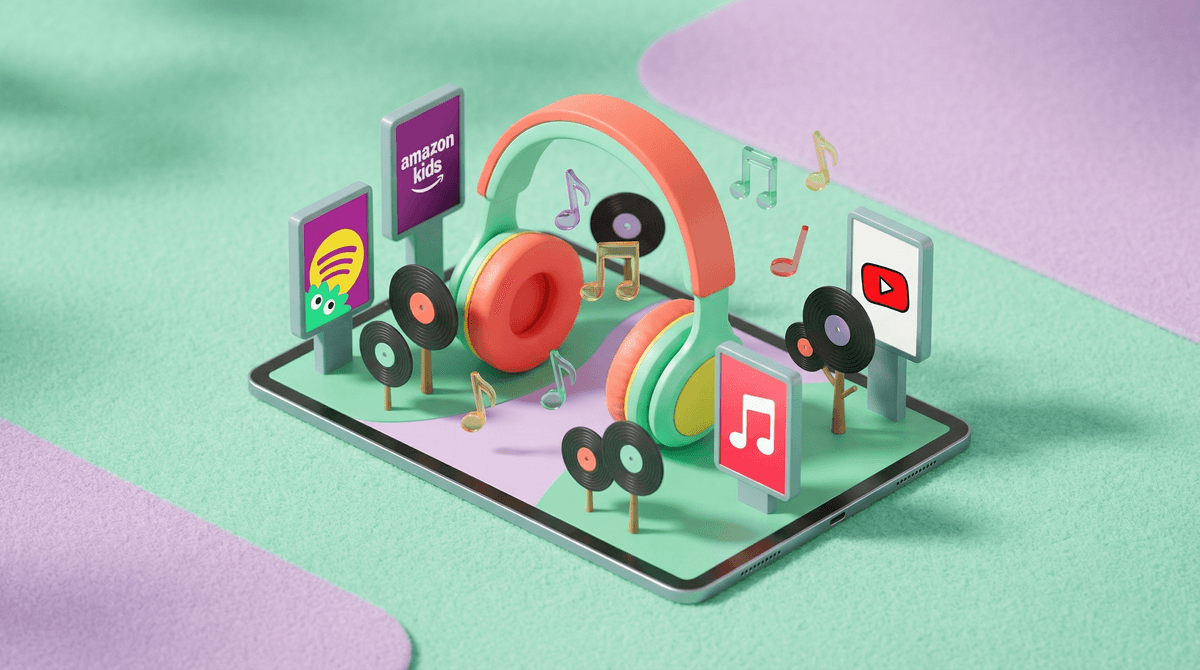
Let's be real: finding a music app for kids that doesn't make you want to throw your phone out the window is harder than it should be. You want something that's actually kid-safe, doesn't sneak in explicit content, ideally has some educational value, and — most importantly — won't have you hearing "Baby Shark" on loop until you lose your mind.
The good news? There are actually some solid options that thread this needle. The bad news? Most of them cost money, because free music apps are basically ad-delivery systems wrapped around songs, and those ads are... not always what you want your 6-year-old seeing.
Screenwise Parents
See allMusic apps feel like they should be the safest category of screen time. It's just music, right? But here's what can go sideways:
Explicit content slips through. Even on "clean" versions, algorithms make mistakes. Your kid searches for a Disney song and suddenly they're three autoplay tracks deep into something with lyrics you definitely don't want them repeating at school.
Ads are wild. Free apps need to make money somehow, and the ads that pop up between songs can range from annoying toy commercials to genuinely inappropriate content.
Music videos on YouTube = chaos. If your kid is watching music on YouTube or YouTube Kids, you're not just dealing with audio — you're dealing with whatever visuals someone decided to pair with that song. And some of those fan-made videos are... weird.
Algorithm rabbit holes. Start with Encanto, end up with true crime podcasts. The autoplay feature doesn't care that your user is 8 years old.
Spotify Kids (Ages 3-12)
This is Spotify's dedicated kids app, and it's honestly pretty solid. It's included with Spotify Premium Family (no extra charge), gives you a completely separate interface designed for kids, and actually curates content by age.
What works: You can choose between "Audio for younger kids" (ages 3-6) and "Audio for older kids" (ages 7-12), and the content is genuinely different. No ads. No podcasts about murder. The playlists are actually good — think Disney soundtracks, Kidz Bop (yes, really), educational songs, and music from shows kids actually watch.
What's annoying: The selection is more limited than regular Spotify, obviously. And if your kid is into a specific artist or song, it might not be there. Also, Kidz Bop is... Kidz Bop. You know what you're getting into.
Bottom line: If you already have Spotify Premium Family, this is a no-brainer. If you don't, it might be worth the upgrade just for this.
YouTube Music with Heavy Supervision (Ages 10+)
YouTube Music can work for older kids who've proven they can handle more independence, but you need to be way more involved than with other options.
What works: Huge selection. If your kid is into a specific artist, band, or genre, it's probably there. You can create playlists together and they can explore within reasonable boundaries.
What's tricky: There's no true "kids mode" for YouTube Music. You can turn on Restricted Mode, but it's not foolproof. Music videos can be a mixed bag. And the algorithm will absolutely try to take your kid on a journey you didn't sign up for.
Bottom line: This is for older kids (10+) who have earned some trust and can follow rules about what they're allowed to search for. Not for younger kids or independent listening.
Apple Music with Restrictions (Ages 8+)
If you're in the Apple ecosystem, this can work well with the right parental controls set up.
What works: You can block explicit content in Screen Time settings (Settings > Screen Time > Content & Privacy Restrictions > Content Restrictions > Music). Once that's on, explicit songs won't play. The music library is massive, and the curated playlists are generally solid.
What's annoying: Even with explicit content blocked, some stuff slips through. The "clean" versions of songs sometimes still have questionable lyrics. And you're paying for Apple Music ($10.99/month individual, $16.99/month family) on top of everything else you're already paying for.
Bottom line: Good option if you're already all-in on Apple and willing to set up the restrictions properly. Check in periodically to make sure the filters are working.
Amazon Music with Amazon Kids+ (Ages 3-12)
This is Amazon's play for the kids music space, and it's bundled with Amazon Kids+ (formerly FreeTime Unlimited).
What works: Curated kids content, no ads, works across Amazon devices (Fire tablets, Echo speakers). If you already have Amazon Kids+ for books and shows, the music is included. Parents can add specific songs or albums from Amazon Music to their kid's profile.
What's annoying: The kids-only selection is limited. The interface isn't as polished as Spotify Kids. And you're locked into the Amazon ecosystem, which is very much Amazon's whole strategy.
Bottom line: Best if you're already deep in Amazon land with Fire tablets and Echo Dots. Otherwise, there are better options.
Tidal (Ages 8+)
Okay, hear me out. Tidal isn't specifically for kids, but it has explicit content filters that actually work pretty well, and the audio quality is genuinely better if you have a kid who cares about that (or if you're using it too).
What works: Better audio quality than Spotify or Apple Music. Good explicit content filtering. Decent family plan pricing ($16.99/month for up to 6 accounts). Less algorithmically chaotic than some other platforms.
What's annoying: Smaller music library than Spotify or Apple Music. Not specifically designed for kids, so you're still supervising. Not as many curated kids playlists.
Bottom line: This is more for families who want one music service for everyone, with good enough controls for kids to have their own profiles. Not for young kids.
I'm going to be straight with you: there aren't great free options for kids music that don't come with significant tradeoffs.
YouTube is free but requires constant supervision and the ads are a nightmare. Free Spotify has ads every few songs, and those ads are not curated for kids. Pandora Free has the same issue.
If you're looking for truly free, your best bet is honestly creating playlists of music you already own through Apple Music or Google Play Music and letting your kid listen to those specific playlists offline. It's more work upfront, but you have complete control.
Ages 3-6: Stick with Spotify Kids or Amazon Music Kids. They need the most curated, controlled environment, and these are designed for that.
Ages 7-9: Spotify Kids, Apple Music with restrictions, or Amazon Music Kids all work. Start teaching them about making good choices with music, not just relying on the algorithm.
Ages 10-12: You can start considering YouTube Music or regular streaming services with good parental controls, depending on your kid's maturity level. This is when they're starting to develop their own music taste, and you want to give them room to explore while still having guardrails.
Ages 13+: Most kids this age are ready for regular streaming services with explicit content filters if that aligns with your family values. They're hearing everything at school anyway, so this is more about teaching critical thinking about lyrics and messages than pure filtering.
If you have Spotify Premium Family, start with Spotify Kids. It's included, it works, and it's specifically designed for this exact problem.
If you're in the Apple ecosystem and willing to set up restrictions properly, Apple Music can work well for ages 8+.
If you're not paying for any music service yet and don't want to, you're probably going to have a rough time. The free options all come with ads and content concerns that make them more trouble than they're worth for young kids.
And if your kid is getting serious about music and wants to explore more independently, have conversations about lyrics, messages, and making good choices rather than just relying on filters. The filters will fail eventually. Teaching them to think critically about what they're listening to is the long game.
Try Spotify Kids if you have Premium Family — it takes 5 minutes to set up and you'll know immediately if it works for your kid.
Set up explicit content restrictions on whatever service you're using. Don't assume the defaults are kid-friendly.
Create some playlists together so your kid has a starting point that you've vetted, then let them explore from there.
Check in periodically on what they're listening to. Not in a "I'm spying on you" way, but in a "hey, what are you into lately?" way. You'll catch anything weird before it becomes a problem, and you might actually discover some good music.
And remember: no system is perfect. Your kid will eventually hear "Baby Shark" somewhere, probably at a birthday party, and it will get stuck in your head for three days. That's just parenting in 2026.