

TL;DR: The Quick Verdict
If you’re staring at the App Store trying to decide which icon will actually teach your kid something useful, here is the 30-second breakdown:
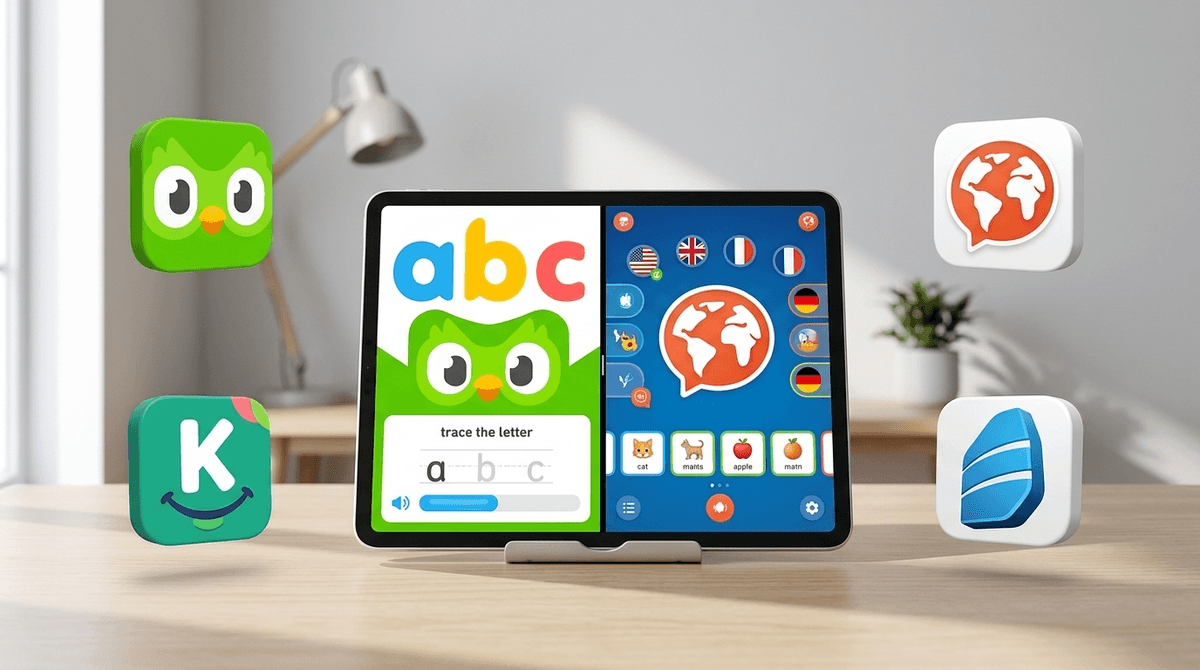
- Choose Duolingo ABC if your child is in Pre-K through 2nd grade and is currently struggling with—or just starting—to read and write in English. It is 100% free, has zero ads, and is purely about early literacy.
- Choose Mondly Kids if you want your child to learn a foreign language (Spanish, French, etc.) through gamified vocabulary. It’s colorful and engaging, but it requires a subscription after the trial.
- Choose Duolingo (the standard version) if your child is already a confident reader (usually 3rd grade and up) and wants to learn a foreign language.
Get a recommendation based on your kid's grade
There is a massive misconception among parents that "Duolingo" is just one thing. I’ve talked to so many parents at soccer practice who downloaded Duolingo ABC thinking their kid was going to start speaking Italian, only to find out their kid is just tracing the letter "B" for twenty minutes.
Don't get me wrong—tracing the letter "B" is great for a five-year-old. But if your goal is to have a bilingual household, you’ve hit the wrong button.
Duolingo ABC is an early literacy app. It competes with things like Khan Academy Kids or Starfall.
Mondly Kids, on the other hand, is a foreign language app. It’s designed to teach kids (Ages 5-10) basics in over 30 different languages. It’s competing with the "big kid" Duolingo or Rosetta Stone.
If your kid is in that "learning to read" window, this app is honestly a bit of a miracle, mostly because it’s free and doesn't feel like "homework."
Why Kids Love It: It uses the same "gamification" tricks that make Roblox so addictive, but applies them to phonics. There are over 700 bite-sized lessons. Kids get to "collect" characters and earn rewards. It’s high-energy, colorful, and—crucially—it doesn't have the "punishment" aspect of the main Duolingo app (no losing hearts because you forgot how to spell "apple").
The Screenwise Take: It’s a "Green Light" app. If you’re going to give your kid 20 minutes of screen time while you try to cook dinner without someone having a meltdown, this is a top-tier choice. It’s not "brain rot." It’s actual, foundational learning. However, once a kid can read fluently, they will find this "cringe" and "for babies" almost instantly.
If your kid is already saying things are "Ohio" or "Skibidi" and you’d rather they say them in Spanish, Mondly Kids is a solid entry point.
How it works: Unlike the main Duolingo app, which can feel a bit repetitive and text-heavy, Mondly Kids uses a lot of visual and auditory cues. It feels more like a game and less like a digital textbook. It covers 33 different languages, which is great if your kid has a random obsession with learning Norwegian or something equally niche.
The Catch: It’s not free. You can try a bit for free, but to unlock the full library, you’re looking at a subscription. For many families, this is the dealbreaker. If you’re already paying for [Disney+](https://screenwiseapp.com/media/disney-plus-app and Netflix, adding another monthly fee for a language app feels like a lot.
Why it matters for Elementary Kids: Research shows that the window for "native-like" language acquisition starts to close around age 10-12. Getting them started in 1st or 2nd grade gives their brain a structural advantage. Even if they don't become fluent, they’re building the neural pathways for future learning.
| Feature | Duolingo ABC | Mondly Kids |
|---|---|---|
| Primary Goal | English Literacy (Reading/Writing) | Foreign Language Acquisition |
| Best For Ages | 3 - 7 | 5 - 10 |
| Cost | Free (No Ads) | Subscription (Paid) |
| Engagement | Very High (Phonics games) | High (Flashcards/Conversations) |
| Parental Controls | Simple | Comprehensive |
Based on our community data, about 45% of kids in Kindergarten through 2nd grade have used some form of literacy app like Duolingo ABC or Khan Academy Kids.
However, by 3rd grade, usage of these "kiddie" apps drops off a cliff. This is usually when parents transition their kids to the "big" Duolingo app. Interestingly, we see a huge spike in Duolingo usage around 4th and 5th grade, often because kids want to compete with their parents on the leaderboard.
If your child is in 4th grade and you’re choosing between Mondly Kids and the standard Duolingo, go with the standard one. The "Kids" version of Mondly might feel a little too juvenile for a kid who is already trying to act like a middle schooler.
Both of these apps are "walled gardens," which is exactly what we want for elementary kids.
- Duolingo ABC: No social features. No "friends" to add. No chat. It is a completely solitary, safe experience. You don't even need an account to start, though you'll want one to save progress.
- Mondly Kids: Also very safe. It’s designed for kids, so it avoids the social leaderboard pressure that can sometimes make the main Duolingo app feel a bit stressful for anxious kids.
Neither of these apps is going to expose your kid to weirdos on the internet, unlike Roblox or YouTube. They are "set it and forget it" apps in terms of safety.
Both apps use "streaks" to keep kids coming back. As a parent, you need to decide if this is helpful or harmful for your family's digital wellness.
For some kids, the "streak" is a great motivator. They’ll jump out of bed to do five minutes of Spanish. For other kids—the ones who are more prone to anxiety or perfectionism—losing a streak can result in a full-blown "the world is ending" meltdown.
If you have a "Meltdown-Prone" child, I’d actually recommend Duolingo ABC because it’s much more forgiving than the standard Duolingo. Mondly Kids is also pretty gentle.
If neither of these feels like the right fit, here are a few other options that our community loves:
- Khan Academy Kids: (Ages 2-8) The gold standard for free educational apps. It covers reading, math, and social-emotional learning.
- Epic!: (Ages 4-12) If the goal is reading, this is a digital library with thousands of real books. It’s better for kids who are already reading but need to stay engaged.
- Babbel: (Ages 12+) If you have an older elementary kid who is very serious about a language, Babbel is more structured and "academic" than Mondly.
- PBS Kids: For the younger end of the elementary spectrum, the games here are high-quality and research-backed.
If your kid is still sounding out "C-A-T," get Duolingo ABC. It’s free, it’s effective, and it’s a great way to use "educational screen time" as a tool.
If your kid is already a reading pro and you want to expand their horizons (and you don't mind a subscription fee), Mondly Kids is a fantastic, colorful way to introduce a second language without the "grind" of more traditional apps.
Just remember: no app is going to make your kid bilingual or a Shakespearean reader on its own. They still need you to read with them and maybe—just maybe—watch a Bluey episode in Spanish together once in a while.
- Identify the Goal: Are we learning to read English or speak Spanish?
- Download and Test: Spend 5 minutes on the app yourself. If the sound effects drive you crazy, it’s not the one.
- Set a Timer: Even "good" screen time is still screen time. 15-20 minutes is the sweet spot for these apps.
- Check the Screenwise Survey: See how your kid’s app usage compares to other families in your school or neighborhood.
Take the Screenwise Survey to see your community's digital habits