

Apps That Actually Reduce Sibling Fighting (And How to Use Them)
Look, I'm not going to pretend that downloading an app is going to magically transform your home into a peaceful sanctuary where siblings hold hands and sing kumbaya. But here's the thing: a huge percentage of sibling fights revolve around screens—whose turn it is, who gets the iPad, why she got 10 more minutes than me, he's watching MY show, etc.
So while screens are often the source of conflict, they can also be part of the solution. The right apps, used strategically, can actually reduce friction by making turn-taking transparent, creating cooperative challenges, and giving kids tools to problem-solve without you having to referee every single dispute.
This isn't about parking your kids in front of a screen together and hoping for the best. This is about using specific apps and tools that address the common flashpoints:
- Turn-taking disputes ("It's MY turn!" "No, YOU had it longer!")
- Fairness arguments ("Why does she get more screen time than me?")
- Competitive toxicity (one kid dominating, the other melting down)
- Attention-seeking behavior (fighting because it gets your attention faster than playing nicely)
The apps that actually help are the ones that either remove the ambiguity around fairness, require genuine cooperation, or teach conflict resolution skills in a way that sticks.
Ages 3-10
Let's start with the most common fight: whose turn it is. Young kids especially have zero concept of time, so "5 more minutes" means nothing, and you saying "okay, time to switch" always feels arbitrary and unfair to whoever has to give up the device.
Enter visual timer apps. These aren't fancy, but they work because they're neutral. It's not you being the bad guy—it's the timer.
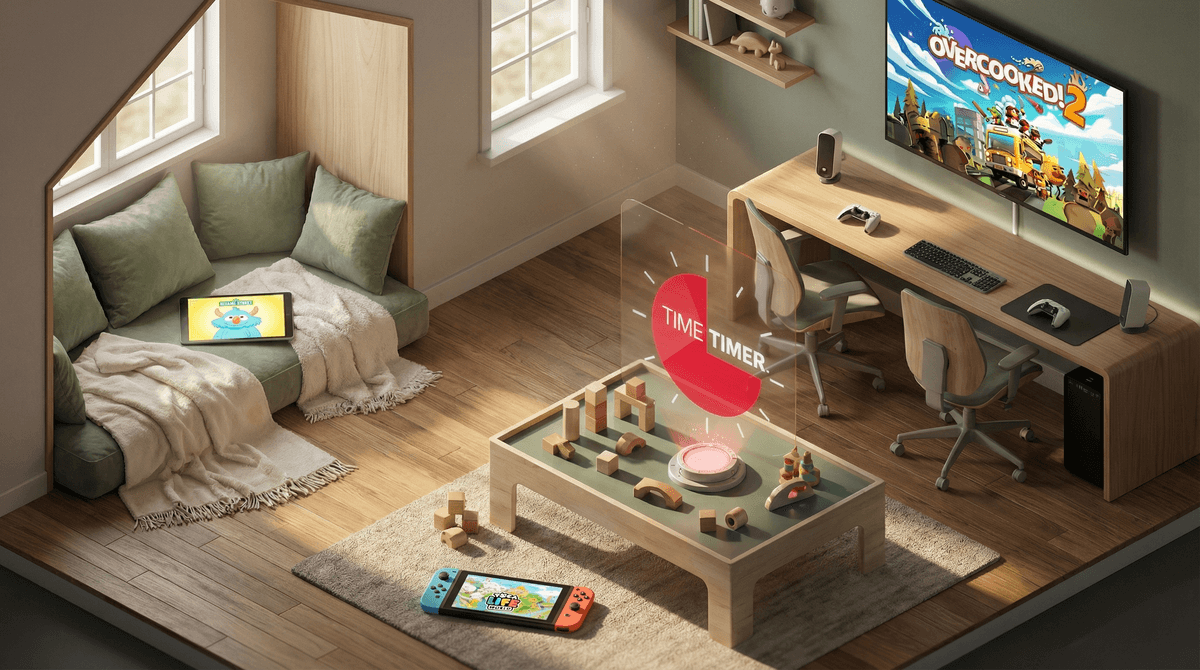
- Time Timer: Shows a red disk that disappears as time passes. Kids can literally see time running out. Game changer for the under-8 crowd.
- Visual Timer: Similar concept, free, does the job.
How to use them: Set the timer together with both kids watching. "Okay, when the red is gone, it's Sam's turn." When it goes off, there's no negotiation. The timer said so. You can even let them take turns being the one who sets the timer—gives them some control.
Ages 6-14
Older kids will absolutely keep a mental tally of who got more screen time, and they're not wrong to care about fairness. The problem is their tallies are wildly inaccurate and always skewed in their favor.
Screen time tracking apps can bring actual data to the argument:
- Built-in Screen Time (iOS) or Digital Wellbeing (Android): Free, already on your devices, shows exactly how much time each kid has used. You can set it up so each kid has their own profile and can see their own usage.
- OurPact or Qustodio: More robust parental control apps that track usage across multiple devices and kids.
How to use them: Have a family meeting where you show both kids how to check their own screen time. Make the rule transparent: "Everyone gets 90 minutes on weekdays." Now when someone complains it's not fair, you can pull up the data. "You've used 47 minutes, your sister has used 52. You're basically even."
This won't eliminate all fights, but it removes the "you love her more" drama from screen time disputes.
Ages 5-12
Most multiplayer games are competitive—which is fine, but if you have kids who turn every competition into WWIII, you need games that require them to work together toward a common goal.
- Overcooked (Ages 8+): Chaotic cooking game where you HAVE to coordinate or you fail. You can't win alone. Teaches communication and task division. Fair warning: it can get loud, but it's productive loud, not fighting loud.
- Minecraft (Ages 7+): In creative or peaceful mode, siblings can build together. Give them a shared project: "Build a house that has a room for each of you." Learn more about setting up Minecraft for cooperation.
- [Sago Mini Friends](https://screenwiseapp.com/media/sago-mini-friends-game (Ages 2-5): Adorable, no-pressure cooperative play for littles. They take care of characters together.
- Toca Life World (Ages 4-9): Open-ended play where they create stories together. No winning or losing.
The key: You might need to be present at first to narrate the cooperation. "Okay, Maya, you're in charge of chopping vegetables. Liam, you handle the stove. Talk to each other!" Once they get the hang of it, step back.
Ages 4-10
Some kids fight because they literally don't have the vocabulary or tools to express frustration or negotiate. These apps teach emotional regulation and conflict resolution:
- Breathe, Think, Do with Sesame (Ages 2-5): Teaches a simple problem-solving framework through Sesame Street characters. When your kid is melting down about screen time, you can say, "Let's do what the monster does—breathe, think, do."
- Zones of Regulation (Ages 5-10): Helps kids identify their emotional state and choose appropriate strategies. "I'm in the yellow zone—I'm frustrated. I need to take a break before I can talk about this."
How to use them: Don't pull these out during a fight. Use them during calm times so kids learn the skills. Then when conflict happens, you can reference what they learned: "What zone are you in right now? What would help you get back to green?"
Ages 6-14
Sometimes siblings fight because they're bored and fighting is more interesting than staring at the ceiling. Gamifying chores and responsibilities can give them something to do—and earn screen time in a way that feels fair.
- ChoreMonster (Ages 4-10): Kids complete chores to earn points and rewards (which can be screen time). Turns household tasks into a game.
- OurHome (Ages 6-14): Family organizer where kids can see their tasks, earn rewards, and track progress. The transparency reduces "it's not fair" arguments.
How to use them: Let kids earn screen time through contributions. "You each get 30 minutes automatically, but if you want more, here are the chores that earn you extra time." Suddenly they're competing to do the dishes instead of fighting over the iPad.
This only works if you're consistent. If you set up a timer system but then override it when one kid whines, you've just taught them that whining works. The whole point is creating a neutral, predictable system.
You still have to parent. Apps are tools, not babysitters. You need to set the expectations, enforce the boundaries, and teach the skills. The app just makes your job easier by removing ambiguity.
Not every kid will respond to every app. Some kids love timers, some find them stressful. Some kids thrive on cooperative games, others need solo time. Try a few different approaches and see what actually reduces conflict in your house.
The goal isn't zero conflict. Siblings are supposed to fight sometimes—that's how they learn negotiation, boundaries, and conflict resolution. The goal is reducing the stupid fights (whose turn, who got more time, etc.) so you can focus on teaching them through the meaningful ones.
Screens don't have to be a source of constant sibling warfare. With the right apps and a solid system, you can turn them into tools that actually teach fairness, cooperation, and problem-solving.
Start with one pain point—usually turn-taking—and pick one app to address it. Get the kids involved in setting it up. Make the rules clear and consistent. Then actually enforce them, even when it's inconvenient.
Will this eliminate all sibling fighting? Absolutely not. But it might just eliminate the 47 fights per day about screen time, which means you'll have energy left for the fights that actually matter.
- Identify your biggest screen-related fight trigger. Is it turn-taking? Fairness? Competitive meltdowns? Start there.
- Pick one app or tool from this list and try it for a week. Don't overthink it.
- Set up a family meeting to explain the new system. Let kids have input on rules and rewards.
- Be consistent for at least two weeks before deciding if it's working. New systems always feel weird at first.
And if you need help figuring out which approach fits your specific family dynamics, Find ways to reduce sibling fighting over screens—it can help you think through what might actually work for your particular chaos.