

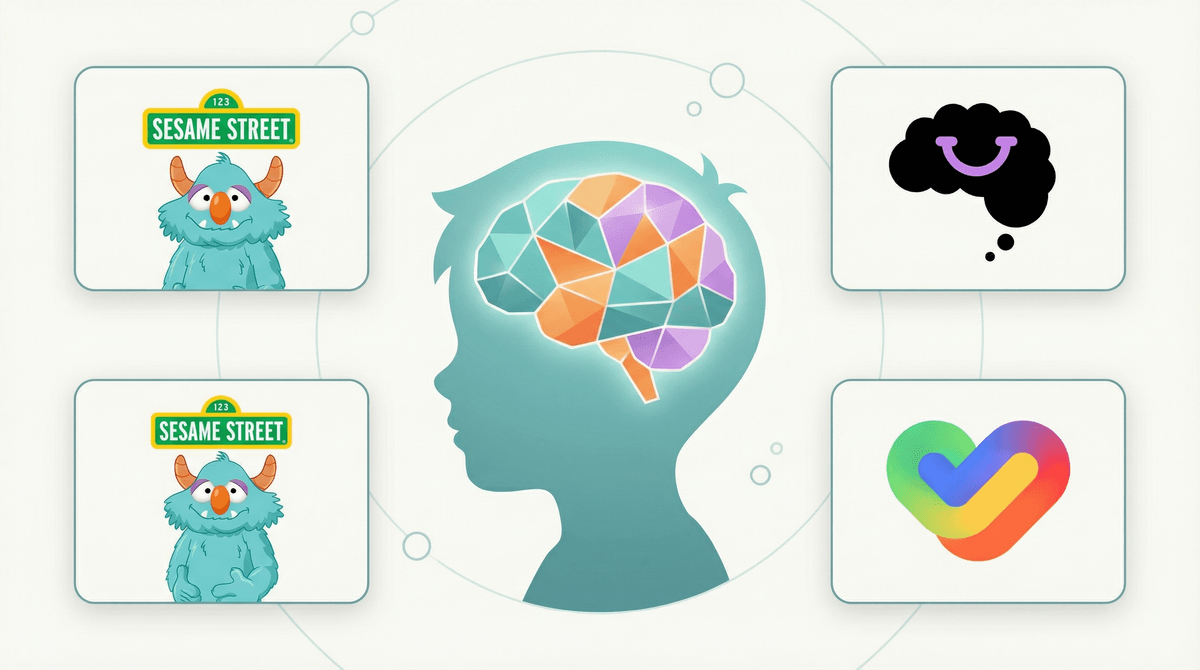
Look, I know the irony isn't lost on you: using screens to help kids understand their feelings. But here's the thing—emotional intelligence apps can actually be surprisingly effective at teaching skills that are genuinely hard to practice in real life.
These are apps specifically designed to help kids identify emotions, practice empathy, understand social cues, and develop self-regulation strategies. We're not talking about generic "calm down" timers or basic mood trackers (though those have their place). The good ones use interactive stories, games, guided exercises, and even AI-powered conversations to build genuine social-emotional skills.
And before you roll your eyes at "one more thing on a screen," consider this: kids are already spending time on devices. If some of that time can help them recognize when they're feeling overwhelmed, understand why their friend might be upset, or practice calming strategies before they need them in real life? That's actually a pretty solid trade-off.
Emotional intelligence isn't some soft skill anymore—it's foundational. Kids who can identify and manage their emotions do better academically, have healthier friendships, and are more resilient when things get hard. But here's what's tricky: we're asking kids to develop these skills in a world that's increasingly digital and increasingly overwhelming.
The pandemic didn't help. A lot of kids missed crucial years of in-person social learning. They're navigating friendships through Snapchat and Discord, dealing with social media comparison before they even understand what they're feeling, and facing academic pressure that would make any adult anxious.
The right apps can't replace real-world practice, therapy when needed, or your conversations at bedtime. But they can provide a low-stakes space to practice identifying emotions, trying out responses, and building awareness. Think of them as training wheels—not the destination, but helpful while learning.
Mightier (Ages 6-14)
This one's clever. Kids play regular video games, but they wear a heart rate monitor. When their heart rate spikes (frustration, excitement, stress), the game slows down until they use calming strategies to regulate. It's biofeedback disguised as gaming, and it actually teaches kids to notice their physical responses to emotions before they escalate.
The catch? It's subscription-based and not cheap ($45-60/month depending on the plan). But if you've got a kid who struggles with emotional regulation—meltdowns, outbursts, big feelings they can't control—it's worth considering. Many families see real results within weeks.
Breathe, Think, Do with Sesame (Ages 2-5)
For the little ones, this is gold. It's a simple app where kids help a Sesame Street monster solve everyday problems using a three-step process: calm down (breathe), think of a plan, and try it. The problems are relatable—getting frustrated with a puzzle, feeling scared of the dark, dealing with disappointment.
It's free, ad-free, and genuinely age-appropriate. The interactions are short (5-10 minutes), which is perfect for young attention spans. And honestly, the "breathe, think, do" framework is something adults could use too.
Smiling Mind (Ages 7+)
This is a mindfulness and meditation app built by psychologists and educators. It has age-specific programs that teach kids to notice their thoughts and feelings without judgment. The exercises are short (3-10 minutes), guided, and actually engaging—not just "sit still and breathe" (which, let's be real, doesn't work for most kids).
It's completely free and nonprofit, which is rare. The content is evidence-based, and there are specific programs for different situations: sleep, school stress, sports performance, even programs for parents. If your kid is anxious, overthinking, or just needs help settling their mind, start here.
Mood Meter (Ages 8+)
Developed by the Yale Center for Emotional Intelligence, this app helps kids (and adults) identify and track their emotions throughout the day. You plot how you're feeling on a grid—from low to high energy, from unpleasant to pleasant—and label the specific emotion.
The magic is in the granularity. Instead of just "good" or "bad," kids learn there's a difference between "anxious" and "scared," between "content" and "excited." Over time, they start noticing patterns and triggers. It's simple but powerful, especially for kids who struggle to articulate what they're feeling.
Stop, Breathe & Think Kids (Ages 5-10)
Another meditation app, but this one is more playful and kid-focused. Kids check in with how they're feeling (using emoji-style faces), and the app suggests short activities—guided meditations, breathing exercises, or movement activities—based on their mood.
The activities are genuinely creative: "Squeeze and Release" for tension, "Balloon Belly" for calming, "Kindness Walk" for empathy practice. It's free with optional paid content, and the interface is colorful without being chaotic.
These aren't magic. No app is going to solve big emotional or behavioral challenges on its own. If your kid is really struggling—persistent anxiety, depression, anger issues, trauma—they need real support: therapy, school counseling, maybe medication. Apps are supplements, not substitutes.
You still have to talk about it. The best way to use these apps is together, at least at first. Try the exercises with your kid. Ask what they noticed. Share what you're feeling. The app provides the framework, but the real learning happens in conversation.
Watch for avoidance. Some kids (especially anxious ones) will use these apps as a way to avoid dealing with feelings rather than processing them. If your kid is constantly "taking a break" to do breathing exercises instead of having a hard conversation or facing a challenge, that's worth noticing.
Quality over quantity. Five minutes of intentional emotional check-in is worth way more than 30 minutes of mindless scrolling through a meditation library. Set a purpose: "Let's use this to help you calm down before bed" or "Let's check in with how you're feeling after school."
Ages 3-6: Keep it simple and short. Breathe, Think, Do with Sesame is perfect. Focus on basic emotion identification ("I feel mad," "I feel sad") and one or two calming strategies. Use the app together, not as independent screen time.
Ages 7-10: This is prime time for building emotional vocabulary and self-awareness. Smiling Mind and Stop, Breathe & Think Kids work well. Kids can start using these independently, but check in regularly about what they're learning.
Ages 11-14: Older kids can handle more sophisticated tools like Mood Meter and can benefit from understanding the science behind emotional regulation. If they're struggling with self-control or emotional outbursts, Mightier can be genuinely helpful. Respect their privacy but stay curious about what they're noticing.
Emotional intelligence apps work best when they're part of a bigger picture—real conversations, modeling emotional awareness yourself, creating space for feelings in your home. They're tools, not solutions.
But used intentionally, they can give kids language for their feelings, strategies for regulation, and practice in self-awareness that translates to real life. And honestly? In a world where screens are often blamed for making kids less emotionally connected, it's pretty cool that some apps are actually helping them become more self-aware.
Start with one app that fits your kid's age and needs. Use it together for a week. See what happens. You might be surprised.
Try a free option first: Download Smiling Mind or Breathe, Think, Do with Sesame and commit to using it together for five minutes a day for one week.
Make it routine: Pair the app with an existing routine—after school check-in, before bed wind-down, morning mindfulness before the chaos starts.
Model it yourself: Kids learn emotional intelligence by watching you. Use Mood Meter yourself and share what you notice: "I'm feeling overwhelmed today—high energy but unpleasant. I think I need to take a break."
Keep talking: The app is the prompt, but the conversation is where the real learning happens. Ask open-ended questions: "What did you notice?" "When else do you feel like that?" "What helps?"
And if you want to explore more ways screens can actually support your kid's development (yes, really), check out our guide to educational apps that don't feel like homework.