

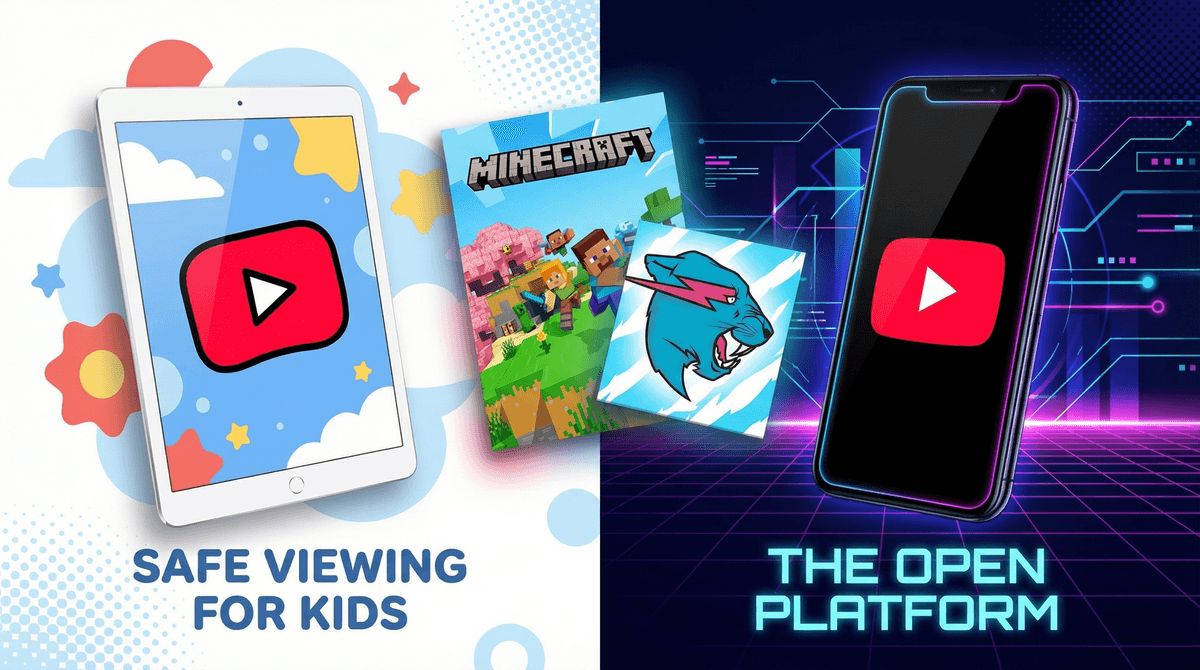
Let's get straight to it: YouTube Kids and YouTube are two completely different apps from the same company, and understanding the difference matters way more than you'd think.
YouTube Kids is a separate app designed specifically for children under 13. It has a simplified interface, curated content, parental controls built in from the start, and—in theory—only shows videos appropriate for kids. Think of it as YouTube with guardrails, training wheels, and a helmet.
Regular YouTube is the wild west. It's designed for users 13+, has billions of videos on literally every topic imaginable, and while it has some safety features, it's fundamentally built for adults. The algorithm is optimized for engagement (read: keeping you watching), not for child development.
The key thing parents get wrong: letting your 8-year-old watch YouTube Kids on their iPad is a completely different decision than letting them browse regular YouTube. These aren't settings within the same app—they're different platforms with different content libraries, different safety systems, and different risks.
Here's the uncomfortable truth: kids want regular YouTube because that's where the "real" content is.
YouTube Kids has MrBeast (sort of), but regular YouTube has the latest MrBeast challenge video the second it drops. YouTube Kids has some gaming content, but regular YouTube has every Minecraft tutorial, every Roblox gameplay video, and every "top 10 scary moments" compilation your kid's friends are talking about at recess.
Kids also know that YouTube Kids feels "babyish" once they hit about 8 or 9. The interface is simpler, the content skews younger, and there's a social element here—being on "regular YouTube" feels like a status symbol.
And let's be honest: YouTube Kids can be genuinely limiting for older elementary kids who have legitimate interests. A 10-year-old who wants to learn how to code, watch science experiments, or follow a specific creator is going to find YouTube Kids frustrating. The content just isn't there.
Content Library
YouTube Kids pulls from a subset of YouTube videos that have been either algorithmically filtered or manually reviewed. It's not perfect (more on that in a second), but it's dramatically smaller and more controlled.
Regular YouTube has everything. Educational content, music videos, movie trailers, gaming streams, and yes—true crime videos, conspiracy theories, inappropriate ads, and comment sections that would make you weep.
Interface and Features
YouTube Kids has a simplified search function (you can actually turn search off entirely), no comments section, and limited recommendations. The interface is designed to be harder to fall down rabbit holes.
Regular YouTube has the full algorithmic experience—suggested videos, autoplay, trending tabs, community posts, live streams, and an infinite scroll designed by some of the smartest engineers in the world to keep you watching "just one more video."
Parental Controls
YouTube Kids requires you to set up controls from the beginning. You choose between three age settings: Preschool (4 and under), Younger (5-8), or Older (9-12). You can approve content manually, block specific videos or channels, and see watch history.
Regular YouTube has parental controls, but they're opt-in and frankly, pretty limited. You can turn on Restricted Mode (which filters out mature content but is far from perfect), and if you set up a supervised Google account, you get some additional controls. But it's still regular YouTube.
YouTube Kids Isn't Perfect
Let's kill this myth right now: YouTube Kids is not 100% safe. Inappropriate content still gets through. There have been documented cases of disturbing videos (violence, sexual content, conspiracy theories) making it past the filters because they were initially tagged as kid-friendly.
The algorithm can also serve up what I call "digital junk food"—technically appropriate content that's just... mindless. Toy unboxing videos, repetitive nursery rhymes, low-effort animation. It won't traumatize your kid, but it's not exactly enriching either.
Regular YouTube Has Real Risks for Kids
If your child is on regular YouTube without supervision, here's what they can encounter:
- Inappropriate content (violence, sexual content, disturbing imagery)
- Predatory comments (even on innocent videos)
- Conspiracy theories and misinformation served up by the algorithm
- Advertising that's not kid-appropriate (gambling apps, mature games, etc.)
- Parasocial relationships with creators who may not have kids' best interests at heart
The algorithm doesn't care that your kid is 10. If they watch one scary video, they'll get recommended 50 more. That's how kids end up watching "Squid Game explained" videos at 2am.
Ages 4-7: YouTube Kids Only At this age, stick with YouTube Kids and use the Preschool or Younger settings. Better yet, use the "Approved Content Only" mode where you manually select every channel and video they can watch. Yes, it's more work upfront, but it's worth it.
Consider treating YouTube like TV—something you watch together or that happens in shared spaces, not on a personal device in their bedroom.
Ages 8-10: YouTube Kids, with Possible Exceptions This is the tricky transition age. Most kids are still fine on YouTube Kids with the "Older" setting, but you might make exceptions for specific content on regular YouTube—like following a particular educational channel or watching a specific tutorial.
If you do allow regular YouTube, do it on a shared device, with you nearby, and consider using a supervised Google account. Learn more about supervised accounts and how to set them up .
.
Ages 11-13: The Supervised Transition By middle school, most kids are ready for regular YouTube, but that doesn't mean unsupervised YouTube. This is when you want to:
- Set up a supervised Google account with Restricted Mode on
- Have regular conversations about what they're watching
- Teach them about algorithmic recommendations and how to curate their feed
- Make it clear that YouTube history is something you'll check periodically
Ages 13+: Regular YouTube with Ongoing Conversations At 13, kids can technically have their own Google accounts and full YouTube access. But "technically allowed" doesn't mean "no guardrails needed." This is when digital literacy becomes crucial—teaching them to recognize clickbait, misinformation, parasocial manipulation, and when content is designed to keep them watching rather than actually inform or entertain them.
If you're transitioning from YouTube Kids to regular YouTube, don't just hand over the keys. Here's a better approach:
1. Start with supervised sessions. Watch regular YouTube together for a few weeks. Show them how to search, how to recognize quality content, and how the algorithm works.
2. Set up a supervised account. Google's supervised accounts (for kids under 13) give you visibility into watch history and some control over settings. It's not perfect, but it's something.
3. Create a starter subscription list together. Help them subscribe to 10-15 quality channels that match their interests. This gives the algorithm a better starting point than random browsing.
4. Teach them the "grandma test." Would they be comfortable watching this video if grandma walked into the room? If not, maybe skip it.
5. Make it clear you'll check in. Not as punishment, but as part of the deal. You're not spying—you're staying involved in their digital life the same way you'd stay involved in their real-world friendships.
Here's my take: YouTube Kids is genuinely better for younger kids, but it's not a perfect solution, and regular YouTube isn't inherently evil.
The real question isn't "which platform?" but rather "how much supervision, what kind of content, and what's developmentally appropriate for my specific kid?"
Some 8-year-olds are ready for supervised regular YouTube access for specific purposes. Some 12-year-olds still benefit from the guardrails of YouTube Kids. Every family is different, and that's okay.
What matters is that you're making an intentional choice rather than just handing over a device and hoping for the best.
If your kid is currently on YouTube Kids:
- Check your settings—are you using age-appropriate content filters?
- Review their watch history this week (yes, really)
- Consider setting up "Approved Content Only" mode if they're under 7
If your kid is currently on regular YouTube:
- Set up a supervised Google account if they're under 13
- Turn on Restricted Mode (it's not perfect, but it helps)
- Have a conversation this week about what they're watching and why
If you're considering making the switch:
- Don't rush it—there's no magic age where kids are "ready"
- Start with supervised sessions on regular YouTube before giving independent access
- Check out our guide on teaching kids algorithmic literacy so they understand what's happening behind the scenes
And remember: the platform matters less than your involvement. A kid watching YouTube Kids unsupervised for 4 hours a day is probably having a worse experience than a kid watching regular YouTube for 30 minutes with a parent nearby.
You've got this.