

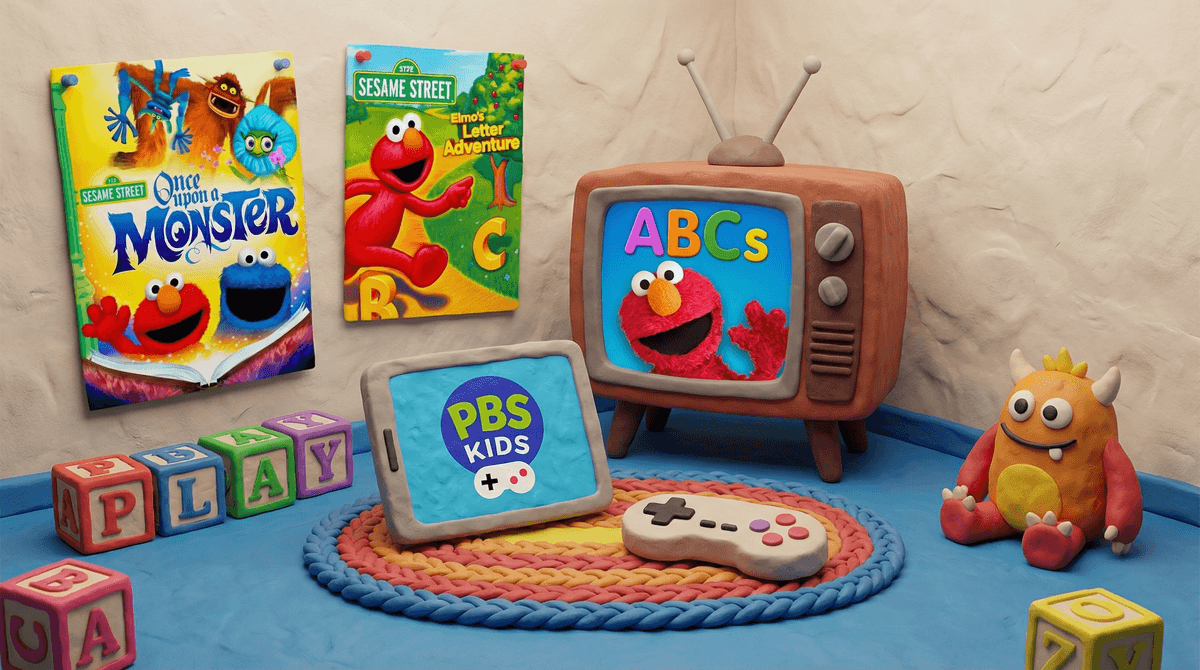
Sesame Street video games are exactly what they sound like: digital games featuring Elmo, Cookie Monster, Big Bird, and the rest of the gang from the iconic PBS show. These games span everything from simple mobile apps for toddlers to more involved console games, educational computer programs, and even Roblox experiences where kids can virtually explore Sesame Street.
The landscape here is actually pretty vast. You've got official Sesame Workshop apps like "Elmo Loves ABCs" and "Cookie Monster's Challenge," older console games like "Elmo's Letter Adventure" for various Nintendo systems, and a surprising number of browser-based games on the PBS Kids website. There's also "Sesame Street: Once Upon a Monster" for Xbox Kinect (if anyone still has one of those gathering dust), which was actually pretty well-reviewed back in the day.
Look, Sesame Street has been cracking the code on what makes young kids tick since 1969. The characters are designed to be appealing to preschoolers, the music is genuinely catchy (you're welcome for getting "C is for Cookie" stuck in your head), and the whole vibe is warm and non-threatening.
When these elements translate to video games, you get something that feels familiar and safe to kids who already love the show. Elmo's voice is comforting. Cookie Monster is hilarious. And for kids ages 2-6, having agency to make Elmo jump or help Abby Cadabby solve a puzzle feels genuinely exciting and empowering.
The interactive nature also hits differently than passive TV watching. Kids aren't just absorbing content—they're making choices, getting immediate feedback, and often learning letter recognition, counting, or problem-solving in the process.
Here's where we need to get real for a second. Sesame Workshop has serious educational credentials. They employ child development experts, their curriculum is research-based, and they genuinely care about early childhood learning. When they make a game, there's usually actual educational value baked in.
But (and this is a big but), not all Sesame Street games are created equal. The official Sesame Workshop apps? Generally solid, with real learning objectives around literacy, numeracy, and social-emotional skills. Random third-party Sesame Street games on app stores? That's more of a wild west situation. Some are fine. Some are basically just digital busy boxes with Elmo's face slapped on them.
And even the good ones come with a caveat: screen time is still screen time. A well-designed educational game is better than mindless content, sure, but it's not a replacement for hands-on play, books, or human interaction. The research is pretty clear that kids under 5 learn best from three-dimensional experiences and back-and-forth conversations with actual humans.
Ages 2-4: This is really the sweet spot for Sesame Street games. At this age, simple cause-and-effect games (tap Elmo, he dances) can actually support learning when used in moderation. The key word being moderation—we're talking 15-20 minutes max, ideally with you sitting right there. Co-playing makes a huge difference in learning outcomes for this age group.
Ages 5-7: Kids this age can handle slightly more complex Sesame Street games with basic puzzles or mini-games. They're also starting to age out of the content, though, and might find it "babyish" (especially if they have older siblings). That's totally normal.
Ages 8+: If your third-grader is still really into Sesame Street games, that's fine, but it's getting less common. They're probably ready for more sophisticated content. (Though nostalgia is real—don't be surprised if they occasionally want to revisit Elmo for comfort.)
Let's talk about what's actually happening in your community. Based on our data, 55% of families with young kids report some gaming in their household, while 45% have managed to avoid it entirely so far. If you're in the "no gaming yet" camp with a preschooler, you're definitely not alone.
For screen time overall, families in your community average about 4.2 hours daily across all screens (TV, tablets, phones, gaming). That jumps to 5 hours on weekends. When it comes to tablets specifically—which is often where young kids play Sesame Street games—only 15% of families report no usage, while 50% say their kids have unsupervised access. That's worth sitting with for a minute.
Here's the thing about Sesame Street games: they're often a gateway. They feel safe and educational, so parents are more relaxed about handing over the tablet. But once a kid knows how to navigate a tablet or game system, they're going to want to explore beyond Elmo. And before you know it, you're dealing with YouTube rabbit holes or requests for games you've never heard of.
Red flags to watch for:
- In-app purchases (even "educational" games can have these)
- Ads that lead to other apps or content
- Games that require constant internet connection (raises privacy concerns)
- Your kid melting down when screen time ends (this is your cue to pull back)
Green flags:
- Official Sesame Workshop apps (look for their logo)
- PBS Kids games (generally ad-free and high-quality)
- Games that encourage you to play together
- Clear learning objectives that you can actually see in action
Can we be honest? The "is this educational?" question is often a way we justify screen time that's really about giving ourselves a break. And that's okay! Parenting is exhausting. If a 20-minute Elmo game gives you time to make dinner without a toddler wrapped around your leg, that's not a moral failure.
But let's not pretend that most Sesame Street video games are dramatically different from other screen time. Yes, they're better than random YouTube videos. Yes, they're teaching something. But they're not magic. They're not going to give your kid an academic advantage. They're just... fine. A tool in your parenting toolkit that should be used intentionally, not as a default.
The bigger question isn't "Is this educational?" but rather "Is this how I want my kid spending their time right now, given all the other options?" Sometimes the answer is yes! Sometimes it's no. Both are valid.
Sesame Street video games are generally among the safer, more educational options in the kids' gaming world. They're designed by people who actually understand child development, they feature characters kids love, and they usually have legitimate learning objectives.
But they're not a substitute for real play, and they come with all the same concerns as other screen time: habit formation, opportunity cost, and the risk of opening doors to less-appropriate content.
If you're going to let your young kid play Sesame Street games:
- Stick with official apps from Sesame Workshop or PBS Kids
- Set clear time limits (and actually enforce them)
- Play together when possible—your involvement multiplies the learning
- Watch for the transition when they start wanting "bigger kid" games
- Be honest with yourself about whether it's truly educational or just convenient
And if you're feeling guilty about any of this? Take a breath. You're thinking critically about your kid's screen time, which already puts you ahead of the curve. Perfect is not the goal. Intentional is.
Want to dig deeper? Check out alternatives to tablet games for preschoolers or learn more about PBS Kids apps and games. And if you're trying to figure out your family's overall approach to gaming, this guide on introducing video games to young kids might help you think it through.