

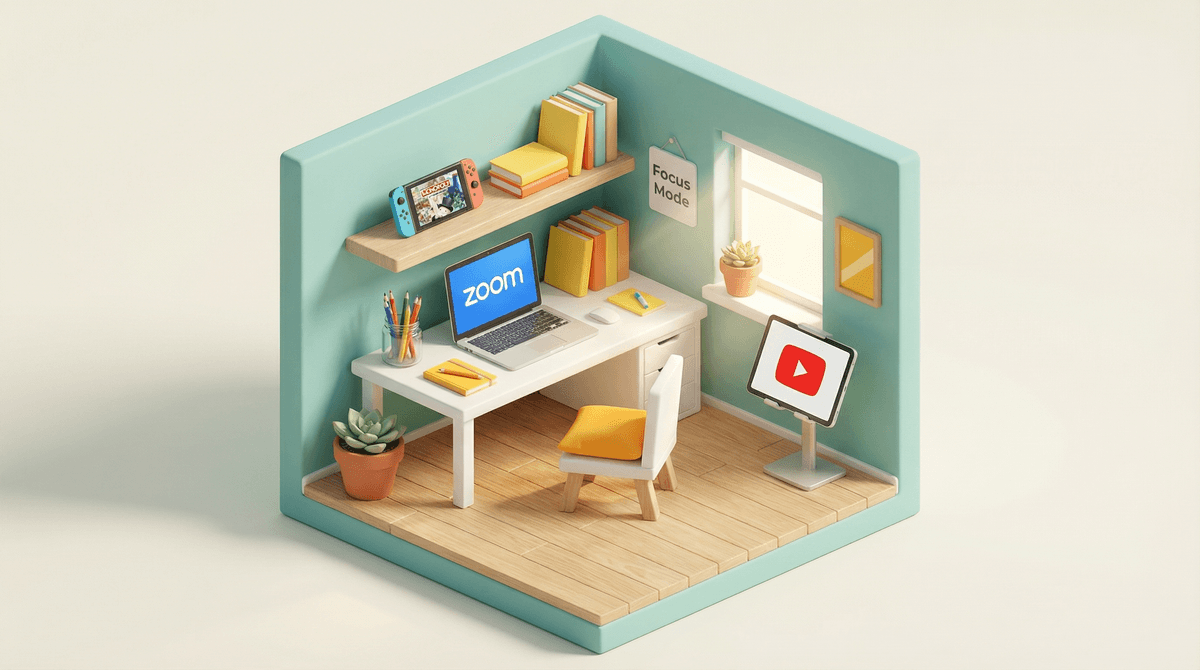
Look, whether your kid is logging into a full virtual classroom, joining a weekly enrichment class, or video chatting with a tutor, the "just unmute yourself" era of pandemic learning taught us that there's actually a lot more to successful video learning than we initially thought.
Video chat for online classes isn't going anywhere. It's become a permanent fixture in education—from snow day remote learning to specialized courses not offered locally to tutoring sessions with that one math teacher who actually makes fractions click. And while most kids have technically figured out how to join a Zoom call, there's a massive gap between "being present on screen" and actually learning effectively in a virtual environment.
The thing is, video-based learning is genuinely harder than in-person. It requires more executive function, more self-regulation, and honestly, more discipline than sitting in a physical classroom where a teacher can make eye contact and redirect attention. And we're asking kids to do this in their bedrooms, often steps away from their gaming setup or with YouTube literally one tab away.
Here's what we learned from the great remote learning experiment: the kids who thrived weren't necessarily the "good students"—they were the ones with good setups and clear boundaries.
The physical environment matters enormously. A kid trying to focus on algebra while sitting on their bed with their Switch visible in the corner and their little sibling playing in the background? That's not a focus problem, that's a setup problem.
And then there's the privacy piece that nobody really talks about. When kids are on video, they're broadcasting their home environment to classmates and teachers. That bedroom poster, the family argument in the hallway, the mess in the background—it all becomes visible. For some kids, this creates genuine anxiety that interferes with learning.
Plus, let's be real: video fatigue is real for adults, and it's even more real for kids whose brains aren't fully developed yet. Staring at a screen while also seeing yourself staring at a screen while trying to focus on content while managing the chat while wondering if you're muted... it's cognitively exhausting.
The Physical Space
First things first: if at all possible, don't let kids take video classes from their bed. I know, I know—sometimes it's the only option. But beds are associated with sleep and relaxation, and asking a kid's brain to suddenly shift into learning mode while literally lying down is asking a lot.
The ideal setup:
- A desk or table in a relatively quiet area
- Decent lighting (facing a window is great, or a lamp behind the screen)
- A neutral background or use that virtual background feature
- Headphones to minimize distractions and improve audio quality
If space is tight, even a lap desk in a different corner of the room signals "this is learning time, not leisure time."
The Tech Check
Before the class starts (not during):
Create a simple checklist for younger kids. Older kids can handle this themselves, but they need to learn the habit first.
The Camera Conversation
Some kids are genuinely uncomfortable being on camera, and that's worth taking seriously. Talk with them about:
- When camera-on is required vs. optional
- Using virtual backgrounds if they're self-conscious about their space
- The "gallery view" anxiety (seeing themselves and everyone else simultaneously)
For younger kids (elementary age), camera-on usually helps with engagement and accountability. For middle and high schoolers, there's more nuance—sometimes camera-off actually helps them focus better without the self-consciousness.
What's in the Frame
Do a quick background check with your kid:
- What's visible behind them?
- Any posters or decorations they'd rather not share?
- Can people see into other rooms or spaces?
This isn't about being paranoid—it's about giving kids agency over what they share with their class.
The "Someone Else Might Be Home" Reality
If other family members are home during class time, everyone needs to know the schedule. A younger sibling wandering through in their underwear or a parent having a loud phone call in the next room isn't just embarrassing—it's genuinely distracting for learning.
Consider a simple signal system: door closed = in class, headphones on = definitely in class, etc.
The Multitasking Myth
Kids will absolutely insist they can follow along while also texting friends or watching TikTok on their phone. They cannot. The research is crystal clear on this—multitasking during learning tanks comprehension and retention .
.
The phone needs to be in another room, or at minimum face-down and silenced. Not on silent. Actually off or in another room. This is non-negotiable for effective learning.
The Note-Taking Advantage
One actual benefit of video learning: kids can take notes without worrying about missing something. Encourage them to:
- Keep a notebook specifically for video classes
- Jot down questions to ask in chat or after class
- Summarize key points in their own words
For younger kids, even just doodling while listening can help with focus and retention.
Break Time is Essential
If it's a longer class, kids need to actually move during breaks. Not switch to a different screen—actually stand up, stretch, get water, look at something farther than two feet away.
For younger kids, you might need to enforce this. Set a timer, make them do jumping jacks, whatever works.
Elementary (Ages 5-10)
These kids need more hands-on support:
- Help them log in initially until it's routine
- Stay nearby (but not hovering on camera)
- Check in during breaks
- Have a simple "class rules" checklist visible (mute when not talking, raise hand, etc.)
Middle School (Ages 11-13)
They can handle the tech, but struggle with the self-regulation:
- Establish clear expectations about phone/gaming device location
- Check in periodically (the trust-but-verify approach)
- Help them create a routine that includes prep time before class
- Talk about chat etiquette and what's appropriate to share
High School (Ages 14-18)
They need autonomy, but also accountability:
- Let them own their setup and routine
- Have periodic conversations about what's working and what isn't
- Be available for tech troubleshooting without micromanaging
- Talk about digital professionalism (this is practice for college and work)
Effective video-based learning isn't just about showing up on camera. It's about creating an environment and routine that actually supports focus and engagement.
The good news? Unlike in-person school, you actually have control over a lot of the variables here. You can optimize the space, minimize distractions, and help your kid develop habits that'll serve them well beyond this one class.
Start with the basics: good setup, clear boundaries, and realistic expectations. Then adjust based on what you're seeing. If your kid is struggling to focus, don't assume it's a discipline issue—look at the environment first.
And remember: video learning is genuinely harder than in-person learning. If your kid is finding it exhausting or challenging, they're not alone. That's actually the normal response to a cognitively demanding situation.
- Do a setup audit with your kid this week—test the tech, check the space, make improvements
- Create a simple routine for before/during/after video classes
- Have the phone conversation if you haven't already (it needs to be elsewhere, full stop)
- Check in after a few sessions to see what's working and what needs adjustment
The goal isn't perfection—it's creating conditions where learning can actually happen. Start there.