

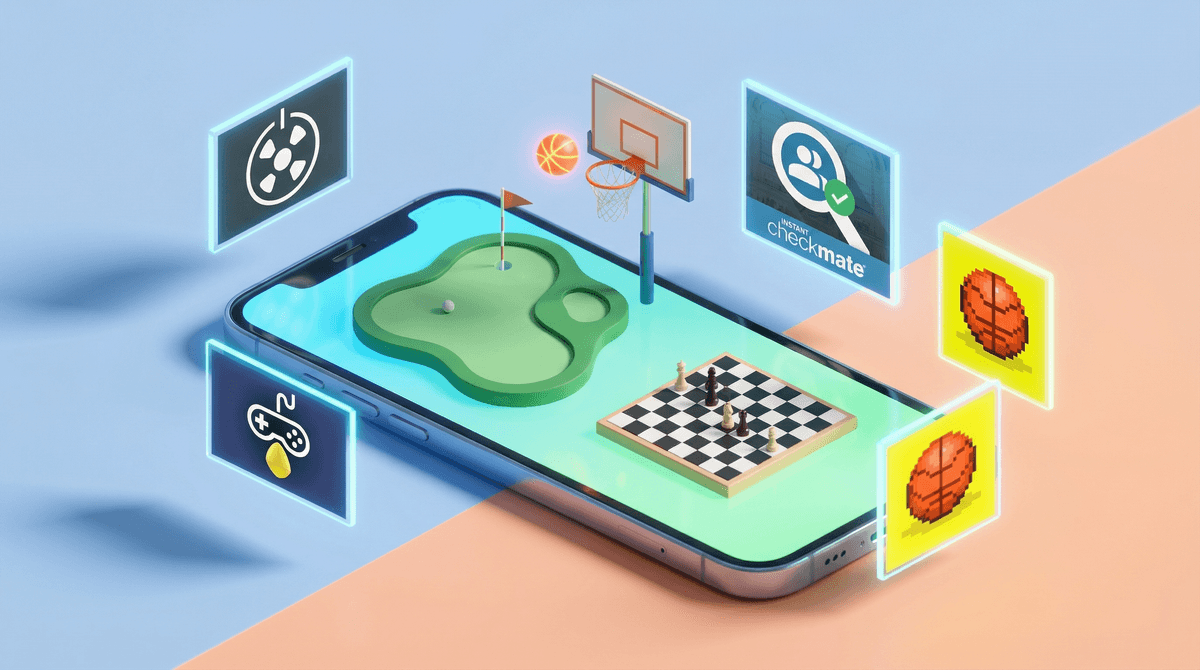
iMessage games are mini-games that live right inside Apple's Messages app—no separate download needed (well, mostly). The biggest player here is GamePigeon, which is a free app extension that adds a whole arcade of games to your texting experience. Think 8-Ball pool, Cup Pong, Darts, Battleship, and about 20 other games that kids can play back-and-forth with their friends through text messages.
Here's how it works: One kid sends a "move" in a game, the other kid gets a notification, opens the message, makes their move, and sends it back. It's asynchronous gameplay—like the digital version of playing chess by mail, except it's 8-Ball and it happens in 30 seconds instead of 30 days.
The appeal is obvious: it's gaming that feels social but doesn't require being "on" at the same time. Your kid can play while texting, which means they're essentially never NOT doing something while communicating. Efficiency? Multitasking? Or just more screen engagement? Yes to all three.
It's frictionless. No friend codes, no separate apps to manage, no parental gate to navigate. If your kid has iMessage and their friend has iMessage, they're one tap away from a game. This is huge for the 9-13 crowd who are just getting phones and navigating the weird social landscape of "how do I hang out with friends digitally?"
It's low-stakes social. Not every kid wants to voice chat on Fortnite or Roblox. iMessage games let kids stay connected and playful without the pressure of real-time conversation or performance. It's the digital equivalent of tossing a ball back and forth while you talk about nothing.
It fills the gaps. Waiting for soccer practice to start? iMessage game. Bored during a car ride? iMessage game. Supposed to be doing homework? You guessed it—iMessage game. These games are designed for micro-sessions, which means they slot perfectly into every spare moment of a kid's day.
GamePigeon is the dominant app, and it includes:
- 8-Ball Pool (by far the most popular)
- Cup Pong (beer pong without the beer)
- Battleship (the classic)
- Darts, Basketball, Archery (quick skill-based games)
- Gomoku, Four in a Row, Checkers (strategy games)
- Word games like Anagrams and Word Hunt
There are also standalone iMessage game apps like Cobi Hoops, Mr. Putt, and Checkmate, but GamePigeon is the 800-pound gorilla. If your kid is playing iMessage games, it's almost certainly GamePigeon.
Let's start with what's actually fine here:
The games themselves are harmless. We're talking about digital pool and battleship, not Grand Theft Auto. There's no violence, no inappropriate content, and no in-game chat with strangers. It's just simple, turn-based games.
It's actually social. In a world where kids are increasingly isolated and screen time is often solitary, iMessage games are genuinely connecting kids with their actual friends. That's not nothing.
Minimal monetization. GamePigeon is free with ads, or $2.99 to remove them. That's it. No loot boxes, no battle passes, no $20 skin bundles. Compared to most mobile games, this is refreshingly straightforward.
It's texting, but more. If your kid is "just texting," you might not realize they're also playing 47 rounds of 8-Ball. This can make screen time tracking tricky—are they socializing or gaming? (The answer is both, which is why it's complicated.)
The notification loop is real. Every move generates a notification. Your kid sends their turn, their friend responds, notification, your kid responds, notification. It's a constant pull back to the phone. This is the same dopamine loop that makes all social apps sticky, just wrapped in a game of Cup Pong.
It's a gateway to more texting. For younger kids (8-10), iMessage games might be their first real reason to text constantly. That's not inherently bad, but it does accelerate the "always connected" lifestyle that many parents are trying to delay.
Ads (in the free version). GamePigeon shows ads between games. They're not inappropriate, but they're there, and they're designed to be clicked. If your kid is 8 and playing unsupervised, they might end up clicking through to things you'd rather they didn't.
Ages 8-10: iMessage games are generally fine at this age, but with supervision. This is probably their first taste of asynchronous gaming and constant texting, so it's worth setting some boundaries early. Consider limiting game time to specific windows (after school, not during dinner) and checking in regularly about who they're playing with.
Ages 11-13: This is peak iMessage games territory. Most kids in this age group are playing, and it's a pretty normal part of their social life. The key here is helping them understand notification management and setting boundaries around when they're "available" to play. Just because a friend sends a move doesn't mean they have to respond immediately.
Ages 14+: By high school, most kids have moved on to other things or have integrated iMessage games into a broader digital social life. If they're still playing, it's usually pretty self-regulated. The bigger concern at this age is probably overall phone use, not specifically iMessage games.
You can turn off notifications. Seriously, this is the move. Go to Settings > Notifications > Messages and either turn off notifications entirely for Messages or customize them so game notifications don't buzz constantly. This single change can dramatically reduce the addictive pull of iMessage games.
You can disable iMessage apps entirely. If you want to cut off access completely, you can restrict iMessage apps through Screen Time. Go to Settings > Screen Time > Content & Privacy Restrictions > Allowed Apps and toggle off "iMessage Apps." Boom, no more GamePigeon.
The $2.99 ad-free version is worth it. If your kid is playing regularly, just pay the three bucks. It removes ads and eliminates one vector of distraction and potential inappropriate content.
Talk about the notification loop. Help your kid understand that these games are designed to keep them checking their phone. That's not a moral judgment—it's just how the design works. Once they understand the mechanism, they can make more intentional choices about when and how they engage.
Set "game hours." One practical approach: iMessage games are allowed after school until dinner, and maybe for 30 minutes after homework. Not during meals, not after bedtime, not during family time. This helps kids learn that availability is a choice, not an obligation.
iMessage games are not the enemy. They're simple, social, and relatively benign compared to most of what kids could be doing on their phones. But they are designed to be sticky, and they do contribute to the constant connectivity that makes modern parenting exhausting.
The goal isn't to ban iMessage games—it's to help your kid develop a healthy relationship with them. That means understanding how they work, setting reasonable boundaries, and teaching kids to manage notifications and availability.
If your kid is playing 8-Ball with their best friend for 20 minutes after school, that's fine. If they're compulsively checking their phone every 3 minutes because someone sent them a Cup Pong move, that's a problem worth addressing.
- Check if your kid has GamePigeon installed. Open Messages, start a new message, tap the App Store icon, and see what's there.
- Have a conversation about notifications. Ask your kid how many game notifications they get in a day. They probably don't know, which is telling.
- Set up Screen Time limits if needed. You can limit Messages app time overall, or set downtime windows when iMessage games aren't available.
- Consider the $2.99 upgrade. It's cheaper than a Happy Meal and removes a layer of distraction.
And if you're wondering whether your kid's iMessage game habits are normal for their age, See if iMessage games are normal for your kid's age to see how your family compares to others in your community.