

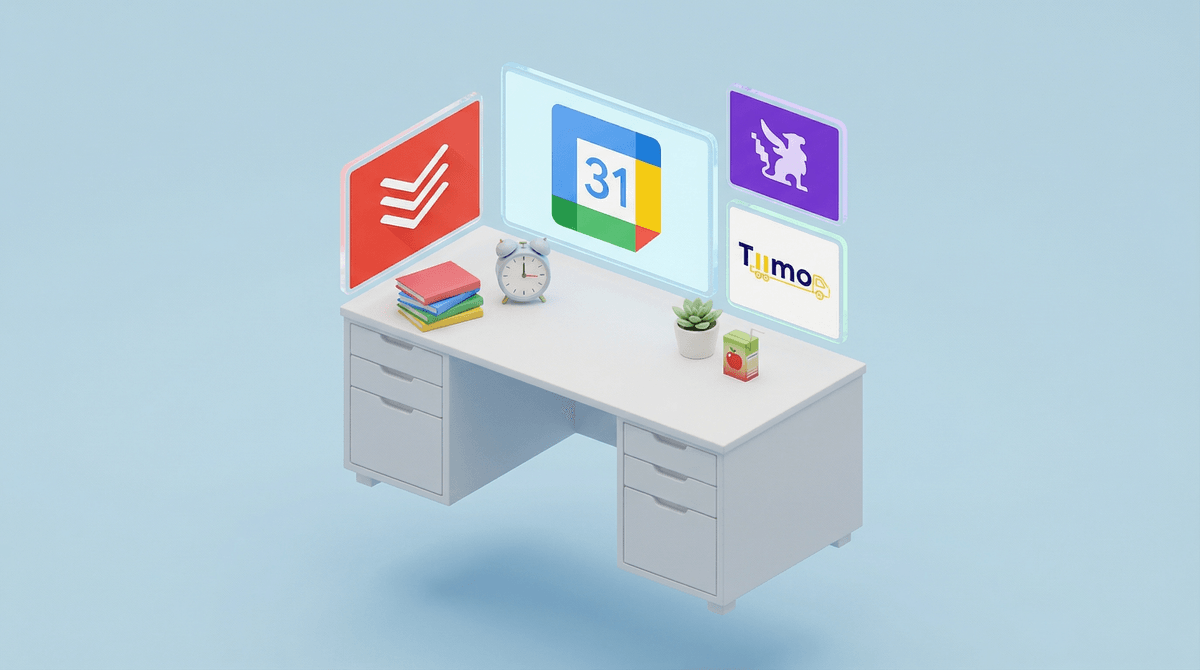
Time-management apps for kids are digital tools designed to help children track tasks, manage schedules, build routines, and develop organizational skills. Think digital checklists, visual timers, homework planners, and habit trackers—all packaged in colorful, gamified interfaces that promise to turn your chaotic kid into a mini productivity guru.
Popular options include Todoist, Habitica (which gamifies tasks into an RPG), Tiimo (designed for neurodivergent users), and good old Google Calendar with some kid-friendly customization.
The pitch is compelling: instead of nagging your 10-year-old about homework for the 47th time this week, they'll get a cheerful notification and check it off themselves. In theory.
Here's the thing that makes this topic deliciously complicated: we're using screens to help kids manage... their relationship with screens. And also their homework. And also their chores. But mostly we're adding another app to the rotation while simultaneously worrying about screen time.
The real question isn't whether these apps work (many do!), but whether they're the right tool for your kid at this stage of development. Because there's a massive difference between a 7-year-old who needs help remembering to brush their teeth and a 14-year-old trying to juggle AP classes, soccer practice, and a social life.
Let's be honest about what these apps can genuinely do well:
For neurodivergent kids, visual schedules and external reminders can be legitimately life-changing. Apps like Tiimo use visual timers and icons that help kids with ADHD or autism navigate transitions and task sequences in ways that verbal reminders just don't hit. This isn't about replacing executive function—it's about scaffolding it.
For middle schoolers drowning in new responsibilities, a homework planner app can be the bridge between "mom manages everything" and "I'm supposed to remember all this myself?!" The transition to multiple teachers, different assignments, and long-term projects is genuinely hard. A digital planner with reminders can be training wheels for the prefrontal cortex that's still under construction.
For the gamification-motivated kid, something like Habitica—which turns your to-do list into an actual RPG where you level up by completing tasks—can tap into the same dopamine system that makes Roblox so compelling, but redirect it toward brushing teeth and finishing homework.
But here's where it gets tricky:
These apps can become another dependency. If your kid can't remember to do anything without a notification, you haven't built executive function—you've outsourced it. The goal should be that the app is temporary scaffolding, not a permanent crutch.
They require management... by you. Especially for younger kids, these apps don't run themselves. Someone needs to help set up the tasks, adjust the schedule, troubleshoot when notifications aren't working, and frankly, monitor whether your kid is just dismissing every reminder without actually doing the thing. Congrats, you now have another app to manage.
The gamification can backfire. Some kids get so focused on earning points or completing streaks that they lose sight of the actual purpose. They'll do the bare minimum to check the box rather than actually engaging with the task. Or they'll get discouraged when they break a streak and abandon the whole system.
They're still screens. Even if it's a "productive" screen, it's still pulling your kid into their device. For some families trying to reduce overall device time, adding a time-management app feels like solving a problem by creating a smaller version of the same problem.
Ages 5-8: Honestly? Probably too young for an app. At this age, kids need physical, tangible systems—a sticker chart on the fridge, a morning routine poster with pictures, a sand timer they can watch. The abstract thinking required to engage with a digital task list isn't really there yet. If you want something digital, a visual timer app (just the timer, not a whole system) can help with transitions.
Ages 9-12: This is the sweet spot for introducing time-management apps if your kid is struggling with organization and if they're already comfortable with devices. Start simple—maybe just a shared family calendar or a basic checklist app. Look for apps with minimal distractions (no social features, no endless customization rabbit holes). The goal is building habits, not building an app collection.
Ages 13+: Teens can handle more sophisticated tools, but they also need more autonomy in choosing them. If you force a system on a teenager, they'll resist it purely on principle. Better approach: "You've got a lot on your plate this year. Want to explore some planning tools together?" Then let them test a few options and pick what clicks. Check out this guide on teaching teens digital organization skills.
Green flags:
- Clean, simple interface without constant upselling
- Works offline (so it's not just another internet rabbit hole)
- Privacy-focused (no ads, no data harvesting)
- Customizable but not overwhelming
- Has a parent/coach view if needed for younger kids
Red flags:
- Social features or leaderboards (turns organization into competition)
- In-app purchases for basic features
- Constant notifications that train kids to ignore notifications
- Requires daily engagement to maintain "streaks" (creates anxiety)
- Collects unnecessary data about your kid
Before you download anything, consider whether a physical planner might actually work better. Hear me out: there's research showing that writing things down by hand improves memory and follow-through . A paper planner doesn't send notifications, but it also doesn't die when the battery runs out, doesn't require updates, and doesn't accidentally become a gateway to YouTube.
For a lot of kids, especially younger ones, a whiteboard in their room, a paper checklist, or even a bullet journal might build better habits than any app. The physical act of checking something off is genuinely satisfying in ways that tapping a screen isn't.
Time-management apps can be genuinely helpful tools for the right kid at the right developmental stage—especially for neurodivergent kids who benefit from external structure, or for middle schoolers learning to juggle new responsibilities.
But they're not magic. They won't turn a disorganized kid into a type-A planner overnight. They require setup, maintenance, and eventually, weaning off so your kid learns to manage their time without digital scaffolding.
The real skill we're trying to build isn't "can follow an app"—it's "can plan ahead, prioritize tasks, and manage time independently." Sometimes an app helps with that. Sometimes it just adds another layer of digital dependency.
If you're considering a time-management app:
-
Start with why. What specific organizational challenge are you trying to solve? Be concrete. "My kid never remembers their homework" is solvable. "My kid is generally disorganized" is too vague.
-
Try the simplest solution first. Can you solve this with a shared Google Calendar? A paper checklist? A whiteboard? Don't jump straight to a complex app system.
-
If you do try an app, set a trial period. "Let's try this for three weeks and see if it helps." Then actually evaluate whether it's working or just creating a new thing to manage.
-
Plan the exit strategy. How will you know when your kid doesn't need this anymore? What does success look like? The goal should be building skills that transfer beyond the app.
-
Keep the big picture in mind. If your kid is already spending hours on devices for school, entertainment, and social connection, adding another screen-based tool might not be the answer—even if it's technically "productive."
Want to explore specific apps? Check out our guide to the best organization apps for different ages and needs, or See which tools might work for your specific situation.
The right answer for your family might be an app. Or it might be a $3 planner from Target. Both are valid. The key is being intentional about what you're trying to build—and honest about whether you're solving a problem or just adding another screen.