

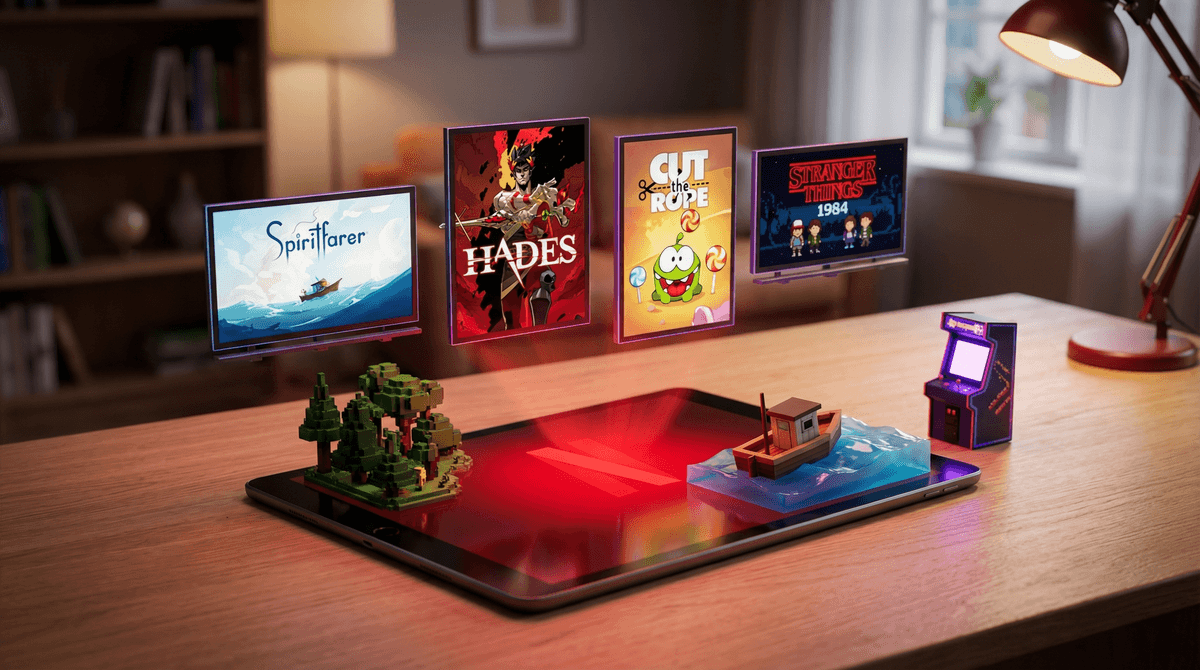
Here's something that might surprise you: that Netflix subscription you're using to watch Bluey and Stranger Things also includes access to dozens of mobile games at no extra cost. No ads, no in-app purchases, no surprise charges. Just games.
Netflix quietly launched its gaming feature in 2021, and it's been steadily growing ever since. The games live inside the Netflix mobile app on phones and tablets, though you download them separately from your device's app store. Think of it like a curated game library that comes with your streaming subscription—kind of like how Amazon Prime Video comes with your shipping membership.
The selection includes everything from indie darlings like Hades and Spiritfarer to Netflix-branded games based on shows like Stranger Things and Squid Game. There are puzzle games, adventure games, and even some educational options tucked in there.
According to our community data, 40% of families use Netflix regularly, but most parents have no idea these games even exist. So if you just learned about this feature right now, you're definitely not alone.
In a world where most mobile games are designed to extract money from your wallet through in-app purchases and loot boxes, Netflix Games stands out as genuinely different. There are no microtransactions, no ads, and no pressure to spend money once you're in the game.
This is huge. If you've ever dealt with a kid who spent $47 on Roblox Robux or begged for "just one more" Fortnite Battle Pass, you know the headache of free-to-play gaming economics. Learn more about how these monetization systems work .
.
With 55% of kids in our community gaming regularly and 50% having unsupervised tablet access, having a library of quality games without financial traps is actually pretty valuable. It's not a replacement for outdoor play or reading (nothing is), but it's a significantly better option than the predatory game design found in most free mobile games.
The Netflix game library includes around 80+ titles and counting, with new games added monthly. Here's what you'll find:
Premium indie games that normally cost $15-30: Games like Dead Cells, Immortality, and Kentucky Route Zero are included. These are critically acclaimed titles that feel like a steal.
Netflix IP games: Tie-ins to popular shows that range from surprisingly good (Stranger Things: 1984) to perfectly fine time-wasters.
Casual puzzle games: Think Cut the Rope, Exploding Kittens, and other quick-play options that work well for younger kids.
Story-driven adventures: Games like Oxenfree and Before Your Eyes that are more like interactive stories.
The quality varies wildly, which is actually similar to the Netflix streaming library itself—there's prestige content and there's background noise.
Here's where it gets tricky: Netflix doesn't have robust parental controls for its games. The games themselves have age ratings, but there's no way to create a kids-only profile that filters out mature content the way Netflix does for shows and movies.
Ages 4-7: Stick with games like Angry Birds or SpongeBob: Get Cooking. These require active parent involvement to select and download.
Ages 8-12: Games like Spiritfarer, Lucky Luna, and LEGO Legacy work well. Many Netflix games in this range are genuinely thoughtful and well-designed.
Ages 13+: The full library opens up, including more complex strategy games and story-driven content with mature themes.
The biggest parenting consideration is that you need to actively curate what your kids download. Unlike Netflix's kids profile, there's no automatic filter. This means Netflix Games works best for families who already have conversations about content and where kids aren't just browsing and downloading freely.
Let's be honest about the limitations:
Mobile-only: These only work on phones and tablets, not on your TV or computer. So if you're trying to limit mobile device time (which 35% of families in our community are doing through limited tablet access), this doesn't solve that problem.
Requires downloads: Each game is a separate download from the App Store or Google Play. It's not as seamless as just clicking play like with shows.
Hit or miss quality: For every gem, there are three forgettable games. You'll need to do some research or trial-and-error.
Not multiplayer-focused: Most games are single-player experiences, which means they won't scratch the itch if your kid wants to play with friends online.
Netflix Games is one of those rare things in the digital parenting landscape: a genuinely consumer-friendly option that doesn't feel like it's trying to exploit your kids or your wallet.
Is it revolutionary? No. Will it replace Minecraft or Roblox in your household? Probably not. But it's a solid option to have in your back pocket for car rides, waiting rooms, or when you need 20 minutes to make dinner and want to offer something better than YouTube rabbit holes.
The lack of parental controls means it requires more active involvement from you, but for families who are already being intentional about screen time (which, if you're reading this, you probably are), it's worth exploring.
- Open your Netflix app on a phone or tablet and scroll down to see the Games section
- Browse together with your kid and pick one or two games to try
- Set expectations about downloads—make it clear they need to ask before adding new games
- Check ratings before downloading anything, just like you would with shows
- Explore other gaming alternatives if you want more options beyond Netflix
Remember: with 68% of kids in our community still without smartphones, this feature is most relevant for families with tablets or older kids with phones. If that's not you yet, file this away for future reference. The games aren't going anywhere.