

Language Arts Apps and Games: A Parent's Guide
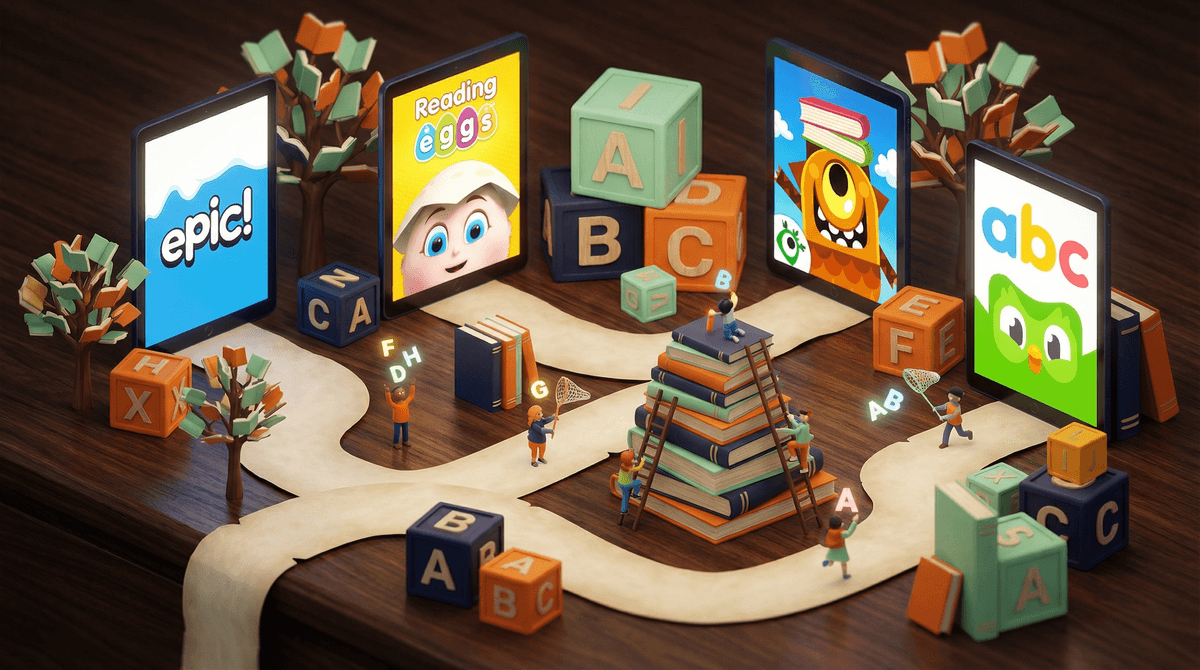
Language arts apps are digital tools designed to help kids practice reading, writing, spelling, grammar, and vocabulary. They range from gamified learning platforms like Epic! and Duolingo ABC to creative writing tools like Story Pirates to full-blown educational games that sneak literacy practice into gameplay.
The promise is appealing: your kid voluntarily practices reading comprehension or spelling while thinking they're just playing a game. And honestly? When done right, these apps can be genuinely helpful. But the landscape is cluttered with apps that are more "screen time" than "learning time," and it takes some digging to figure out which is which.
Here's the thing about literacy apps: they're not replacing books, but they might be replacing nothing. If your kid would otherwise be scrolling TikTok or watching YouTube shorts, 20 minutes on a well-designed reading app is a win. But if app time is eating into actual book time or creative play, that's a different conversation.
The research on digital literacy tools is genuinely mixed. Some studies show benefits for specific skills (like phonics practice or vocabulary building), especially for struggling readers. Other research suggests that physical books still reign supreme for comprehension and retention. The truth is probably somewhere in the middle and depends entirely on the quality of the app and how it's being used.
What we do know: passive consumption doesn't build literacy. Apps that just read stories aloud without interaction aren't doing much. The good ones require active engagement—tapping words, answering questions, making choices, or creating content.
Let's cut through the noise. Here are apps that actually deliver on their literacy promises:
For Early Readers (Ages 4-7):
- Teach Your Monster to Read – Genuinely fun phonics practice without feeling like drill-and-kill
- Homer – Personalized learning path that adapts to your kid's level
- Endless Alphabet – Vocabulary building that's actually delightful
For Developing Readers (Ages 7-10):
- Epic! – Digital library with thousands of books, though be warned it's basically the Netflix of kids' books (endless scrolling is a real concern)
- Reading Eggs – Structured lessons that feel like games
- Prodigy English – From the math game makers, now doing language arts with actual RPG gameplay
For Writers (Ages 8+):
- Story Pirates – Creative writing prompts and activities that don't feel like homework
- Grammarly – Yes, for older kids who are actually writing essays (Ages 13+)
Not all "educational" apps are created equal. Here's what to avoid:
Ads disguised as learning. Free apps often mean your kid is watching ads between every activity. If you're paying with attention instead of money, you're not getting a good deal.
Endless gamification. Points, badges, streaks, and rewards can motivate... or they can become the entire point. If your kid is only reading to earn gems or level up their avatar, they're not actually building a love of reading. They're building a tolerance for behavioral manipulation.
"Adaptive" learning that's just harder worksheets. Some apps claim to adapt to your child's level but really just serve up more of the same drill practice. Look for apps that actually change their approach based on how your kid learns.
Auto-play everything. Apps that just read to your kid without requiring any interaction are basically expensive audiobooks. Which, fine, but don't pretend that's literacy practice.
Ages 4-6: Focus on phonics and letter recognition. Apps should be short sessions (10-15 minutes max) and highly interactive. This is also the age where you want to be most careful about screen time replacing physical books and being read to by actual humans.
Ages 7-9: Reading comprehension and vocabulary building become the focus. Apps can be longer (20-30 minutes) but should still require active engagement. This is a good age for digital libraries like Epic!, but you'll want to set some boundaries around endless scrolling .
.
Ages 10-12: Writing practice, grammar, and more complex reading. Apps can support school assignments but shouldn't replace the hard work of actual writing. If your kid is using an app to "write" their essay via voice-to-text with zero editing, that's not really writing practice.
Ages 13+: At this point, "language arts apps" are mostly tools: Grammarly for editing, Notion or Google Docs for organizing writing, maybe Duolingo for foreign language. The gamification matters less; the utility matters more.
These apps work best as supplements, not replacements. Twenty minutes on a phonics app doesn't replace reading a physical book together. It adds to it.
Free usually means ads or data collection. Educational apps need to make money somehow. Either you're paying with dollars, or you're paying with your kid's attention and data. Choose accordingly.
Check if your school already has licenses. Many schools provide free access to apps like Lexia, Raz-Kids, or IXL. Ask before you buy.
The best literacy practice is still reading actual books. I know, I know, this is an article about apps. But it's true. Apps can help with specific skills, but nothing beats the comprehension, imagination, and focus that comes from reading a physical book cover to cover.
Language arts apps can be genuinely useful tools—especially for practicing specific skills like phonics, spelling, or vocabulary. But they're tools, not magic bullets. The best ones require active engagement, limit the gamification manipulation, and actually teach rather than just entertain.
If you're going to invest time and money in literacy apps, pick one or two high-quality options rather than downloading everything that claims to be "educational." And remember: 30 minutes on a good literacy app plus 20 minutes reading a physical book will always beat an hour of either one alone.
The goal isn't to optimize your kid's reading through technology. It's to raise a human who actually enjoys reading and can communicate clearly. Sometimes an app helps with that. Sometimes it's just screen time with better PR.
- Audit what you already have. Look at the "educational" apps currently on your kid's device. Are they actually educational, or just dressed-up games?
- Try before you buy. Most quality literacy apps offer free trials. Use them.
- Set boundaries around digital reading. If you're using Epic! or another digital library, establish limits to prevent endless scrolling.
- Keep physical books in the rotation. Apps are supplements, not replacements.
Want more specific recommendations for your kid's age and reading level? Find literacy apps for your family.