

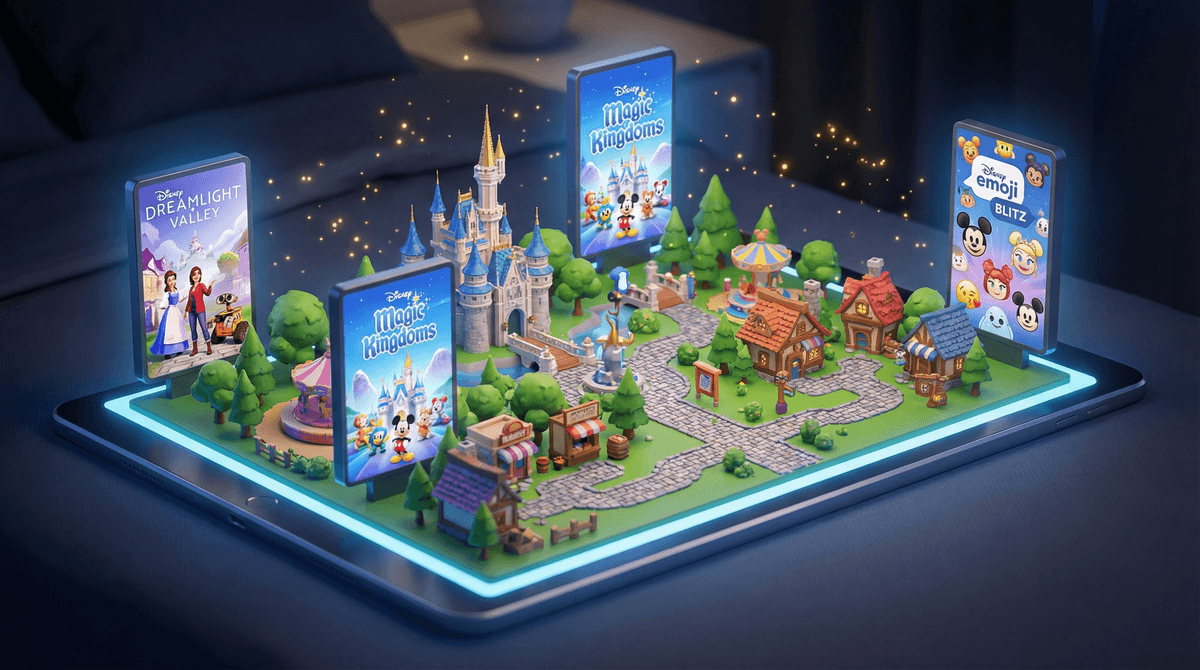
Disney's digital ecosystem is basically a parallel universe where your kid can interact with every character, franchise, and IP that Disney owns (which is... a lot). We're talking mobile games like Disney Magic Kingdoms, Disney Emoji Blitz, and Disney Dreamlight Valley, streaming through Disney+, virtual worlds, character apps, and everything in between.
The Disney digital portfolio spans from simple toddler apps with Mickey Mouse teaching colors to complex city-building games where tweens manage entire theme parks. And yes, Disney owns Marvel, Star Wars, Pixar, and now even more stuff thanks to the Fox acquisition, so the rabbit hole goes deep.
Let's be real: Disney has spent a century perfecting the art of making kids want things. Their games and apps are an extension of that expertise, but in your pocket.
The familiarity factor is huge. Kids already know and love these characters from movies, shows, and probably the $40 plush toy sitting on their bed. Playing a game where they can hang out with Elsa or build a town with Simba feels like stepping into their favorite stories.
The collect-them-all psychology is strong. Most Disney games involve collecting characters, unlocking new worlds, or completing sets. It's the digital equivalent of trading cards, and it activates the same reward centers in kids' brains.
The social element matters too. Games like Roblox have Disney-themed experiences, and kids love sharing their progress, comparing collections, and participating in limited-time events together.
Here's where we need to talk about the elephant in the Magic Kingdom: Disney games are aggressively monetized.
Most Disney mobile games are "free to play," which is technically true but also deeply misleading. Yes, you can download them for free. But the games are designed with frustrating wait times, limited energy systems, and premium currencies that make progress glacially slow unless you pay.
Disney Magic Kingdoms, for example, will let you play for about 10 minutes before you run out of magic or need to wait 4 hours for a building to complete. Or you can pay $4.99 to speed it up. And another $9.99 for this character bundle. And oh look, there's a limited-time Frozen event but you'll need these premium characters to complete it...
The pricing is genuinely wild. We're not talking $0.99 here and there. Individual character bundles can cost $20-30. Some games have in-app purchases that go up to $99.99. For a mobile game. About cartoon characters.
If you're letting your kids play Disney games, setting up purchase restrictions on their device is non-negotiable. This is not a drill.
Ages 3-6: Apps like Disney Junior Play and Mickey Mouse Clubhouse games are genuinely designed for little kids—simple mechanics, educational elements, minimal reading required. These tend to be subscription-based rather than in-app purchase heavy, which is actually better for this age group.
Ages 7-10: This is prime Disney gaming territory. Games like Disney Emoji Blitz, Frozen Free Fall, and various character-specific apps are designed for this demographic. They can handle the gameplay but absolutely cannot be trusted with purchase decisions. Parental controls are essential.
Ages 11-14: Tweens and early teens might gravitate toward more complex Disney games like Disney Dreamlight Valley (which is actually pretty good as far as life-sim games go) or Disney-themed experiences within other platforms. They're old enough to understand the monetization tactics but still vulnerable to FOMO around limited-time events.
Disney+ is the best value in the Disney digital ecosystem. For roughly $8-14/month (depending on your plan), you get access to basically everything Disney has ever made, plus new releases. Compare that to potentially spending $50+ per month on in-app purchases in various games, and the math is clear.
Not all Disney games are created equal. Disney Dreamlight Valley is a legitimate game with one upfront cost and ongoing content updates. Disney Magic Kingdoms is a free-to-play money pit. Read reviews and check the monetization model before letting your kid download.
The "limited time event" tactic is designed to create urgency. Disney games constantly run special events tied to new movie releases or holidays. These events make kids feel like they're missing out if they don't play (and spend) right now. Talk to your kids about FOMO and artificial scarcity.
Educational value varies wildly. Some Disney Junior apps have legitimate educational content. Most Disney games for older kids are pure entertainment with no learning component, which is fine—but don't kid yourself that Disney Emoji Blitz is teaching anything except pattern matching and patience with wait timers.
While not technically a "game," Disney+ is probably the Disney digital product most families will actually use. The content library is massive and includes genuinely great shows and movies alongside the forgettable stuff.
The parental controls are decent. You can set up kids' profiles that filter out mature content, and you can set PIN requirements for certain ratings. Check out our guide to Disney+ parental controls for the full walkthrough.
The autoplay is annoying. Like all streaming services, Disney+ will just keep playing episode after episode unless you turn off autoplay in settings. Do this immediately.
Disney's digital universe is unavoidable if you have kids. The question isn't whether they'll encounter Disney apps and games, but how you'll navigate the monetization tactics and screen time negotiations that come with them.
Disney+ is worth it. The games? Approach with extreme caution and locked-down parental controls. The free-to-play mobile games in particular are designed to extract maximum money from minimum gameplay, and they're very good at it.
If your kid is begging for a Disney game, consider looking for premium alternatives with one-time purchase prices instead of free-to-play models. Or redirect that energy toward Disney content on platforms you already pay for.
And for the love of Mickey Mouse, turn off in-app purchases before handing your kid an iPad with Disney games installed. This is the digital parenting equivalent of not leaving your credit card sitting on the coffee table.
- Audit what's already installed. Check your kids' devices for Disney apps and review their purchase models and settings.
- Set up purchase restrictions. Seriously, do this today if you haven't already.
- Talk about artificial scarcity. Help your kids understand that "limited time events" are marketing tactics, not genuine emergencies.
- Consider the Disney+ family plan as an alternative to game spending—you'll get more entertainment value for less money.
- Explore alternatives to Disney games that have better monetization models and gameplay.