

Your kid wants to chat with friends while gaming. Simple enough, right? Except now you're trying to figure out whether they should use Discord or Xbox Party Chat, and honestly, they might as well be speaking Mandarin when they explain the difference.
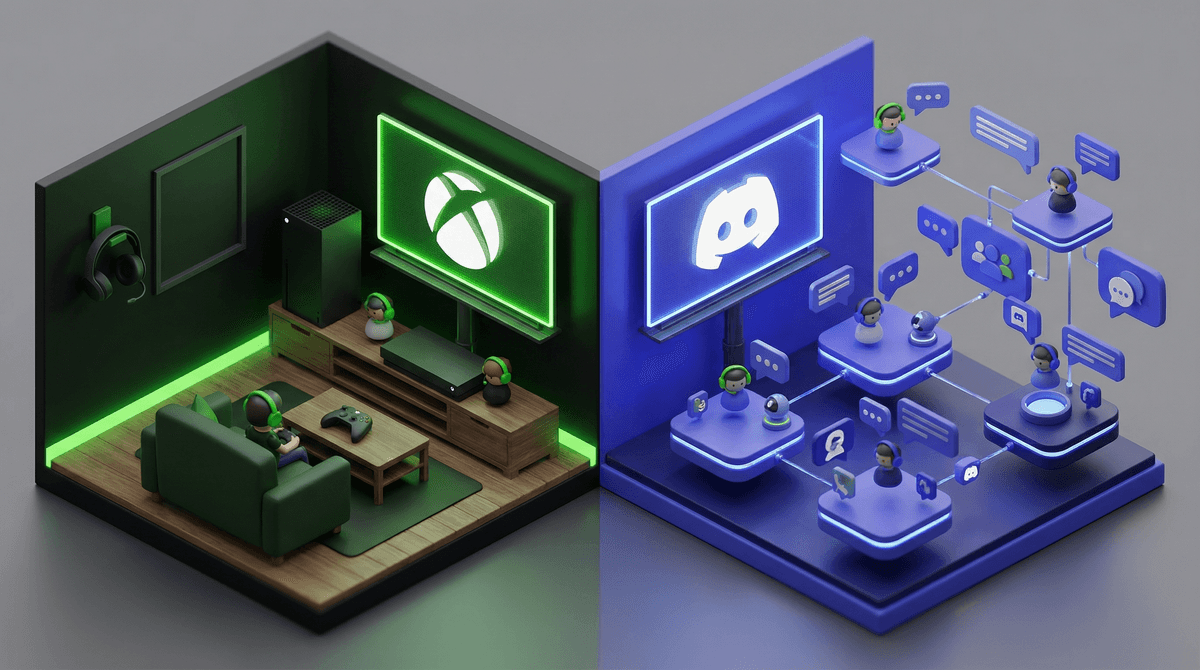
Here's the deal: Xbox Party Chat is built directly into Xbox consoles and the Xbox app. It's basically a voice chat system that lets players talk while gaming together on Xbox. Think of it like a conference call that only works within the Xbox ecosystem.
Discord, on the other hand, is a standalone communication platform that started with PC gamers but has basically taken over the entire gaming world. It works across devices (phones, computers, tablets, consoles), supports text channels, voice channels, video calls, screen sharing, and has evolved into something like "Slack for gamers" — except it's also where middle schoolers coordinate Fortnite squads and high schoolers share memes at 2am.
The key difference? Xbox Party Chat is closed and limited. Discord is open and expansive. And that distinction matters a lot when we're talking about safety.
Let's be real — if your kid games on anything other than exclusively Xbox, they're probably already asking for Discord. Here's why:
It works everywhere. Kids can chat while playing Roblox on their laptop, Minecraft on their phone, or Fortnite on their Switch. Xbox Party Chat only works within the Xbox universe.
Their friends are already there. Discord has become the default social hub for gaming communities. If your kid plays any PC games, does any online collaborative projects, or is part of any gaming communities, everyone is coordinating on Discord. It's where the action is.
It's more than voice chat. Discord lets them share screenshots, memes, funny moments, and stay connected even when they're not actively gaming together. For kids, this persistent connection is the whole point.
Servers create community. Discord servers (basically group spaces) let kids join communities around specific games, YouTubers, or interests. This can be amazing for finding like-minded friends... or concerning, depending on the server.
Xbox Party Chat, meanwhile, is just voice chat with your Xbox friends list. That's it. It's functional, but it's not where the social energy is for most young gamers.
Okay, here's where we need to get honest. Neither platform is perfectly safe, but they have very different risk profiles.
Xbox Party Chat: The Walled Garden
The good news: Xbox Party Chat is inherently more limited, which means fewer risk vectors. Your kid can only chat with people on their Xbox friends list. Microsoft has parental controls that let you restrict who can communicate with your child, require approval for friend requests, and limit voice chat entirely.
The reality check: Kids can still add strangers as Xbox friends. They meet people in games, exchange gamertags, and boom — they're in a party chat with someone you've never met. The "walled garden" only works if you're actively managing that friends list.
The privacy angle: Voice chat isn't recorded or monitored by default on Xbox, which is both good (privacy) and concerning (no oversight). Microsoft can investigate reported conversations, but they're not listening in real-time.
Discord: The Open Ocean
The good news: Discord has gotten significantly better about safety. They've added features like Family Center that let parents see who their kid is talking to and what servers they're in (without reading actual messages). You can require explicit content filters, disable DMs from strangers, and set up restricted accounts for users under 13.
The reality check: Discord is fundamentally an open platform. Kids can join public servers with thousands of strangers. They can receive DMs from people they don't know. They can stumble into servers with wildly inappropriate content. The platform is massive — over 150 million monthly active users — and moderation is largely community-dependent.
The big concern: Discord has been repeatedly flagged as a platform where predators can access minors. Not because Discord is inherently dangerous, but because it's a communication platform where adults and kids coexist, and where private DMs are easy. This is the thing that should keep you up at night if your kid is on Discord unsupervised.
Age requirements: Both platforms officially require users to be 13+. Discord has a "Teen Safety" mode for 13-17 year olds that restricts certain features. Xbox has robust age-gating through Microsoft family accounts.
Here's my take after watching this play out with countless families:
For younger kids (under 13): Xbox Party Chat is genuinely the better choice. The limited scope is a feature, not a bug. Set up a Microsoft family account, manage their friends list together, and use the privacy settings to restrict communication. It's not foolproof, but it's manageable.
For middle schoolers (13-15): This is where it gets tricky. Xbox Party Chat might feel too restrictive, especially if they're gaming across platforms with friends. If you're considering Discord:
- Start with a friends-only approach — they can only be in servers with people they know IRL
- Set up Discord Family Center so you can see their activity
- Disable DMs from non-friends in the settings
- Have regular check-ins about who they're talking to and what servers they're in
- Consider keeping Discord on a shared family device rather than their personal phone
For high schoolers (15+): Discord is probably happening whether you like it or not. At this point, it's about education and monitoring rather than restriction. Make sure they understand:
- Never share personal information (real name, school, location, phone number)
- Be extremely skeptical of anyone who wants to move conversations off Discord to other platforms
- Report and block liberally — if something feels off, it probably is
- Understand that "friends" they make online aren't the same as IRL friends
Let's talk specifics:
Parental Controls:
- Xbox: Built-in, comprehensive, tied to Microsoft family accounts. You can control who they talk to, when they can be online, and how much time they spend. Learn more about Xbox parental controls.
- Discord: Family Center exists but is newer and less robust. You can see activity but can't control it directly. Requires your kid to accept the connection.
Privacy:
- Xbox: Friend requests can be set to require approval. Communication can be restricted to friends only.
- Discord: Can disable DMs from strangers and server members. Can restrict friend requests. But kids need to actually enable these settings.
Moderation:
- Xbox: Microsoft moderates reported content and can suspend accounts for violations.
- Discord: Server-dependent. Some servers have excellent moderation, others have none. Discord will act on reports of illegal content or serious violations.
Recording/Monitoring:
- Xbox: No built-in recording of voice chat. Parents can't listen in retroactively.
- Discord: Same — voice chats aren't recorded. Text chats persist and can be reviewed if you have access.
If your kid exclusively games on Xbox and their friends do too, Xbox Party Chat is the safer, simpler choice. The limited functionality is actually a benefit when it comes to safety, and the parental controls are solid.
But if your kid is part of the broader gaming ecosystem — playing across platforms, involved in gaming communities, coordinating with friends on different systems — Discord is probably inevitable. The question isn't whether to allow it, but how to do it safely.
My honest advice? Don't make this decision based on which platform is "safer" in the abstract. Make it based on:
- Your kid's age and maturity level
- Their gaming habits and friend groups
- Your ability to stay involved and monitor usage
- Your family's comfort level with digital risk
And here's the thing nobody wants to hear: The platform matters less than your involvement. A kid on Xbox Party Chat with zero oversight can get into just as much trouble as a kid on Discord with engaged parents who check in regularly.
If you're going with Xbox Party Chat:
- Set up a Microsoft family account if you haven't already
- Review privacy settings together and restrict communication to friends only
- Periodically check their friends list and ask about new additions
- Use screen time limits if needed
If you're allowing Discord:
- Download it yourself and understand how it works
- Set up Family Center and connect to your kid's account
- Go through privacy settings together: disable DMs from strangers, enable explicit content filter, restrict friend requests
- Establish clear rules about what servers they can join
- Have regular conversations about who they're talking to
- Consider this guide on Discord safety for families
Either way:
- Keep the gaming device in a common area when possible, especially for younger kids
- Talk about online safety regularly — not as a one-time lecture but as an ongoing conversation
- Make sure they know they can come to you if something feels weird or uncomfortable
- Remember that the goal isn't perfect safety (impossible) but informed risk-taking with appropriate guardrails
Look, neither option is perfect. Xbox Party Chat is limited in ways that will frustrate your kid. Discord is open in ways that will worry you. Welcome to digital parenting in 2026, where every decision is a calculated risk and the "right" answer depends entirely on your family.
The good news? You're here, reading this, trying to make an informed decision. That already puts you ahead of the game.