

Ad-Free Educational Apps for 3-Year-Olds: A Parent's Guide
Finding screen time that actually teaches without the constant pop-ups and in-app purchase traps? Here are the best ad-free educational apps worth your money:
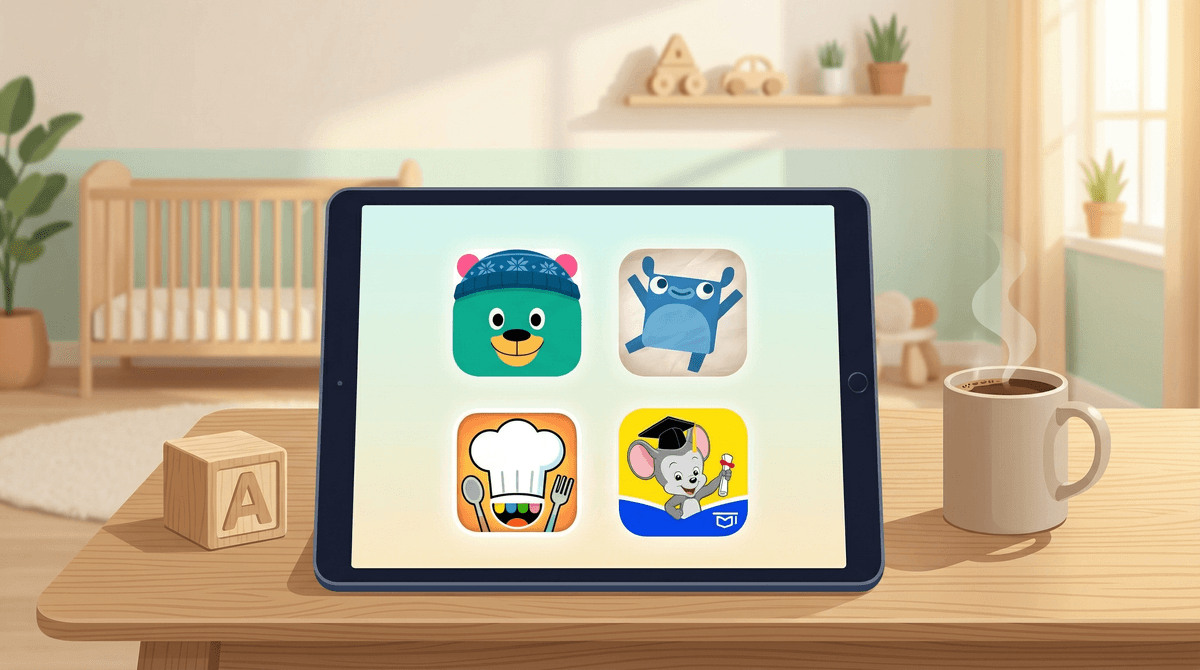
- Khan Academy Kids - Completely free, zero ads, legitimately comprehensive
- Montessori Preschool - One-time purchase, Montessori-aligned learning
- Endless Alphabet - Vocabulary building without the nonsense
- Toca Boca apps - Open-ended play, no instructions, no ads
- ABCmouse - Subscription model but comprehensive curriculum
The three-year-old app landscape is basically a minefield. You download something that looks educational, hand over your phone, and thirty seconds later your kid is watching an ad for some casino game or clicking "BUY NOW" on a $49.99 gem package.
It's exhausting. And honestly, it's predatory—these apps know exactly what they're doing when they put that shiny "YES!" button right where tiny fingers will tap.
The good news? There are actually some excellent ad-free options that deliver real educational value without treating your kid like a revenue stream. The catch is most of them cost money upfront, but we're talking $5-30 one-time purchases or reasonable subscriptions instead of the free-to-play nightmare.
At three, kids are developing so much simultaneously—fine motor skills, early literacy, number sense, problem-solving, emotional regulation, and vocabulary. A good educational app should:
- Teach actual skills (not just keep them quiet)
- Encourage active engagement (not passive watching)
- Respect their attention span (3-5 minute activities, max)
- Build on what they know (scaffolded learning that adapts)
- Let them explore (not just drill-and-kill repetition)
The apps below hit most or all of these marks.
Ages: 2-8 | Cost: FREE (seriously) | Platform: iOS, Android
This is the unicorn. Khan Academy Kids is completely free, has zero ads, requires no subscription, and is shockingly comprehensive. It covers early literacy, math, social-emotional learning, and even has a decent library of books and creative activities.
The interface is colorful without being overstimulating, and the learning path adapts to your child's progress. There are characters that guide kids through activities, and the whole thing feels more like playing than learning—which is exactly the point at this age.
Why it works: The content is created by actual early childhood education experts (Stanford Graduate School of Education was involved), and because it's funded by a nonprofit, there's no business model requiring them to extract maximum engagement or money from your kid.
Parent tip: Set up a profile for your child so the app can track progress and adapt. You can also customize what subjects they focus on if you want to emphasize certain skills.
Ages: 3-7 | Cost: ~$5/month or $30/year | Platform: iOS, Android
If you're into the Montessori philosophy (or just want something less chaotic than most preschool apps), this is your jam. The activities are based on classic Montessori materials—tracing sandpaper letters, matching sounds, practical life skills, early math with manipulatives.
Everything is designed to be self-correcting and self-paced. There's no timer, no pressure, no rewards system. Just calm, focused activities that let kids work at their own speed.
Why it works: It mirrors the hands-on, exploratory nature of Montessori classrooms. The app doesn't talk down to kids or use baby voices, and the aesthetic is clean and uncluttered.
Parent tip: This works best when you're nearby to help them navigate at first. Once they understand how it works, most three-year-olds can use it independently.
Ages: 3-6 | Cost: $9.99 one-time | Platform: iOS, Android
This app teaches vocabulary through interactive word puzzles. Kids drag letters into place to spell words, then watch a short animation that demonstrates the word's meaning. The animations are genuinely funny and memorable—my friend's kid still says "cooperate" with the exact intonation from this app.
It's not comprehensive (it won't teach reading), but for building vocabulary and letter recognition, it's excellent. The monster characters are cute without being annoying, and there are no timers or failure states.
Why it works: It focuses on one thing and does it really well. The words are legitimately interesting (not just "cat" and "dog"), and the animations create strong memory associations.
Parent tip: There's also Endless Numbers and Endless Reader from the same developer if your kid loves this one.
Ages: 3-8 | Cost: $3-5 per app | Platform: iOS, Android
Toca Boca makes dozens of apps that are less "educational" in the traditional sense and more about open-ended creative play. Toca Kitchen, Toca Hair Salon, Toca Life series—they're all digital play spaces with no instructions, no goals, no right or wrong.
For three-year-olds, this kind of exploratory play is actually hugely developmental. They're making decisions, experimenting with cause and effect, and engaging in pretend play.
Why it works: No ads, no in-app purchases (once you buy the app), no pressure. Just weird, funny, sometimes gross digital toys. The design is playful and inclusive, and kids can't really "fail" at anything.
Parent tip: These are great for car rides or waiting rooms. They're engaging enough to hold attention but not so stimulating that they'll wind your kid up.
Ages: 2-8 | Cost: ~$13/month (often discounted) | Platform: iOS, Android, Web
ABCmouse is the heavyweight here—a full curriculum covering reading, math, science, and art. It's been around forever (in app years), and while the interface feels a bit dated, the educational content is solid.
The downside is it's a subscription, and the learning path can feel a bit rigid compared to something like Khan Academy Kids. But if you want a structured program that covers everything, this is comprehensive.
Why it works: It's designed by curriculum experts and aligns with early learning standards. There's a clear progression, and parents can track what their kid is working on.
Parent tip: Use the parent dashboard to see what they're actually doing. Some kids get distracted by the games and rewards system, so you might need to guide them back to the learning activities.
Ages: 2-4 | Cost: $3.99 one-time | Platform: iOS
This is a pure logic and problem-solving app. Kids drag shapes into matching holes, but the puzzles get progressively more complex—shapes that need to be rotated, multiple shapes that need to go in sequence, etc.
It's minimal, focused, and surprisingly engaging. There's no language, so it works for any kid regardless of verbal skills.
Why it works: It builds spatial reasoning and problem-solving without any fluff. The difficulty curve is well-designed, so kids stay challenged but not frustrated.
Parent tip: This is a great "first app" for kids who are just learning to use a touchscreen. The interactions are simple and intuitive.
Ages: 2-5 | Cost: $7.99/month subscription or individual apps $3-4 | Platform: iOS, Android
Sago Mini makes adorable, gentle apps focused on creativity and exploration. Sago Mini World is their subscription service with access to all their games, but you can also buy individual apps like Sago Mini Forest Flyer or Sago Mini Babies.
These aren't drilling academic skills, but they're teaching cause and effect, nurturing behaviors, and creative problem-solving through play.
Why it works: The design is beautiful, the interactions are satisfying, and there's no pressure or failure. Perfect for younger threes or sensitive kids who get overwhelmed by busier apps.
Parent tip: The subscription makes sense if your kid loves these, but you can also just buy one or two individual apps to start.
The PBS Kids Games app is free and ad-free, which is amazing. The content is solid—games based on shows like Daniel Tiger, Wild Kratts, and Molly of Denali.
The catch is it's more like a collection of mini-games than a cohesive learning experience. Some games are great, some are just okay. For three-year-olds, the interface can be a bit overwhelming with so many choices.
Verdict: Definitely worth having on your phone, especially since it's free. Just don't expect it to be as focused or progressive as something like Khan Academy Kids.
Here's the math: If you're going to use an app regularly for 6+ months, a subscription like ABCmouse ($13/month) costs about the same as buying 3-4 individual apps. But one-time purchases feel better psychologically, and you own them forever.
For three-year-olds specifically, I'd recommend:
- Start with Khan Academy Kids (free) to see if they even like app-based learning
- Add one or two specific apps that target skills you want to work on (Endless Alphabet for vocabulary, Busy Shapes for logic, etc.)
- Consider a subscription only if they're using it daily and you want comprehensive coverage
You know the ones—they claim to teach letters or numbers but are really just dressed-up games with constant upsells. Here's how to spot them :
:
- They're free with "optional" in-app purchases (the purchases are never optional)
- Ads appear between every activity (even if they claim to be "kid-safe ads")
- The "learning" is just memorization (no problem-solving or creativity)
- They use manipulative design (bright flashing lights, constant rewards, pressure to keep playing)
- Reviews from parents mention surprise charges (always check the 1-star reviews)
If an app feels like it's trying to keep your kid hooked rather than teach them something, trust your gut.
Even the best educational app is still screen time. The American Academy of Pediatrics recommends no more than one hour of high-quality programming per day for kids 2-5, and that includes apps.
That said, 15-20 minutes with Khan Academy Kids while you make dinner is not going to ruin your child. The goal is intentional use—you know what they're doing, why they're doing it, and it's not just a digital pacifier.
Practical approach:
- Use apps as a tool, not a babysitter (though let's be real, sometimes we need a babysitter)
- Sit with them occasionally to see what they're actually learning
- Balance app time with hands-on activities, outdoor play, and books
- Don't stress about the occasional 30-minute car ride where they zone out on Toca Boca
The ad-free app market for three-year-olds is actually pretty solid if you're willing to pay upfront. Khan Academy Kids is the no-brainer starting point (it's free!), and from there you can add specific apps based on your kid's interests and your educational priorities.
My top three recommendations:
- Khan Academy Kids - Start here, it's free and comprehensive
- Endless Alphabet - Best vocabulary builder for the price
- Toca Kitchen or another Toca Boca app - For creative play when you need 15 minutes of peace
Skip the free apps with ads—they're not worth the stress of wondering what your kid just clicked on or having to explain why they can't have 1,000 gems for $99.99.
And remember: the best learning for a three-year-old still happens off-screen. These apps are tools, not solutions. Use them intentionally, don't feel guilty about needing them sometimes, and definitely don't let anyone shame you for handing your kid an iPad while you handle a work call or survive a grocery store trip.
Want more screen time strategies? We've got you.