

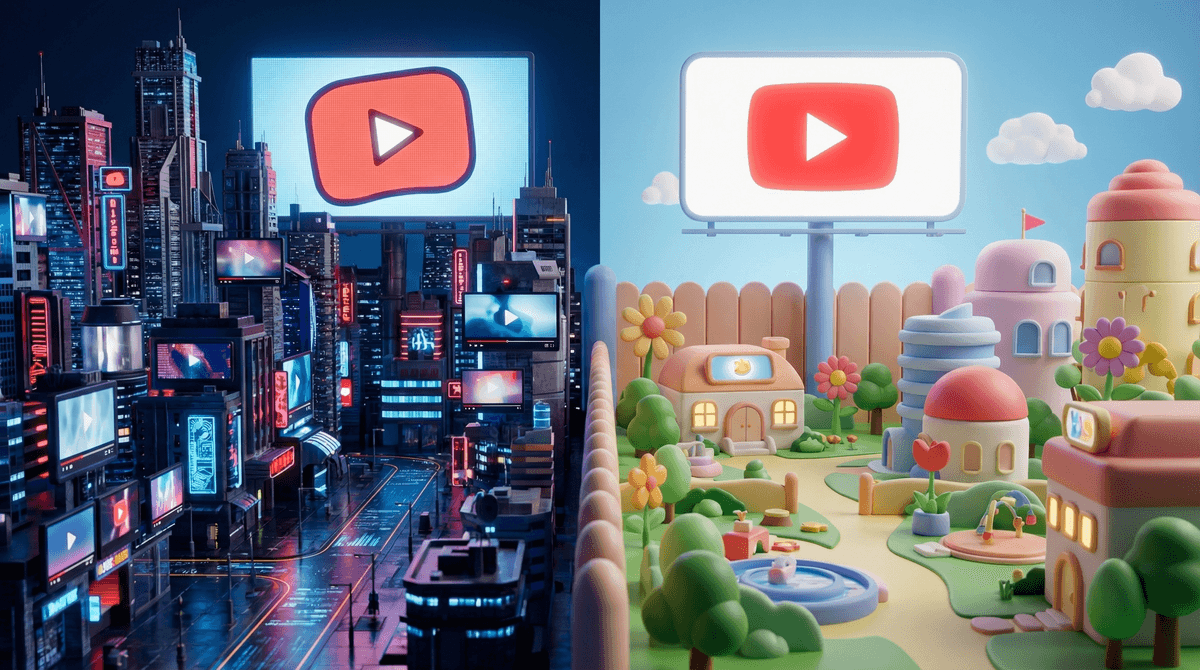
Let's cut through the confusion: YouTube and YouTube Kids are not the same app with different settings. They're completely separate platforms with fundamentally different approaches to content, and understanding the difference matters way more than most parents realize.
YouTube is the wild west of video content—3.7 million videos uploaded daily, everything from makeup tutorials to true crime to gaming streams to... well, literally everything. It's designed for ages 13+ (technically), though we all know plenty of younger kids are on it.
YouTube Kids is a separate app launched in 2015, designed specifically for children under 13. It uses both algorithms and human reviewers to filter content, has built-in parental controls, and creates a much more contained viewing environment.
Here's the thing though: neither platform is perfect, and the "right" choice depends entirely on your kid's age, maturity, and how much oversight you're willing to provide.
Content filtering:
- YouTube Kids uses a combination of automated filters, human review, and parent feedback to curate content. But here's the honest truth—weird stuff still gets through. Remember the whole "Elsagate" situation where disturbing videos disguised as kids' content slipped past filters? Yeah, that happened on YouTube Kids.
- Regular YouTube has age restrictions and community guidelines, but it's essentially self-policing. Creators mark their own content as "made for kids" or not, and the algorithm does its best. Your 10-year-old can theoretically stumble onto anything from conspiracy theories to inappropriate gaming content to videos that are technically fine but existentially concerning.
Comments:
- YouTube Kids: No comments section. Period. This is actually huge—no exposure to toxic comment culture, no strangers trying to connect with your kid.
- Regular YouTube: Full comment sections with all the internet glory and horror that entails.
Search functionality:
- YouTube Kids: You can actually turn search OFF entirely and limit kids to only pre-approved channels. Or you can enable search but keep it within the filtered content library.
- Regular YouTube: Full search access to everything. Yes, including that thing you don't want them to find.
Ads:
- YouTube Kids: Ads are limited and supposed to be family-friendly. No ads for food, beverages, or products aimed at families (theoretically). But there ARE ads, and some are basically just toy commercials.
- Regular YouTube: All the ads, including ones for movies, products, and content that might not be age-appropriate.
Algorithmic rabbit holes:
- Both platforms use recommendation algorithms, but YouTube Kids is supposed to keep kids in a safer content ecosystem. Regular YouTube's algorithm is notoriously good at leading viewers down increasingly extreme content paths. Your kid starts watching Minecraft tutorials and three hours later they're watching... who knows what.
Ages 3-7: If you're allowing any YouTube at this age, YouTube Kids is really the only reasonable option. Even then, I'd strongly recommend:
- Keeping search turned OFF
- Pre-approving specific channels
- Watching together, at least initially
- Setting strict time limits (we're talking 20-30 minutes max)
Ages 8-11: This is where it gets tricky. Many kids this age are watching regular YouTube for specific content—gaming channels, crafting tutorials, specific creators they follow. YouTube Kids can feel babyish, and honestly, a lot of the content they're interested in isn't available there.
If you go with regular YouTube:
- Use YouTube's Supervised Experience (a middle ground that applies some restrictions to regular YouTube)
- Subscribe to specific channels together
- Check watch history regularly (yes, really)
- Have ongoing conversations about what they're watching
- Consider keeping devices in common areas
If you stick with YouTube Kids:
- Enable search for this age group
- Use the "Older" content setting
- Be prepared for complaints that it's for babies
- Supplement with other ways they can access content they're interested in
Ages 12+: At this point, most kids are on regular YouTube, and YouTube Kids isn't really designed for this age anyway. The focus shifts to teaching critical media literacy, having conversations about content, and using parental controls on your home WiFi rather than app-level restrictions.
YouTube Kids isn't foolproof. Despite the filtering, questionable content gets through. In 2019, YouTube removed 400+ channels from YouTube Kids after parents complained. The platform depends heavily on parental involvement and feedback.
The "made for kids" designation on regular YouTube is complicated. Due to COPPA (Children's Online Privacy Protection Act), creators must mark content as "made for kids" if it's aimed at children. This disables comments, notifications, and personalized ads—but it doesn't mean the content is necessarily appropriate or that it'll show up in YouTube Kids.
Supervised Experience is worth knowing about. YouTube offers a middle ground called Supervised Experience for kids transitioning from YouTube Kids. It gives parents three content settings (Explore, Explore More, and Most of YouTube) with varying levels of restriction. It's not perfect, but it's better than just handing over full YouTube access.
Watch history is your friend. Both platforms let you check what your kid has been watching. Do it. Not in a creepy surveillance way, but in a "I'm genuinely curious what you're into" way. It opens up conversations and helps you catch concerning content early.
The autoplay feature is dangerous. Both platforms default to autoplaying the next video. This is how kids end up watching for three hours straight and how they drift from appropriate content to weird territory. Turn it off.
There's no universal "right answer" here. YouTube Kids is safer but limited. Regular YouTube is expansive but risky. Most families end up using some combination:
- Younger kids (under 8): YouTube Kids with search disabled and pre-approved channels
- Tweens (8-11): Either YouTube Kids with more freedom OR regular YouTube with Supervised Experience and active parent involvement
- Teens (12+): Regular YouTube with ongoing conversations about content, critical thinking, and digital literacy
The real work isn't choosing the right platform—it's staying involved. Co-watch sometimes. Ask about their favorite channels. Notice when they're watching alone for hours. Talk about why certain content is problematic. Teach them to think critically about what they're consuming.
And look, if you're feeling overwhelmed by this, you're not alone. The fact that you're reading this guide means you're already doing better than the parents who just hand over a device and hope for the best.
-
Audit your current setup: What are your kids actually watching right now? Check that watch history.
-
Have a conversation: Talk to your kids about why you're making whatever change you're making. They're more likely to respect boundaries they understand.
-
Set up parental controls: Whether it's YouTube Kids, Supervised Experience, or just setting time limits, actually implement the controls. Don't just think about it.
-
Create a media plan: Decide on time limits, when/where YouTube watching happens, and what your expectations are. Write it down if that helps.
-
Schedule a check-in: Put a reminder in your phone for one month from now to review how it's going and adjust as needed.
Want to dig deeper into specific concerns? Learn more about YouTube's algorithm and how it influences kids or explore alternatives to YouTube for kids.