

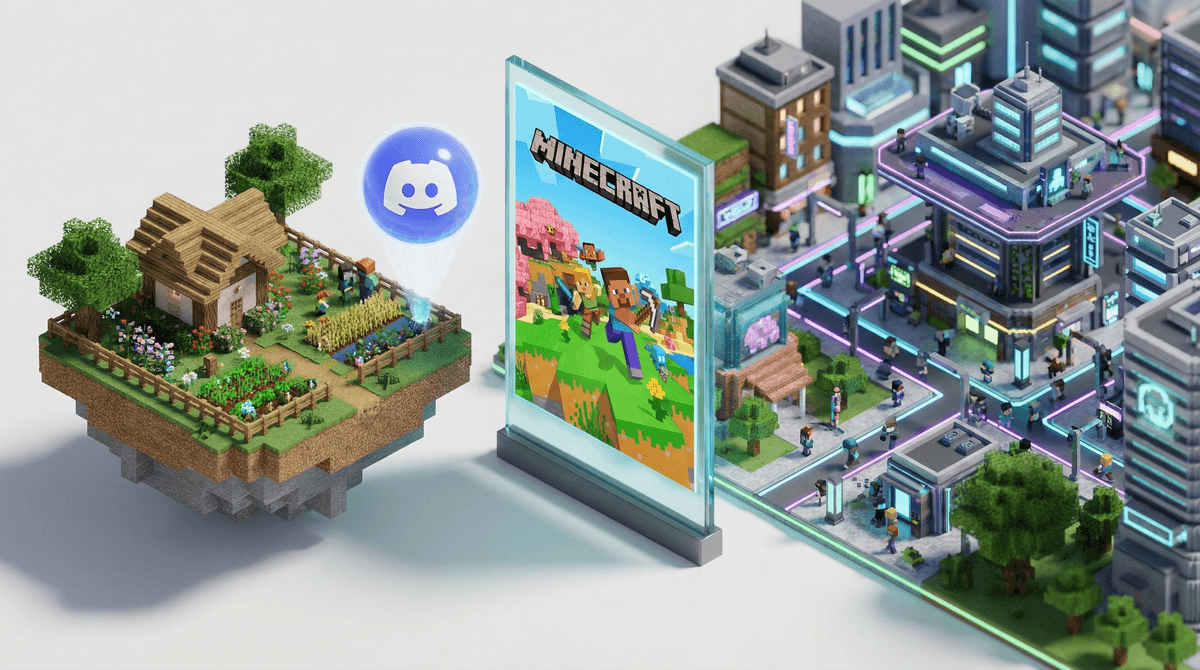
Okay, so your kid has been playing Minecraft for a while now, probably building elaborate houses or digging straight down (despite you hearing them yell "NOOO" when they hit lava). But now they're asking about playing with friends online, and suddenly you're hearing terms like "Realms" and "servers" and you're wondering if you just accidentally agreed to something that requires a computer science degree to understand.
Deep breath. Let's break this down.
Minecraft multiplayer is exactly what it sounds like: playing Minecraft with other people instead of alone. But HOW that happens is where it gets interesting, and where you actually need to pay attention as a parent.
There are basically three main ways kids play Minecraft together:
Minecraft Realms - This is Microsoft's official subscription service (about $8-10/month) that creates a private server for your kid and up to 10 friends. Think of it like renting a private playground that only invited guests can access.
Private servers - These are worlds hosted on someone's computer or through third-party services. Your kid can only join if they're invited and have the specific server address.
Public servers - These are the Wild West. Massive multiplayer worlds with hundreds or thousands of players, mini-games, custom mods, and yes, potentially sketchy strangers.
If your kid is asking about multiplayer, they're probably not alone. By ages 8-10, most Minecraft players are shifting from solo building to wanting the social experience. And honestly? I get it.
It's genuinely social in a good way. Kids are collaborating on builds, trading resources, showing each other their creations. It's not passive consumption—they're actually creating together. I've watched my own kid and their friends spend an hour planning a village layout over a Realm, and it was basically a lesson in negotiation, compromise, and project management.
It makes the game new again. Even kids who've been playing for years get re-energized when they can show off their skills or learn new techniques from friends.
It's how their friends are playing. By middle school, playing Minecraft solo is kind of like... eating lunch alone when everyone else is at a table together. Not tragic, but definitely not the full experience.
Here's where we need to actually talk about the differences between these options, because they're NOT all the same.
Minecraft Realms: The Safest Bet
Realms are genuinely designed with kids in mind. You (the parent) control who gets invited. There's no chat with strangers. Your kid can't accidentally wander into an inappropriate build or conversation.
The downsides? It costs money (though less than most streaming services), and it's limited to 10 players plus the host. Also, only the realm owner can decide when it's online—so if your kid's friend owns the Realm and that family goes on vacation, no access.
Best for: Ages 6-12, kids new to multiplayer, families who want maximum control
Private Servers: The Middle Ground
These can be great—your kid and their actual friends playing together on someone's hosted world. But you need to know: who is hosting it? Is it another parent you trust? A responsible teen? Some random person your kid met online?
Private servers can also have mods and plugins that change gameplay, which might include things you're not comfortable with (violence, adult themes, etc.).
Best for: Ages 10+, when you know and trust the host
Public Servers: Proceed with Caution
Look, I'm not going to tell you public servers are evil. Some are well-moderated, age-appropriate, and genuinely fun. But many are... not.
Public servers often have:
- Chat with strangers (and not all of it is "nice building!")
- Unmoderated content - inappropriate builds, signs with curse words, you name it
- Scams and griefing - players who destroy others' work or try to steal accounts
- Pressure to spend money - many servers have "pay to win" elements
That said, by ages 12-14, many kids are ready for well-moderated public servers with proper supervision and clear rules.
Best for: Ages 12+, digitally savvy kids, with active parental involvement
Here's my honest advice after watching this play out with my own kids and about a hundred conversations at pickup:
Start with Realms
If your kid is under 12 and asking for multiplayer, Realms is probably your answer. Yes, it's another subscription (welcome to modern parenting), but the peace of mind is worth it. You can set it up in about 10 minutes, and your kid can play with actual friends from school.
Have the "Digital Citizenship" Talk
Before ANY multiplayer access, talk about:
- Never sharing personal information (real name, school, address, even what city you live in)
- What to do if someone makes them uncomfortable (screenshot, leave, tell you)
- Being kind online - no griefing, no mean comments, treating others' builds with respect
- The permanence of online behavior - anything they build or say can be screenshotted
Set Clear Boundaries
Be specific about:
- Which types of servers are allowed (Realms only? Private servers with approved hosts?)
- Time limits (multiplayer can be way more addictive than solo play)
- Who they can play with (school friends only? Online friends? Strangers?)
- Voice chat rules (more on this in a second)
The Voice Chat Question
Here's something many parents don't realize: kids often use Discord, FaceTime, or other voice apps while playing Minecraft together. This is actually pretty normal and can be safer than in-game text chat, BUT you need to know it's happening and set rules around it.
Ages 6-8: Realms with family members or very close friends only. Consider playing together so you can model good online behavior.
Ages 8-10: Realms with school friends. This is the sweet spot for introducing multiplayer safely.
Ages 10-12: Realms or carefully vetted private servers. Start conversations about what they're seeing and experiencing online.
Ages 12-14: Can potentially handle well-moderated public servers, but with ongoing check-ins. They should be able to articulate why a server is safe and what to do if problems arise.
Ages 14+: More independence, but maintain open communication. Many teens at this age are mature enough for most servers, but stay engaged with what they're playing.
Minecraft multiplayer isn't inherently dangerous, but it's not all harmless fun either. The good news? You have way more control than with most online experiences, especially if you start with Realms.
My take: Multiplayer Minecraft is actually one of the better online social experiences for kids. It's creative, collaborative, and genuinely engaging. But it requires active parenting—not helicopter surveillance, just... awareness and boundaries.
Start small, start safe, and scale up as your kid demonstrates digital maturity. And if they mess up (which they will, because they're kids), use it as a teaching moment rather than immediately shutting everything down.
- Decide if your kid is ready - Can they follow rules? Do they tell you when something online makes them uncomfortable? Are they generally trustworthy?
- Start with a Realms subscription if you're greenlight-ing multiplayer - Learn more about Minecraft and how it compares to other platforms like Roblox
- Set up a weekly check-in - Ask to see what they're building, who they're playing with, if anything weird happened
- Connect with other parents - Find out what other families in your kid's grade are doing around Minecraft multiplayer
And remember: you don't have to figure this all out perfectly on day one. Digital parenting is a marathon, not a sprint, and we're all kind of making this up as we go.
Want to dig deeper into your family's specific gaming habits and how they compare to your community? Get guidance on multiplayer safety for your family to get personalized guidance.