

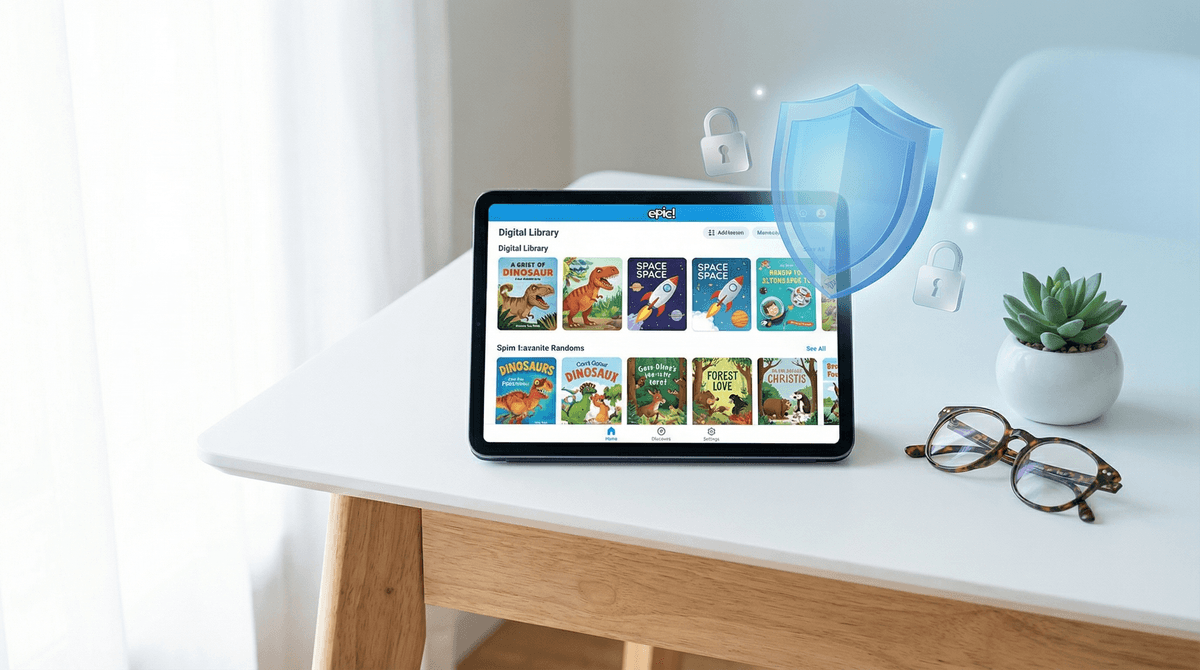
Is Epic! Safe for Preschoolers? What Parents Need to Know About Privacy
Epic! is a digital library with 40,000+ books that kids love, but the privacy picture for preschoolers is complicated. The app collects reading data, serves targeted ads in the free version, and technically requires users to be 4+, though many younger kids use it. The paid version ($12.99/month) is significantly safer — no ads, better controls, and you can disable data collection for personalized recommendations. If you're using the free version with a preschooler, you're essentially trading their reading habits for book access, which... yeah, that's the bargain we're making in 2026.
Quick links:
Epic! is essentially the Netflix of kids' books — a subscription service (or ad-supported free version) with thousands of picture books, early readers, chapter books, audiobooks, and videos. It's wildly popular in schools and homes because it genuinely does make reading accessible and fun. Kids get personalized recommendations, can build reading lists, earn badges, and parents get reports on what they're reading.
The app is designed for ages 4-12, though plenty of 2-3 year olds use it with parent supervision. And that's where things get interesting from a privacy standpoint.
Data Collection Is Extensive
Epic! collects a lot of reading data:
- Every book your child opens, how long they spend on each page, whether they finish it
- Search queries and browsing behavior
- Device information and location data
- Profile information (age, grade, reading level, interests)
In the paid version, this data is used to improve recommendations and personalize the experience. In the free version, it's also used to serve targeted ads. Epic's privacy policy states they don't sell personal data to third parties, but they do share anonymized, aggregated data with publishers and partners.
For a preschooler who's just learning to love books, having every reading choice tracked and analyzed feels... heavy. These are 3-5 year olds clicking on dinosaur books because dinosaurs are cool, not because they need an algorithm optimizing their literary journey.
The Free Version Has Ads (Targeted to Kids)
The free version of Epic! includes ads for other books and content on the platform. These aren't random banner ads for toys, but they're still ads designed to influence what a young child chooses to read next.
Here's the thing: preschoolers don't have sophisticated defenses against persuasive design. When a shiny badge or animated character tells them to check out a certain book, they're going to click it. The line between "recommendation" and "advertisement" is blurry for adults, let alone a 4-year-old.
Account Security and Family Profiles
Epic! requires an adult email to create an account, and you can set up profiles for up to four kids. The parental controls are decent — you can set reading levels, filter content, and review reading history. But here's what's sketchy: the free version requires you to enter payment information for a "trial" that auto-renews.
Many parents report getting charged unexpectedly after the trial period, which is a dark pattern that feels predatory. If you're using the free version, set a calendar reminder to cancel before the trial ends, or just accept that you'll probably end up paying for it anyway.
COPPA Compliance (But Barely)
Epic! is technically COPPA-compliant (the Children's Online Privacy Protection Act), which means they follow federal rules about collecting data from kids under 13. They require parental consent, don't share personal info with third parties for marketing, and allow parents to review and delete data.
But COPPA is a pretty low bar. It was written in 1998, before smartphones existed. Being COPPA-compliant doesn't mean an app is privacy-friendly — it just means it's not illegally collecting data from children.
The Paid Version Is Meaningfully Better
For $12.99/month (or $79.99/year), Epic! Unlimited removes ads, unlocks unlimited reading, adds more audiobooks and learning videos, and gives you better parental controls. Most importantly, you can disable personalized recommendations, which stops the app from tracking reading behavior to build profiles.
Is it worth $13/month? If your kid is a voracious reader and you're already buying books regularly, probably yes. If you're just dipping your toes into digital reading with a preschooler, maybe start with your local library's digital collection first.
Age 4+ Means Something
Epic's terms of service say users must be 4+. This isn't arbitrary — it's tied to COPPA and developmental appropriateness. A 2-year-old using Epic! with a parent is fine, but the app isn't designed for that age, and the data collection assumes a slightly older child with more independent reading skills.
If you're using Epic! with a toddler, treat it like a shared reading experience, not independent screen time. You're the one navigating, choosing books, and reading together.
Reading Reports Are a Double-Edged Sword
The parent dashboard shows you exactly what your child is reading, for how long, and at what level. This can be genuinely useful for understanding their interests and progress. It can also make you weirdly anxious about whether they're reading "enough" or choosing "good" books.
Remember: the goal is to build a love of reading, not to optimize metrics. If your preschooler wants to read the same book about trucks 47 times, that's developmentally normal and good, even if the app is judging you for it.
If the privacy concerns are giving you pause, here are some options:
-
Libby or Hoopla — Free through your library, no ads, minimal data collection, but smaller selection and sometimes long waitlists for popular titles
-
Vooks — Animated storybooks with narration, subscription-based, better privacy policy, great for preschoolers who aren't reading independently yet
-
Physical books from the library — Zero data collection, no screen time, builds different skills around book care and library visits. Revolutionary, I know.
-
Khan Academy Kids — Completely free, no ads, nonprofit model, includes some books alongside learning games. Privacy policy is much better than Epic's.
Check out our full guide to alternatives to Epic! for more options.
Ages 2-3: Use Epic! as a together activity, not independent screen time. You control the device, you choose books together, you read aloud. Disable recommendations if possible (paid version). Consider whether you even need a digital library at this age — physical books build different motor skills and don't track data.
Ages 4-5: Can start navigating Epic! more independently, but still needs guidance on choosing books and understanding that "recommendations" are trying to influence them. The paid version is worth it at this age if you're committed to the platform. Set clear time limits — 20-30 minutes of reading time is plenty.
Ages 6+: More independent reading, can benefit from the recommendation algorithm and reading level progression. Still worth having conversations about how the app tracks what they read and why it shows certain books.
If you're using Epic! with a preschooler, here's how to reduce privacy concerns:
-
Pay for the ad-free version — Seriously, just do it. It's the single biggest privacy improvement.
-
Turn off personalized recommendations — In settings, disable data collection for recommendations. Your kid can still search and browse, but the app won't build a profile.
-
Use a family email, not your personal one — Create a separate email for kids' apps so you're not linking their reading data to your primary digital identity.
-
Review and delete reading history regularly — Epic! lets you delete data from your child's profile. Do this every few months if you're privacy-conscious.
-
Have the conversation early — Even with a 4-year-old, you can say "This app remembers which books you like so it can show you more books like that." Plant the seed that apps are watching and learning.
-
Set it up on a shared device — Don't give your preschooler their own tablet with Epic! logged in. Use a family iPad or your phone so you're naturally more involved in what they're reading.
Epic! is a genuinely useful tool for building reading habits, and the book selection is impressive. But the free version's ad-supported model and extensive data collection are real concerns, especially for preschoolers who can't understand or consent to being tracked.
If you're going to use Epic! with a young child, pay for the subscription and disable personalized features. At that point, it's basically a digital library with reasonable privacy practices. If you're not willing to pay, the library's digital collection is a better choice for preschoolers — fewer books, but zero data harvesting.
The bigger question is whether a 3-4 year old needs a personalized digital library at all. Physical books are still magic at this age. They don't need charging, they don't collect data, and they're way better for bedtime. Epic! can be part of your reading ecosystem, but it probably shouldn't be the foundation for a preschooler.
- Try your library first — Most public libraries offer free digital book apps with better privacy
- If you choose Epic!, start with the paid version — The 30-day trial is long enough to see if your kid actually uses it
- Set up parental controls from day one — Don't wait until there's a problem
- Check out other reading apps for young kids — Epic! isn't the only option
Want to dig deeper into how much data kids' apps are really collecting? Let's talk about it.