

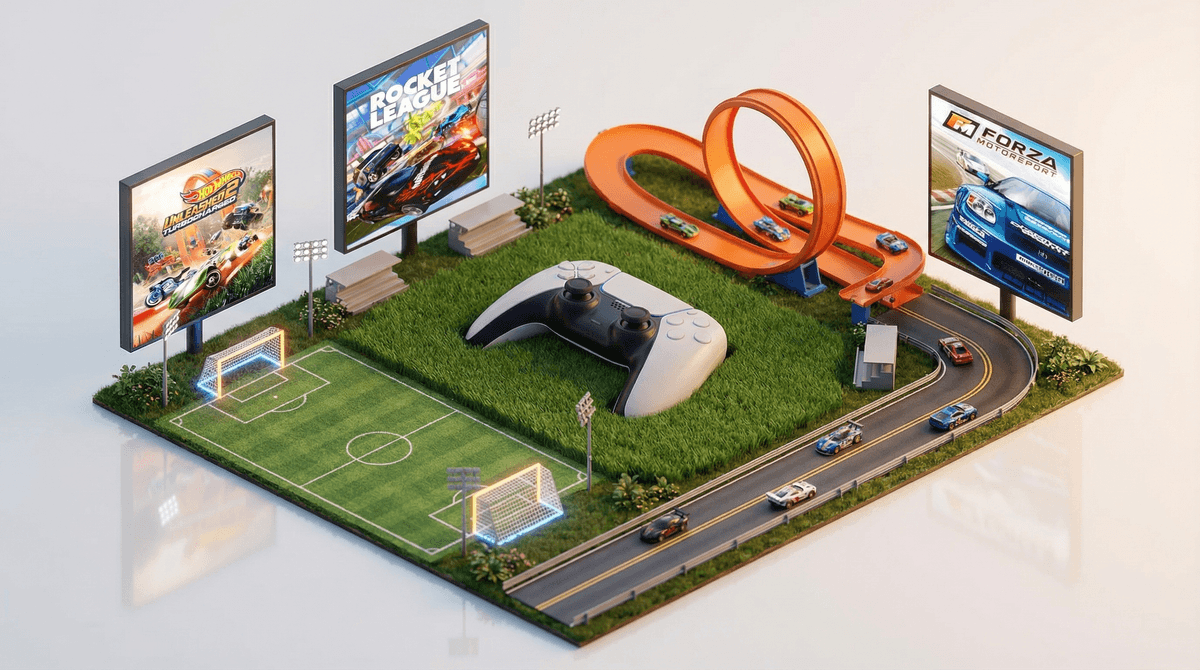
So your 8-year-old wants to play sports games on the Xbox, but they're still figuring out which button does what. Good news: this is actually the perfect entry point into gaming. Sports games have clear, real-world objectives (put ball in goal, cross finish line) that make way more intuitive sense than "collect 47 moon shards to unlock the dimensional portal."
According to our community data, about 55% of families have gaming consoles in their homes, and 55% of kids are gaming regularly. Your situation is super common—lots of parents are navigating this exact question right now.
The challenge with sports games is that many are designed for experienced gamers or include features (online play, microtransactions, realistic violence in contact sports) that aren't great for beginners or younger kids. But there are some genuinely excellent options that teach controller basics while keeping things age-appropriate and, most importantly, actually fun.
Rocket League (Ages 7+)
This is the secret weapon for teaching controller skills. It's soccer with rocket-powered cars, which sounds chaotic but is actually brilliant for beginners. Why? The cars are easier to control than human players, the matches are short (5 minutes), and missing the ball is hilarious instead of frustrating.
The game is free-to-play, which is amazing, but heads up—it does have a store for cosmetic items. You can disable purchases or just have a conversation about it. The online component is generally positive , and you can start with offline bot matches until they're comfortable.
Why it works for beginners: The physics are forgiving, there's no "wrong" way to play, and every kid thinks flying cars are cool.
FIFA 24 or EA Sports FC 24 (Ages 8+)
If your kid actually plays or watches soccer, this is the move. The newest versions have excellent beginner modes that simplify controls—literally a "one-button" mode where passing and shooting happen automatically based on context.
Start with "Kick-Off" mode (just you vs. computer, no stakes) and avoid the Ultimate Team mode initially—it's the part with card packs and spending money. Career mode is perfect for learning: manage a team, play matches, no microtransactions involved.
Why it works for beginners: Adjustable difficulty, familiar sport, and they can play as their favorite real teams.
Hot Wheels Unleashed 2 (Ages 6+)
Technically a racing game, but it deserves mention because it's phenomenally good for teaching racing game fundamentals without the complexity of something like Forza. The tracks are colorful, the cars are tiny Hot Wheels, and the arcade-style handling is super forgiving.
No microtransactions pressure, no online requirements, just pure racing fun. The track builder mode is also sneakily educational—spatial reasoning, cause and effect, problem-solving.
Why it works for beginners: Simplified controls, short races, instant restarts when they crash (which they will, constantly).
Madden NFL 24 (Ages 8+)
If your family is into football, Madden has come a long way with accessibility features. The game now includes "Skill Trainer" modes that teach controls step-by-step, and you can adjust difficulty so the computer basically lets them win while they learn.
Fair warning: football games are complex. Lots of rules, lots of buttons, lots of strategy. But if they're already watching games with you, they'll have context for what's happening.
Why it works for beginners: Tutorial modes are excellent, and Franchise mode lets them learn at their own pace without online pressure.
Mario + Rabbids Kingdom Battle (Ages 8+)
Wait, this is on Nintendo Switch, not Xbox—but I'm including it because if you're considering consoles for beginners, Switch is genuinely the more beginner-friendly platform overall. Just something to keep in mind for the future.
Most of these games have online components, but here's the thing: you don't need to use them. For an 8-year-old with little gaming experience, offline modes are perfect. They can play against the computer, learn at their own pace, and avoid the voice chat chaos of online lobbies.
When they're ready for online play (maybe age 10+), you can enable it with parental controls that disable voice chat and limit who they can play with.
Our community data shows kids are averaging about 4.2 hours of total screen time daily (4 hours on weekdays, 5 on weekends). This includes everything—school, YouTube, gaming, texting.
A couple 20-minute gaming sessions aren't going to break the screen time bank, especially if they're replacing passive YouTube watching with active problem-solving and hand-eye coordination development. Just something to keep in perspective when you're worried about "too much gaming."
The actual biggest challenge here isn't the game—it's the controller. Xbox controllers have like 17 buttons and two joysticks. For a beginner, it's overwhelming.
Start here:
- Let them explore in a low-stakes environment (practice mode, easy difficulty)
- Focus on one skill at a time (just movement first, then add passing, then shooting)
- Expect frustration—it's normal and temporary
- Play co-op together if the game allows it
Rocket League and Hot Wheels are genuinely the best for this because they only need a few buttons to start having fun.
For an 8-year-old with minimal gaming experience, you want:
- Simple controls that don't require 12 fingers
- Forgiving gameplay where mistakes are funny, not frustrating
- Short sessions (5-15 minutes) so they can succeed quickly
- Offline modes to learn without pressure
Rocket League is probably your best bet—free, fun, forgiving, and it teaches transferable gaming skills. FIFA/EA Sports FC is perfect if they're already into soccer. Hot Wheels Unleashed 2 is the dark horse candidate that's better than it has any right to be.
Avoid NBA 2K for now—it's got aggressive microtransactions and is really designed for older players. Same with most wrestling or UFC games, which can be surprisingly complex and violent.
Set them up for success:
- Start with one game, give it a real chance (at least a few sessions)
- Play together initially—co-op or taking turns
- Keep difficulty on easy until they're comfortable
- Set up Xbox parental controls to manage purchases and online access
- Establish time limits before starting (use the Xbox's built-in screen time features)
And remember: learning to game is actually learning. Problem-solving, spatial reasoning, reading (yes, there's lots of reading in games), following complex rules, dealing with failure and trying again. Not saying it's homework, but it's not rotting their brain either.
You've got this. Start with Rocket League, keep expectations reasonable, and prepare for the inevitable "CAN I PLAY ONE MORE GAME" negotiations. Welcome to gaming parenting.