


Most "educational" apps are just digital slot machines with a math problem slapped on the front to make you feel better about the download. If an app is constantly begging for coins, showing ads, or using "dark patterns" to keep your kid’s eyes glued to the screen, it isn't teaching—it’s harvesting. The apps that actually matter are the ones that function like tools: they give kids a new way to see the world, whether that’s through the lens of a geometry proof, a 3D CAD model, or the night sky.
The best learning apps prioritize deep "stealth learning" over flashy rewards. DragonBox Algebra 12+ and DragonBox Elements turn complex math into intuitive puzzles, while Tinkercad provides a professional-grade engineering sandbox for free. If you want to turn a screen into a window to the universe, Sky Guide and The Elements offer stunning, ad-free exploration that respects a kid’s intelligence.
If you want to see a kid master high school concepts without the "I hate math" meltdown, you start with DragonBox. These aren't digital worksheets; they’re logic puzzles that happen to be perfectly mapped to mathematical rules.
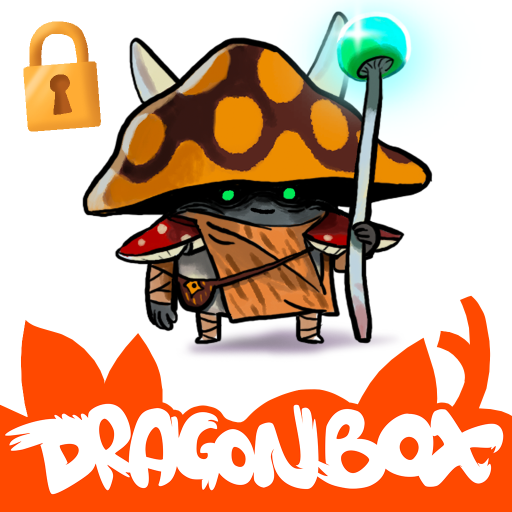
This is the gold standard for "stealth learning." It starts with cute dragons and boxes, but within an hour, your kid is moving variables and balancing equations because they want to "solve the puzzle." It covers factorization, variables, and basic linear equations. The catch in 2026 is the Kahoot! subscription wall—you can’t just buy it once anymore, which is a headache, but the pedagogical design remains undefeated. It’s technically for ages 12-17, but a motivated 10-year-old can absolutely handle the early levels.
Think of this as Euclid’s Elements reimagined as a monster-themed puzzle game. It teaches geometry proofs—the stuff that usually makes 10th graders cry—to elementary schoolers. Kids learn to identify shapes, parallel lines, and congruent triangles to "power up" their characters. Note that this specific 2019 version often requires a teacher account or code; if you’re just a parent at home, look for the standard version in the app store. It gets legitimately difficult in the later stages, so be ready to help them think through the logic.
Some apps aren't games at all—they’re creative suites. These are the ones that bridge the gap between "consuming content" and "building the future."
Tinkercad is a unicorn: a professional-grade tool from Autodesk that is completely free, ad-free, and safe. It’s an iPad-friendly lab for 3D design, electronics, and block-based coding. If your kid wants to 3D print something or understand how a circuit board works, this is where they start. It requires an internet connection, so it’s not a "long car ride" app, and kids under 8 will need you to sit with them for the first 20 minutes to understand how to navigate a 3D space. Once they get it, they’re basically junior engineers.
Most chemistry apps are just digital versions of the periodic table spreadsheet. This one is a visual masterpiece. It treats every element like a museum artifact that you can rotate and examine in 3D. It connects abstract symbols like "W" (Tungsten) to real-world objects like lightbulb filaments. It’s a massive file—make sure you have the storage space—and the text is dense, so treat it as a visual encyclopedia you explore together rather than a textbook they read solo.
Augmented Reality (AR) is often a gimmick, but for astronomy, it’s the "killer app." These tools take the abstract map of the sky and pin it to the real world.
This is the most polished stargazing experience available. You point the phone at the sky, and it overlays constellations, planets, and even the International Space Station in real-time. It’s particularly great for satellite tracking; you can set notifications for when the ISS is about to fly over your house. While there’s a subscription tier, the base version is usually enough for most families.
Star Walk hits many of the same notes as Sky Guide but leans a bit more into the "time machine" aspect. You can scrub through time to see where the stars will be in three months or where they were the night your kid was born. It’s a battery hog because it uses the camera, GPS, and gyroscope all at once, so don't head into a dark field with 10% battery. If you're using the free version, be aware it can be a bit pushy with pop-ups for "more constellations," which is why many parents eventually pivot to Sky Guide's cleaner interface.
The best way to use these apps is to treat them as a bridge to the physical world, not a replacement for it.
- For Tinkercad: If they design something cool, look for a local library or maker space where you can actually 3D print it. Seeing a digital file turn into a plastic object is the ultimate "aha" moment.
- For the Stargazing Apps: Use them to plan a "dark sky" trip. Use the app to find a planet, then try to find it with just your eyes or a pair of binoculars.
- For DragonBox: Don't hover, but stay close. These apps are designed for experimentation. If they get stuck, ask "What happens if you move that dragon to the other side?" rather than giving them the answer.
Q: Are these apps actually free, or will I get hit with in-app purchases?
Tinkercad is 100% free with zero strings. The Elements is usually a one-time purchase. The DragonBox and stargazing apps have moved toward subscription models (Kahoot! for math, various "Plus" tiers for stars), so check your App Store settings before handing the device over.
Q: Can my 7-year-old really do algebra with these?
Yes, but they won't call it algebra. DragonBox Algebra 5+ (the younger sibling to the one on this list) and DragonBox Elements are specifically built for the K-5 crowd. They learn the logic of "balancing" and "proofs" through play long before they see a formal equation in a classroom.
Q: Do these apps work offline?
Star Walk and Sky Guide work for basic star mapping offline, but won't update satellite data. Tinkercad requires a constant connection. The Elements and DragonBox apps generally work offline once the initial (large) assets are downloaded.
If an app feels like a chore, your kid will delete it. If it feels like a slot machine, they’ll get addicted to the "ding" but learn nothing. The six apps on this list respect your kid's time and intelligence by giving them a sandbox to play with real-world concepts like geometry, chemistry, and engineering. Start with Tinkercad if you want a free win, or DragonBox Algebra 12+ if you want to change how they feel about math forever.
- For more age-specific recommendations, check out our digital guide for elementary school.
- If your kid is more into building than math, see our best games for kids list for creative sandboxes like Minecraft.
- Find educational app recommendations for kids interested in dinosaurs and coding